15
Make it Google
This screen displays if you did not sign in to your
Google account.
The Make it Google screen can be used to create a new
Google account.
Note:
If you skipped Wi-Fi setup, the Wi-Fi setup screen
displays and you must connect through a Wi-Fi network.
Select
Get an account
or enter the email address and
password of your existing account.
– or –
Select
Not now
to perform this task later. For more
information, refer to “Setting Up Accounts” on
page 25.
Setup Complete
Once setup is complete, the main HomeSync screen,
My content
, displays.
Congratulations! Your device is set up and ready to use.
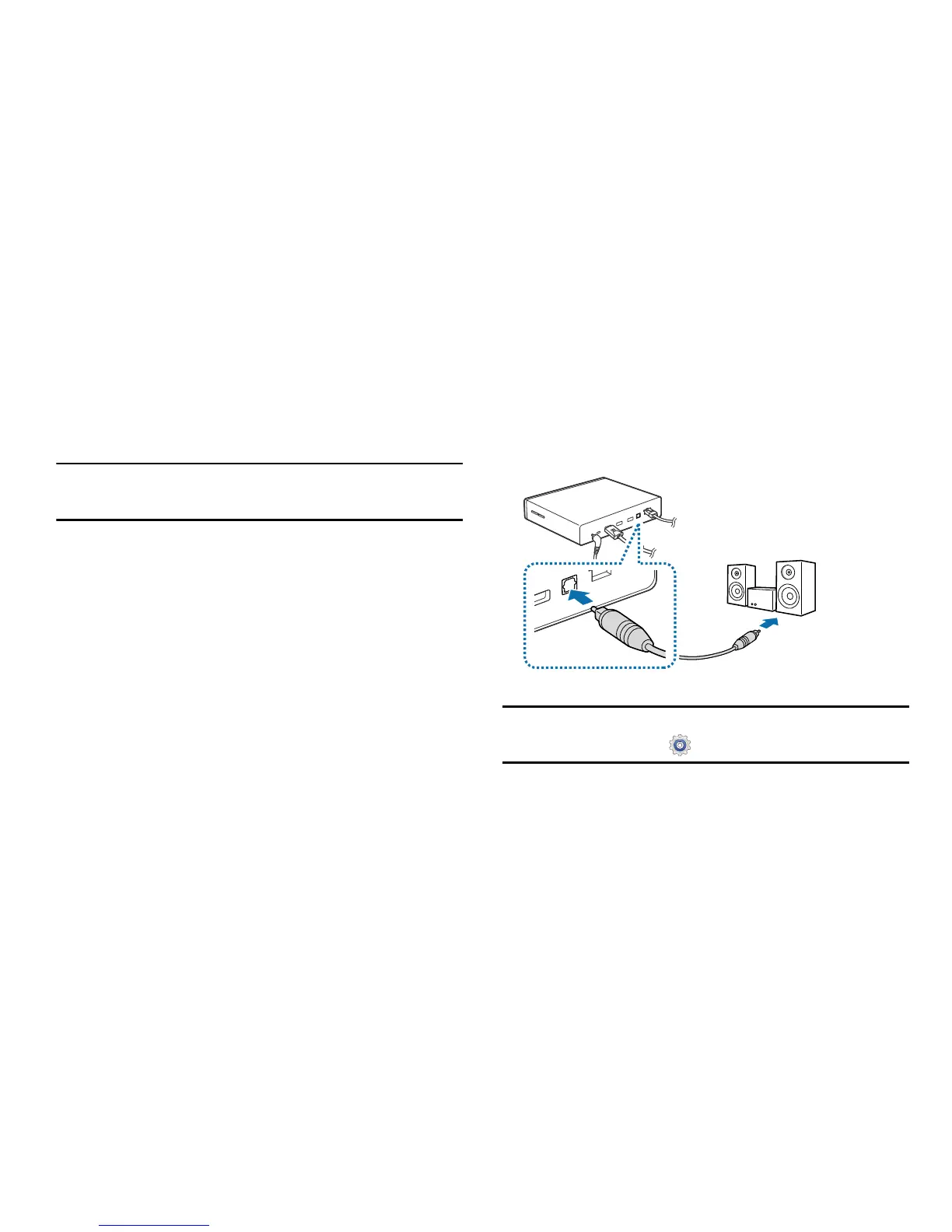
Connecting to Audio Equipment
You can connect the HomeSync device to audio equipment,
such as home theaters.
To connect the device to audio equipment, use an
S/PDIF cable.
Note:
You can select a sound output format to use by
accessing
Apps
➔
Settings
➔
Audio output
.



 To Next Page