Media 38
Video Player
Use this application to play videos.
On the
My content
screen, select
Video Player
.
– or –
On the
Apps
screen, select
Video Player
.
Playing Videos
Select a video to play.
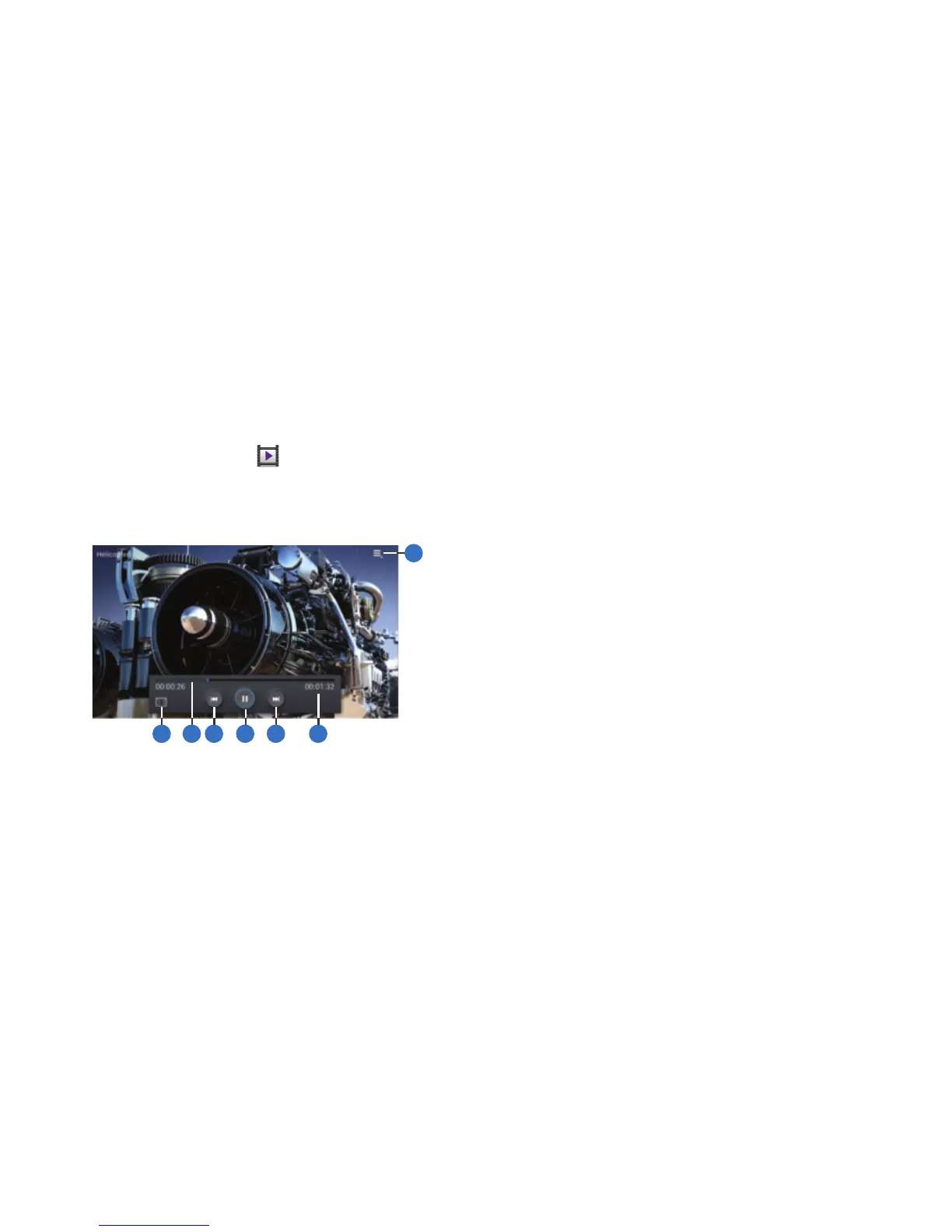
1. Select
More options
and use the following functions:
•Share via
: Share the video.
• Change player
: View the video using AllShare.
• Chapter preview
: If chapter information is recorded in the
video file, display the chapters. Select a chapter to begin
playing the video at that point.
• Video auto off
: Set the option Off or set your video to turn off
automatically by selecting one of the time values.
•Settings
: Select this option to view the following:
–
Capture
: Turn On or Off the Capture mode.
–
Play speed
: Select and drag the slider to decrease or increase
play speed.
–
Subtitles
: View subtitles for the video, if available.
•Details
: Provides details about the video, such as Name, Size,
Resolution, and so on.
2. Change screen ratio.
3. Move forwards or backwards by dragging the
progress bar.
2 3 4
5 6 7
1



 To Next Page