16
F O RWARDING CALLS
You may forward your calls to another station, group of stations or an
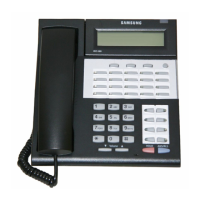
external telephone number. If you have FWD ALL, FWD BUSY, and
FWD NO ANSWER keys, a steady red light reminds you what
forward condition is activated.
To clear all call forwards:
• Dial 6 0 0 .
F O RWARD ALL CALLS
To forward all your calls to another station:
• Dial 6 0 1 plus the extension or group number.
• Receive confirmation tone and hang up.
• The FWD ALL key or the T R S F key will light to indicate Forward
All has been set
NOTE: The station that receives a Forwarded call can transfer the
call back to the forwarding station.
F O RWARD BUSY
To forward calls to another station when you are on the phone:
• D i a l 6 0 2 plus the extension or group number.
• Receive confirmation tone and hang up.
F O RWARD NO ANSWER
To forward calls to another station when you do not answer:
• Dial 6 0 3 plus the extension or group number.
• Receive confirmation tone and hang up.
F O R WARD BUSY/NO ANSWER
If you have both a Forward on Busy destination and a Forward No
Answer destination programmed, you may set both of these at the
s a m e :
• Dial 6 0 4 .
• Receive confirmation tone and hang up.
»£¡÷«‚USER- ∫ª πÆ 98.7.16 12:52 PM ∆‰¿Ã¡ˆ16



 To Next Page