37
key selects a character. Pressing the next key moves the cursor
to the next position. For example: if your message is “TAKE
M E D I C ATION” , press 8 once to get the letter “T” . Press 2 once
to get the letter “A” . Press 5 twice to get “K” . Continue selecting
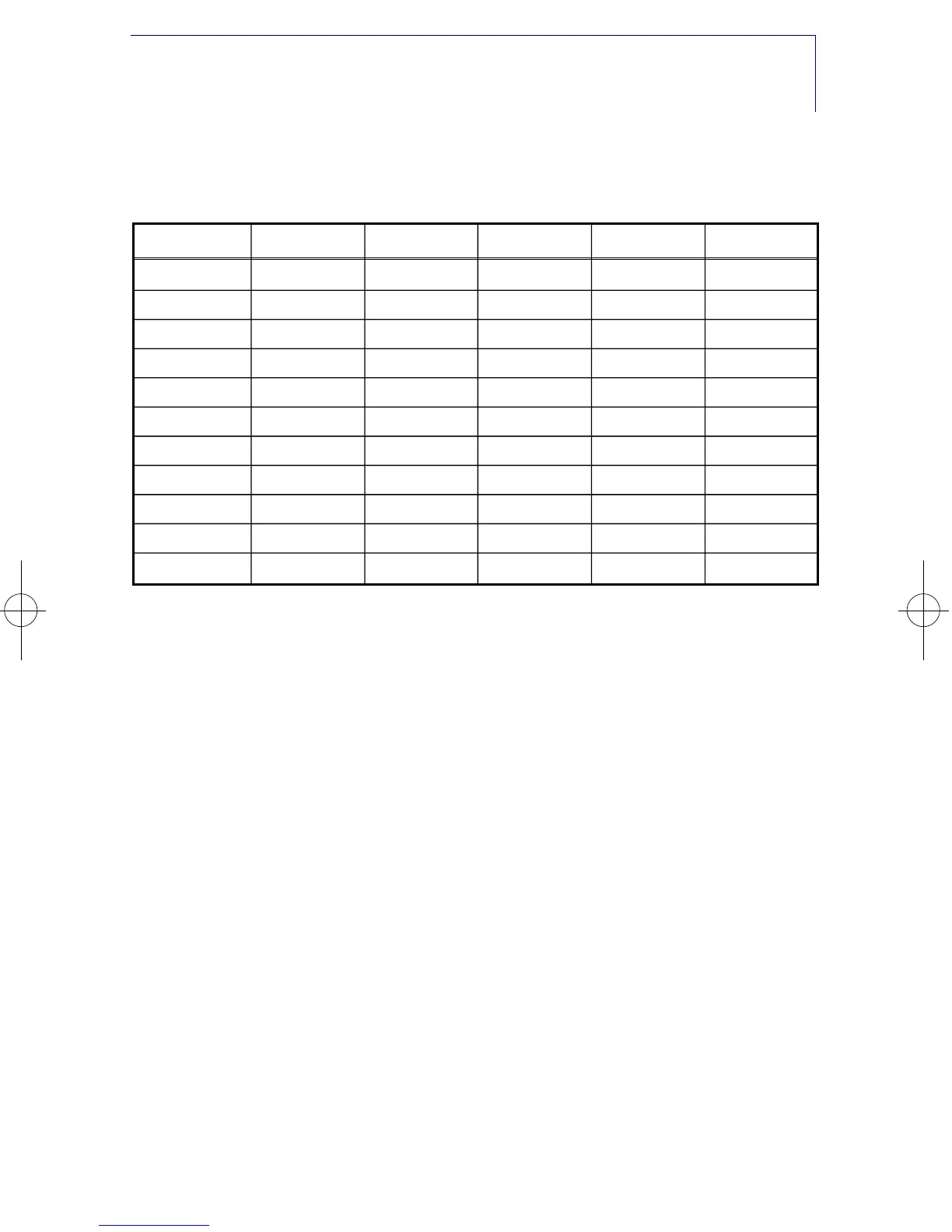
characters from the folllowing table to complete your message.
• Press the T R S F key to store the alarm and reminder message.
• Repeat for each alarm if needed.
The # key can be used for the following special characters: #, space,
&, !, :, ?, ., %, $, -, /, [, ], @ , ^, , ), _, +, {, }, ;, |, “ and ~.
NOTE: When the character you want appears on the same dial pad
key as the previous character, press U P to move the cursor
one space to the right.
To cancel an individual alarm and reminder message:
• Press T R S F and then dial 11 2.
• Dial alarm number 1, 2 or 3.
• Press the H O L D k e y.
• Press the T R S F key to storey.
PERSONAL SPEED DIAL NAMES
Each personal speed dial number can have a ten character name
assigned to it. This name is used to select the speed dial bin when
you are dialling by directory. To program speed dial names:
• While on hook, press T R S F followed by 1 0 6.
• Dial the speed dial bin number 0 0 - 4 9.
• Write your name using the procedure described in A l a r m
C O U N T 1 2 3 4 5
DIAL 0 ( ) .
&
0
DIAL 1 s p a c e ? , ! 1
DIAL 2 A B C @ 2
DIAL 3 D E F # 3
DIAL 4 G H I $ 4
DIAL 5 J K L % 5
DIAL 6 M N O ^ 6
DIAL 7 P Q R S 7
DIAL 8 T U V ✱ 8
DIAL 9 W X Y
Z
9
DIAL * : =
[ ]
✱
»£¡÷«‚USER- ∫ª πÆ 98.7.16 12:52 PM ∆‰¿Ã¡ˆ37



 To Next Page