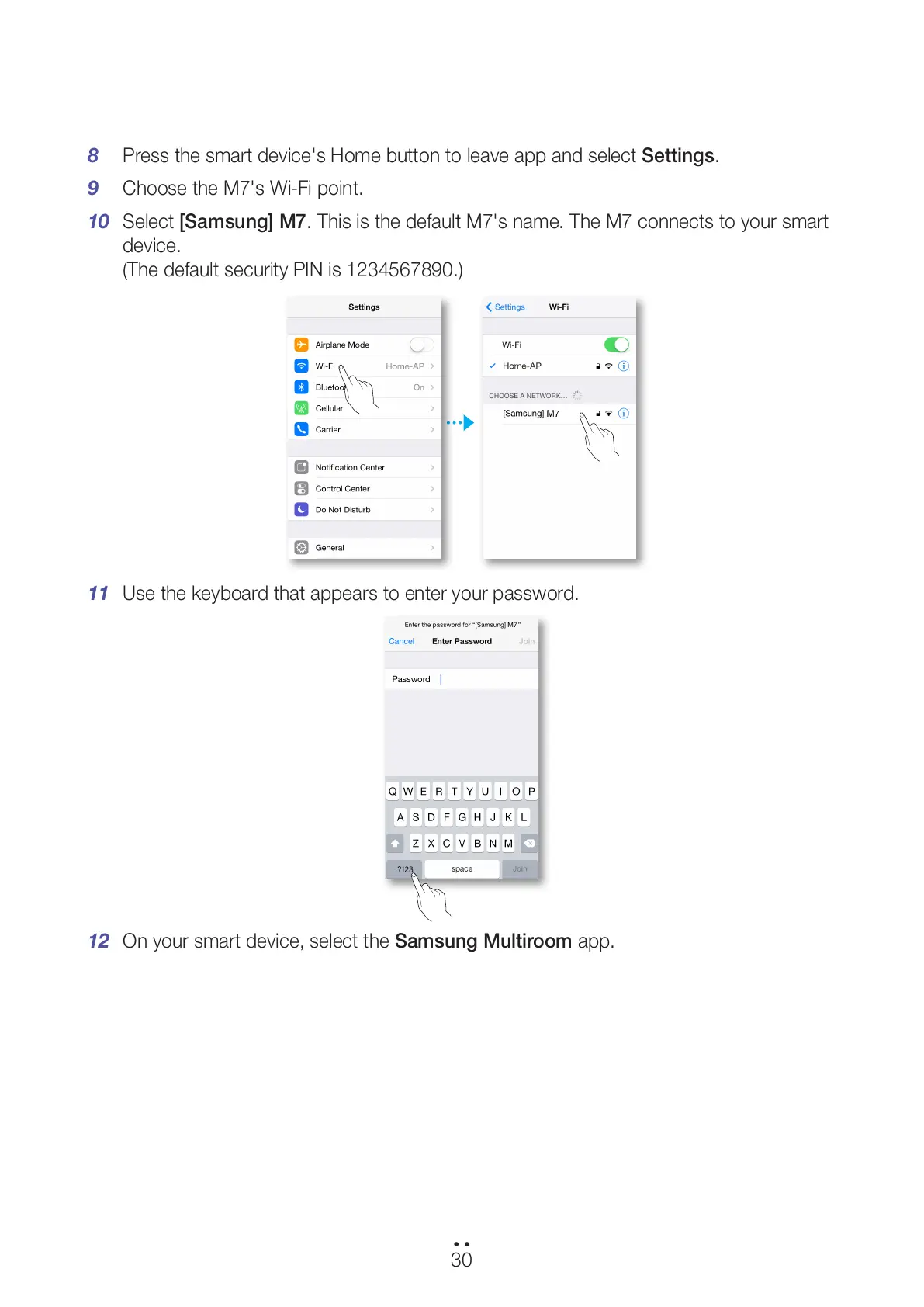
8 Press the smart device's Home button to leave app and select Settings.
9 Choose the M7's Wi-Fi point.
10 Select [Samsung] M7. This is the default M7's name. The M7 connects to your smart
device.
(The default security PIN is 1234567890.)
11 Use the keyboard that appears to enter your password.
12 On your smart device, select the Samsung Multiroom app.
30
44
All manuals and user guides at all-guides.com



 To Next Page