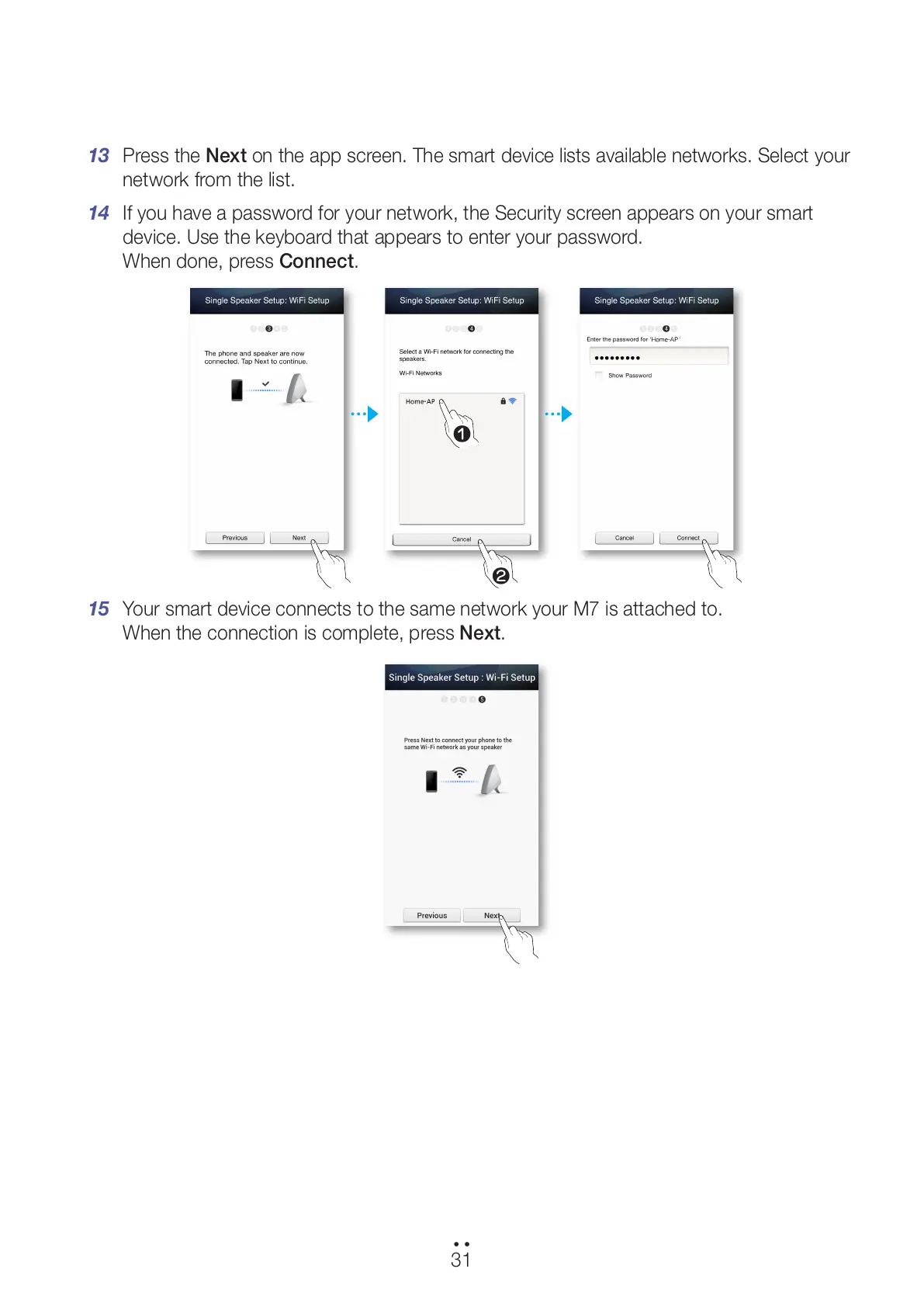
13 Press the Next on the app screen. The smart device lists available networks. Select your
network from the list.
14 If you have a password for your network, the Security screen appears on your smart
device. Use the keyboard that appears to enter your password.
When done, press Connect.
15 Your smart device connects to the same network your M7 is attached to.
When the connection is complete, press Next.
31
44
1
2
All manuals and user guides at all-guides.com



 To Next Page