EasyManua.ls Logo

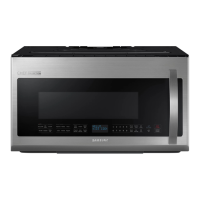
Samsung ME20H705MSS/AA - User Manual

Samsung ME20H705MSS/AA
56 pages
Print Icon
To Next Page IconTo Next Page
Loading...
imagine the possibilities
Thank you for purchasing this Samsung product.
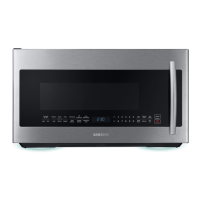
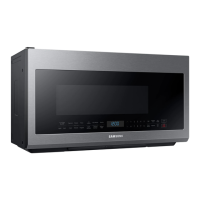
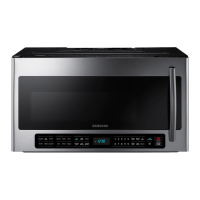
Microwave Oven
user manual
ME20H705MS*

Questions and Answers

  • T
    thompsontiffanyAug 8, 2025
    How to fix a Samsung ME20H705MSS/AA that won't turn on?
    • K
      Kevin RamirezAug 8, 2025
      If your Samsung Microwave Oven display and/or the oven is not working, ensure the plug is properly connected to a grounded outlet and that the wall switch (if applicable) is turned on. Try removing the plug, waiting ten seconds, and plugging it back in. Also, reset the circuit breaker or replace any blown fuses. You can also test the outlet with another appliance or try plugging the oven into a different outlet to rule out electrical issues.
  • B
    brandon71Aug 13, 2025
    Why does my Samsung ME20H705MSS/AA Microwave Oven turn off before time?
    • E
      Eric JohnsonAug 13, 2025
      If the power goes off on your Samsung Microwave Oven before the set time has elapsed, and the time indicator displays 88:88, this may indicate a power outage. If no power outage occurred, remove the plug from the outlet, wait ten seconds, and plug it in again. Reset the clock and any cooking instructions. Also, check the circuit breaker or fuses.
  • C
    Cameron HeathAug 16, 2025
    Why does my Samsung ME20H705MSS/AA Microwave Oven cook food slowly or have sparks?
    • C
      chrisgilbertAug 17, 2025
      If your Samsung Microwave Oven cooks food too slowly or you notice sparks or arcing, it might be due to operating another appliance on the same circuit, causing a voltage drop. Ensure the oven has its own 20 amp circuit line, and move it to its own circuit if necessary. Also, remove any metallic utensils, cookware, or metal ties. If using foil, use only narrow strips and allow at least one inch between the foil and the interior oven walls.
  • A
    Amanda EvansAug 21, 2025
    What to do if Samsung Microwave Oven display is on but no power?
    • M
      Melissa AshleyAug 21, 2025
      If your Samsung Microwave Oven display is working, but the power won’t come on, ensure the door is closed securely. Check for any packaging material or obstructions in the door seal, and inspect the door for damage. Touch Cancel twice and re-enter all cooking instructions.
  • G
    glenn79Aug 26, 2025
    How to fix Samsung ME20H705MSS/AA Microwave Oven turntable noise?
    • C
      Cynthia KirbyAug 26, 2025
      If your Samsung Microwave Oven turntable makes noise or becomes stuck, clean the turntable, roller ring, and oven floor. Make sure the turntable and roller ring are positioned correctly.
  • J
    Jason LevineAug 30, 2025
    How to stop Samsung Microwave Oven from causing interference?
    • M
      marcus13Aug 30, 2025
      To address TV or radio interference caused by your Samsung Microwave Oven, move the microwave away from other appliances like TVs or radios.
  • J
    Jennifer GallegosSep 3, 2025
    Why is my Samsung ME20H705MSS/AA vent weak?
    • S
      sean55Sep 3, 2025
      If the vent motor suction force on your Samsung Microwave Oven is too weak, set the vent mode to high. Note that the Vent Fan will only operate in low speed mode while the microwave is working.

Samsung ME20H705MSS/AA Specifications

General IconGeneral
BrandSamsung
ModelME20H705MSS/AA
CategoryMicrowave Oven
LanguageEnglish

Related product manuals