97
What is MDC?
4
4 What is MDC?
4.13.2 Group Management
Creating Groups
Create groups and manage the list of sets on a group basis.
Duplicate group names cannot be used.
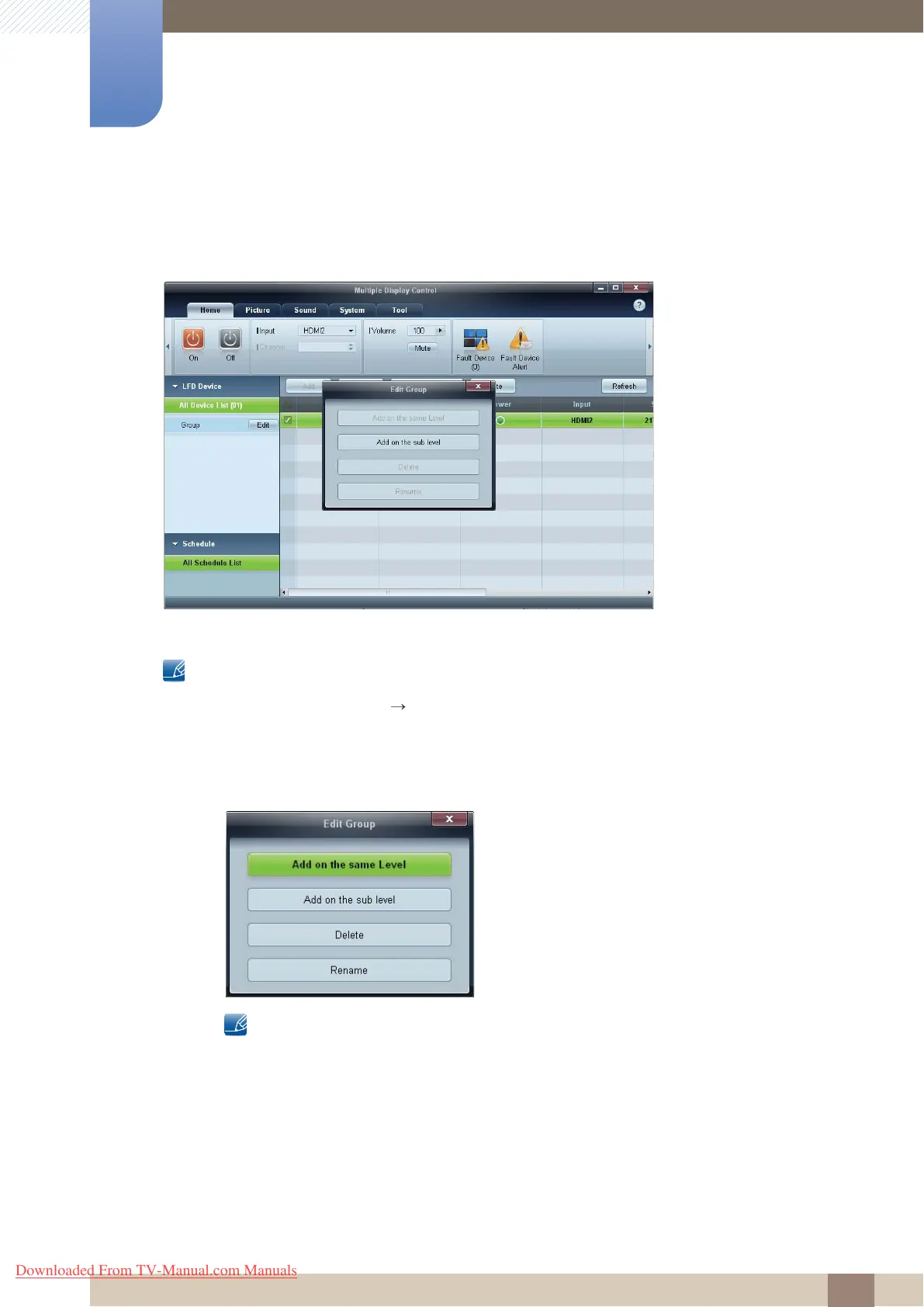
1 Right-click and select Group Edit in the display device list section on the left side of the program
window.
2 In the Edit Group window displayed, click Add on the same level or Add on the sub level.
z Add on the same level: Create a group on the same level as the selected group.
The Add on the same level button is enabled only if at least one group is created.
Downloaded From TV-Manual.com Manuals



 To Next Page