50
Turn on the computer
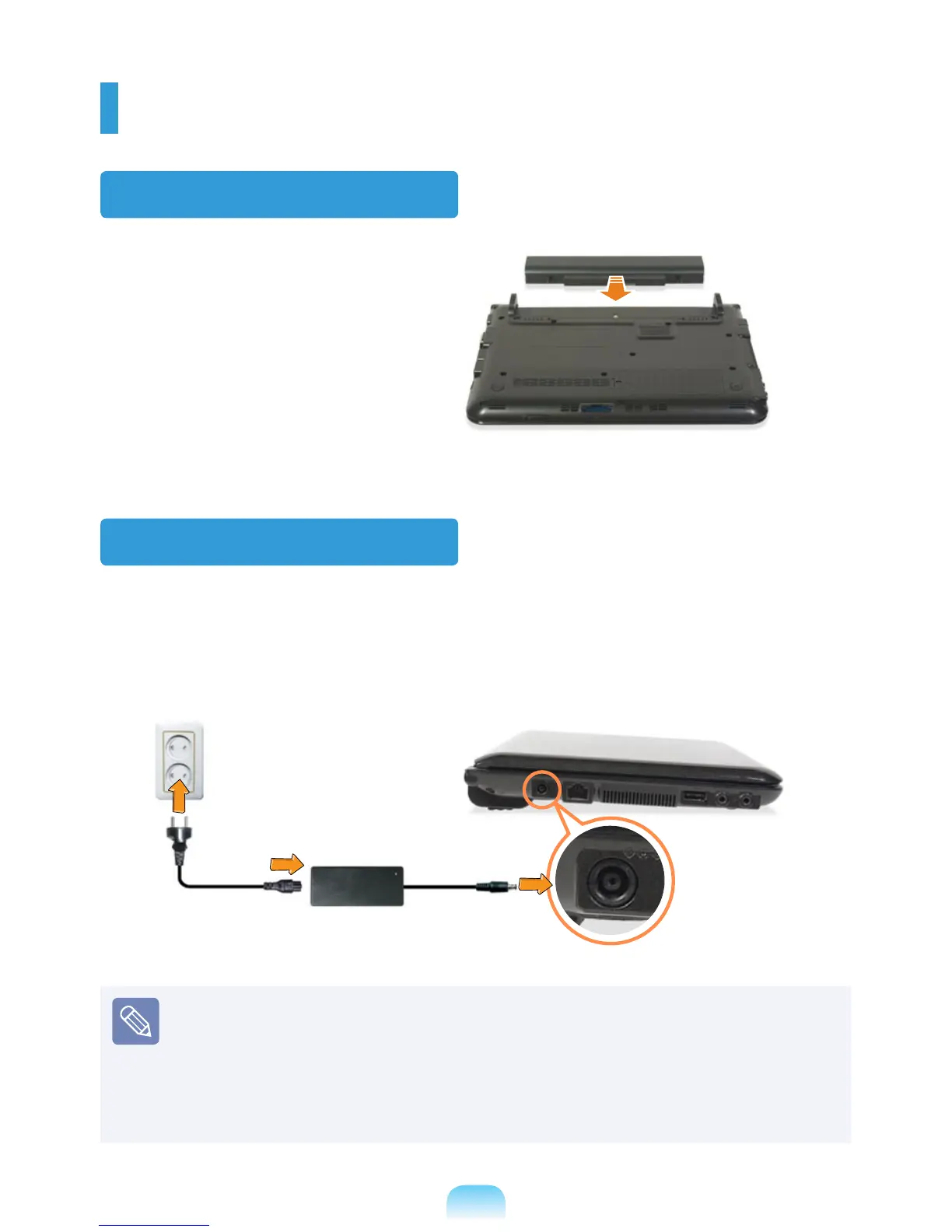
Attaching the Battery
1
Battery preparation.
2
Attaching the Battery.
Connect the AC adapter
1
Connect the AC adapter.
2
Connect the power cable.
x
AC Adapter
Power
Cable
z
DC-in Jack
Charge the battery fully when using the computer for the rst time.
When using the power cable, insert the power cable completely into the AC adapter.
Some items may be replaced with similar products and the color of some items may
differ from that in this document.
The images used for the illustration are of a representative model, therefore the
images may differ from the the actual product.



 To Next Page