3
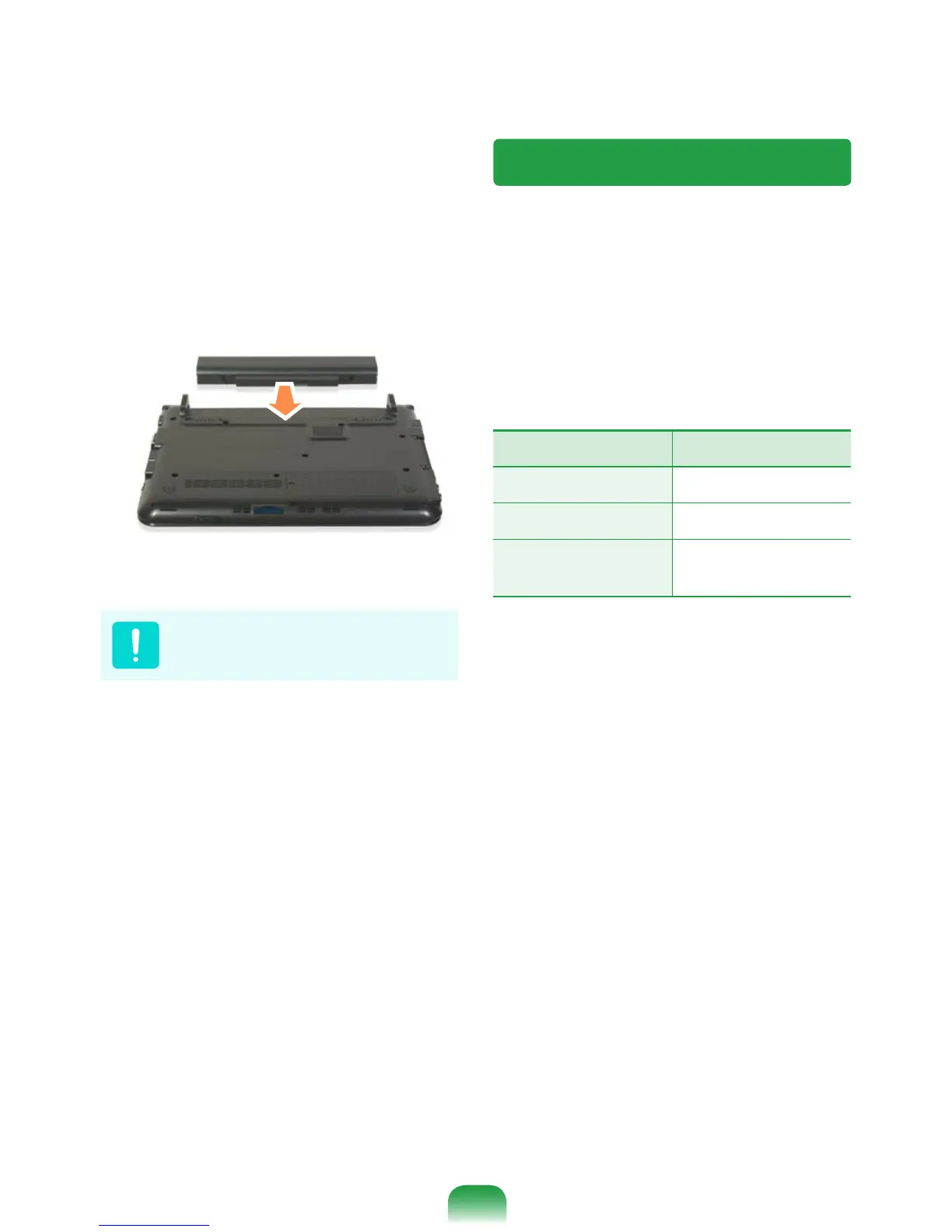
To install the battery again, slide the
battery into the system.
The battery latches move inwards and
x the battery automatically.
Check if the battery latch has been
moved inwards.
Charging the Battery
1
Attach the battery and connect the
AC adapter to the DC-in jack of the
computer.
The battery will then start charging.
2
When charging is complete, the Charge
LED turns green.
Status Charge LED
Charging
Amber
Charging complete
Green
AC adapter not
connected
Off



 To Next Page