71
Upgrading Memory
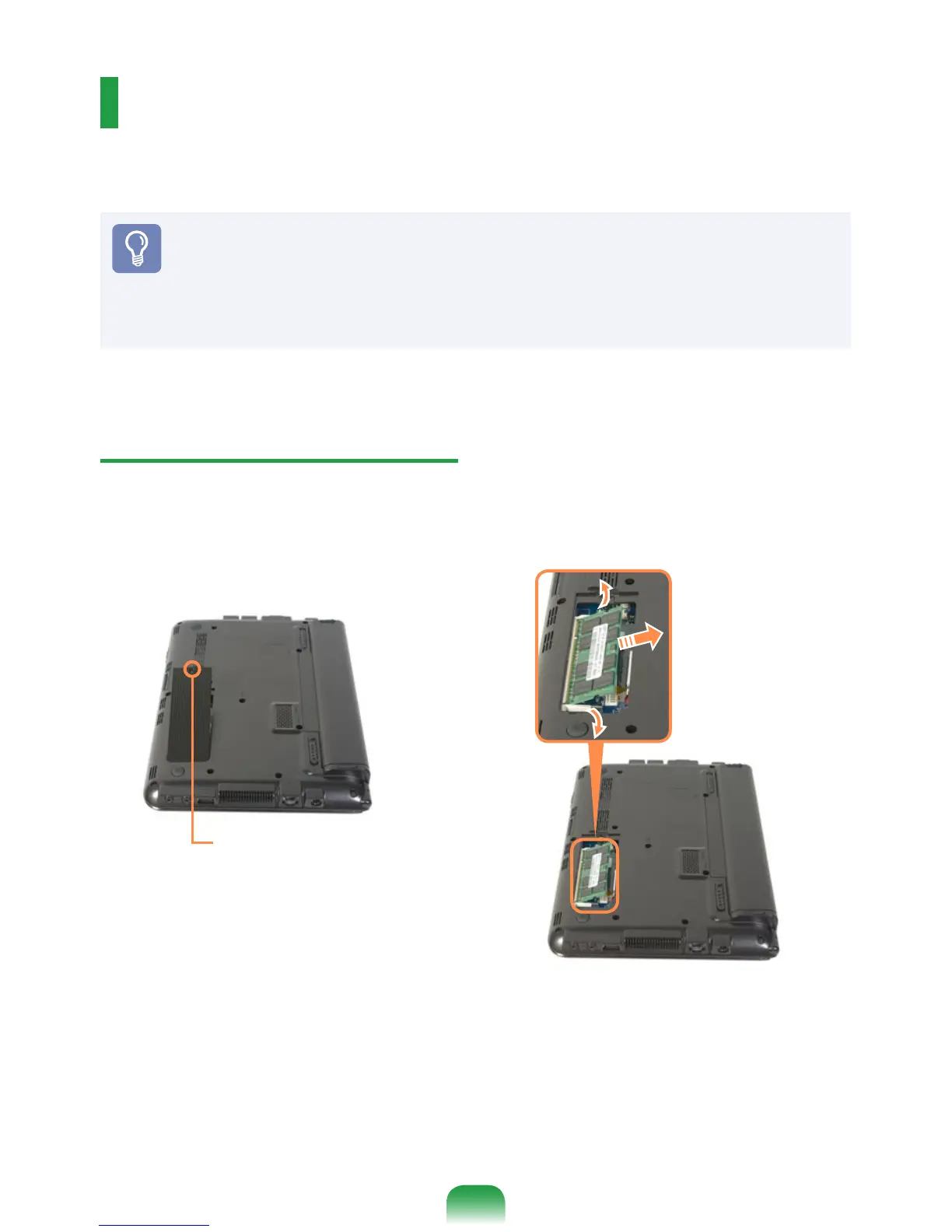
A memory is installed in the memory slot at the bottom of this computer. The procedures
to replace the memory are described below.
Before You Start!
Replace new memory only after shutting the computer down completely. Do not
replace memory when the computer is in Sleep mode.
Disconnect main power plug and remove the battery before continuing.
Only use the same type of memory as specied in the Product Specication.
Replacing the Memory
1
Remove the screw on the memorymemory
compartment cover at the bottom of
the computer using a screw driver.
2
Pull the memory module latches
outward. The memory module will pop
up.
Remove the memory module out at an
angle of 30 degrees.
Fixing Screw



 To Next Page