Multi Card Slot (Optional)
Using the multi card slot, you can read and write data to a SDHC, MMC and SD card.
You can use a card as a removable disk and conveniently exchange data with digital
devices such as a digital camera, digital camcorder, MP3, etc.
You can only use it after installing Windows XP or Windows 7/Vista.
Before You Start!
You have to additionally purchase a multi card with the necessary capacity
depending on your requirements.
You can use a multi card just like any data storage device. A copyright protection
function is not supported.
Since you can lose a card when moving the computer, keep the card separately.
Before use, remove the dummy card that was inserted to protect the slot.
Supported Cards : SD Card, SDHC card, MMC
The images used for the illustration are of a representative model, therefore the
images may differ from the the actual product.
To Insert and Use a Memory Card
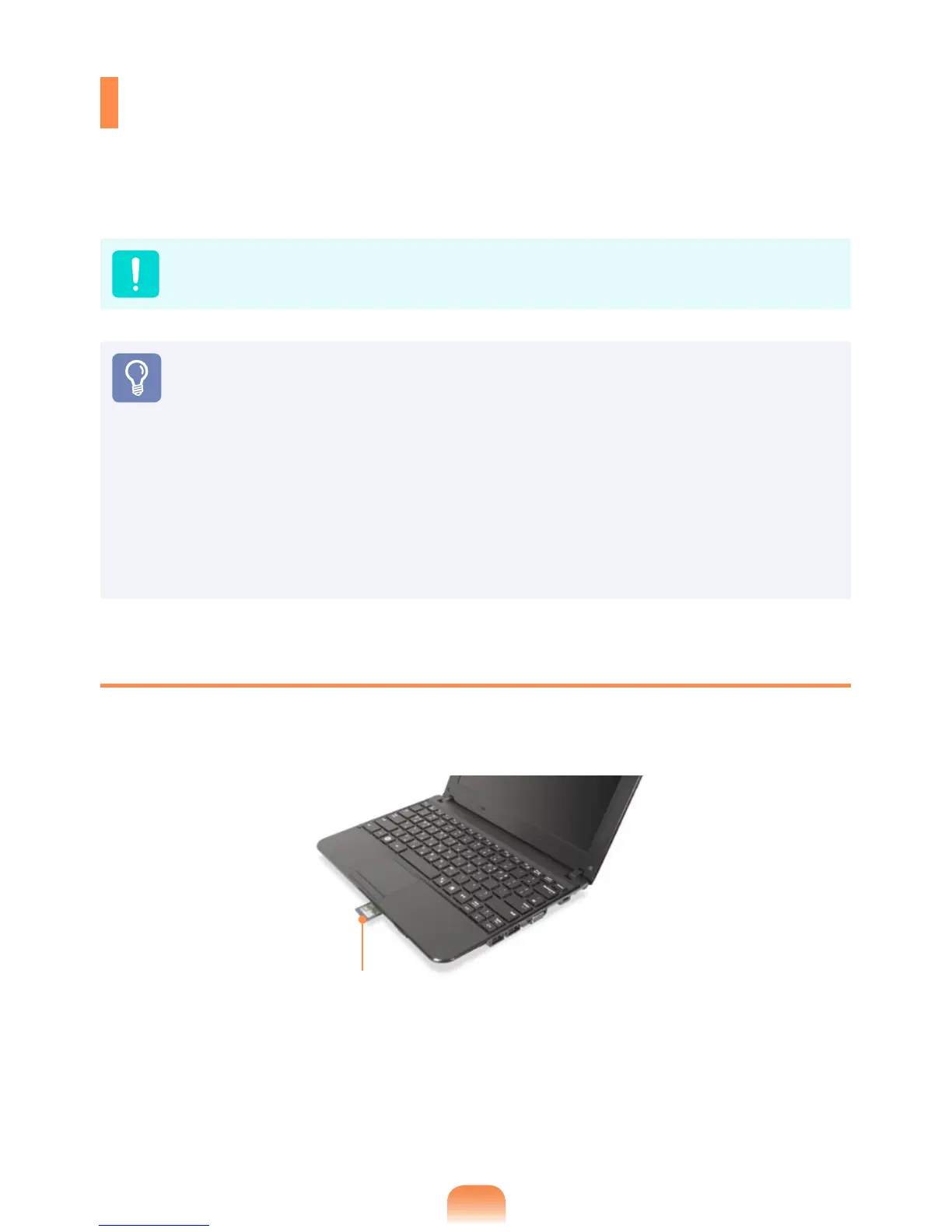
Insert a card into the slot according to the directions printed on the slot.
Example) SD Card


 To Next Page