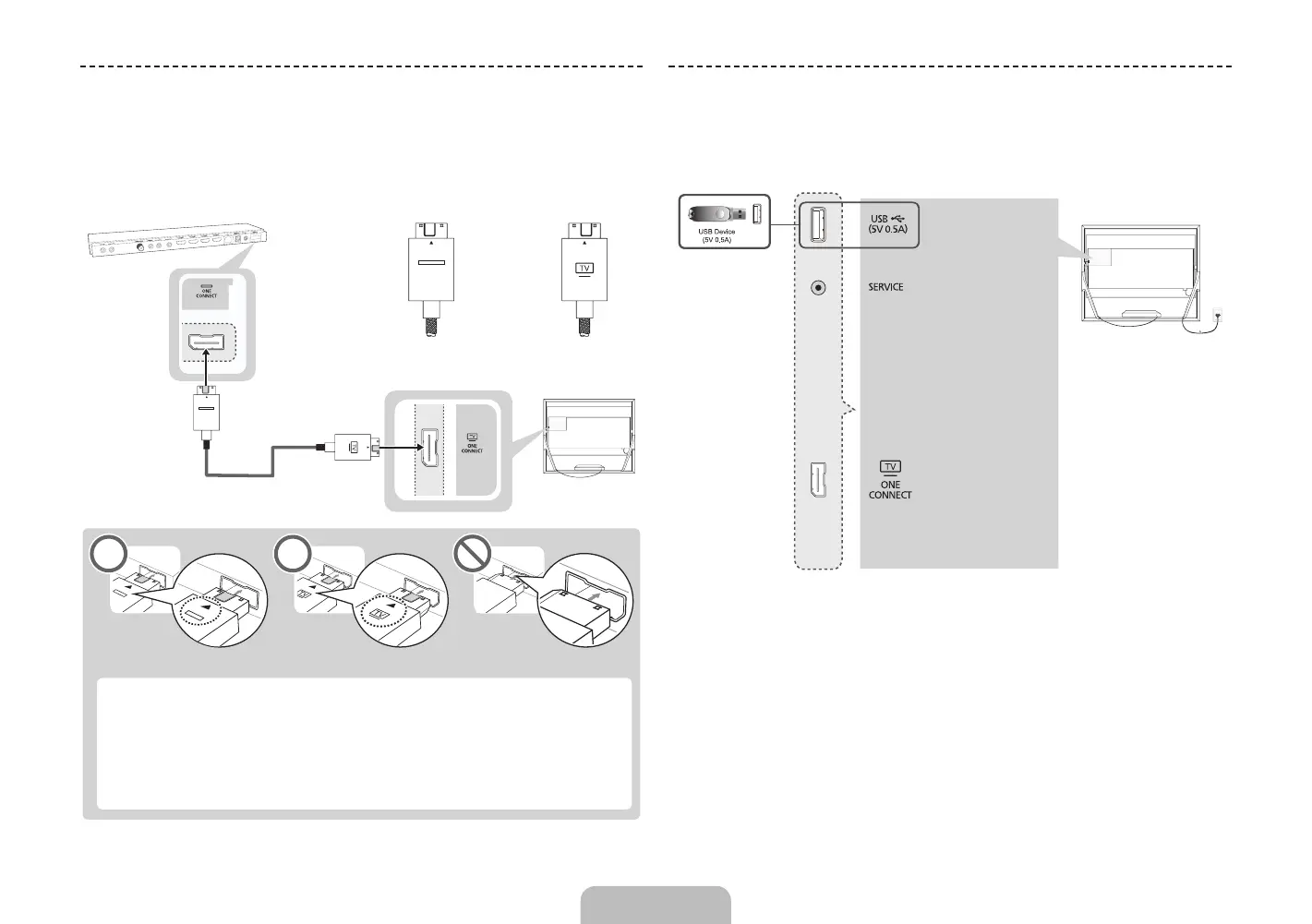
Connecting the TV to One Connect
One Connect must be connected to the TV via the One Connect cable before
connecting an external device. The One Connect cable has two different ends,
Connect the TV to One Connect referring to the diagram.
<TV-end Connector><One Connect-end Connector>
TV
One Connect
[
The connectors at both ends of the One Connect cable are
different from each other in shape. When connecting the One
Connect cable to the TV, make sure that the right connector is
plugged into the TV. Otherwise, it may cause product failure.
<One Connect-end Connector> <TV-end Connector>
External Device Connections
TV - Side
English - 12 English - 13
[UN85S9AF-ZC]BN68-05182C-04L02.indb 13 2013-10-30 �� 9:56:13


 To Next Page