Turning on the TV
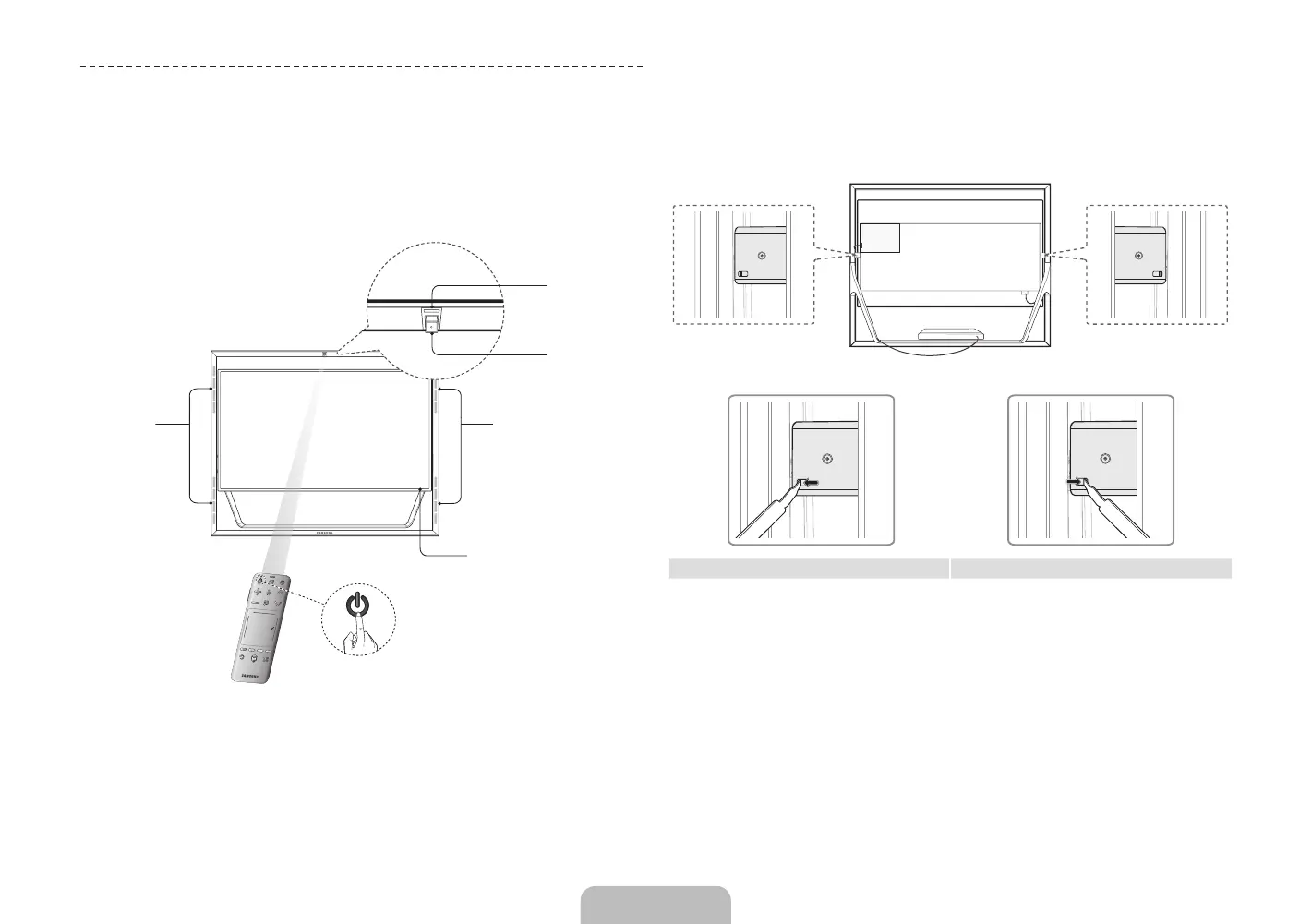
Turn on the TV using the P button on the Smart Touch Control or TV panel.
✎
The first time you turn on your TV, it will immediately start the initial setup.
✎
The product color and shape may vary depending on the model.
Power button
Camera
Speakers
Speakers
Remote
control sensor
Installation Height & Angle Adjustment
1. Using the provided Delphinus, unlock the frame lock on either side of the
product's rear middle as shown.
<TV Screen Lock> <TV Screen Unlock>
English - 10 English - 11
[UN85S9AF-ZC]BN68-05182C-04L02.indb 10 2013-10-30 �� 9:56:10


 To Next Page