Troubleshooting
If you encounter... Try this...
My 3D glasses do not work.
The 3D glasses should be close to the TV. Move the 3D glasses to within 6m
(19.5 ft) of the TV.
Try the paring again in order to check if it is completed.
Check the 3D function settings on the TV.
Take off the glasses and put them on again. The glasses may not be turned
on if not properly worn.
The LED keeps blinking The battery is low. Charge the battery.
Specifications (Model Number: SSG-3550CR/SSG-3570CR)
Optics
Shutters Liquid crystal Transmittance 37±2%
Recommended
operating
distance
2~6m (6 to 19.5 ft) Field Rate 120 fields/second
Weight Glasses 29g (0.99 oz)
Power Glasses Built-in 3.7V Lithium-polymer battery
Power
consumption
Glasses 1.12mA
Battery
Type 65mAh, 3.7V
Operating time 40Hr
Operating
conditions
Operating
temperature
50 °F ~ 104 °F (10°C ~ 40°C)
Custody
temperature
-4 °F ~ 113 °F (-20°C ~ 45°C)
✎
Product specifications may be changed without notice in order to
enhance product performance.
✎
The continuous operating time may differ depending on the wireless
communication environment and usage conditions.
What is Remote Support?
Samsung Remote Support service offers you one-on-one support with a
Samsung Technician who can remotely:
• Diagnose your TV
• Adjust the TV settings for you
• Perform a factory reset on your TV
• Install recommended firmware updates
How Does it Work?
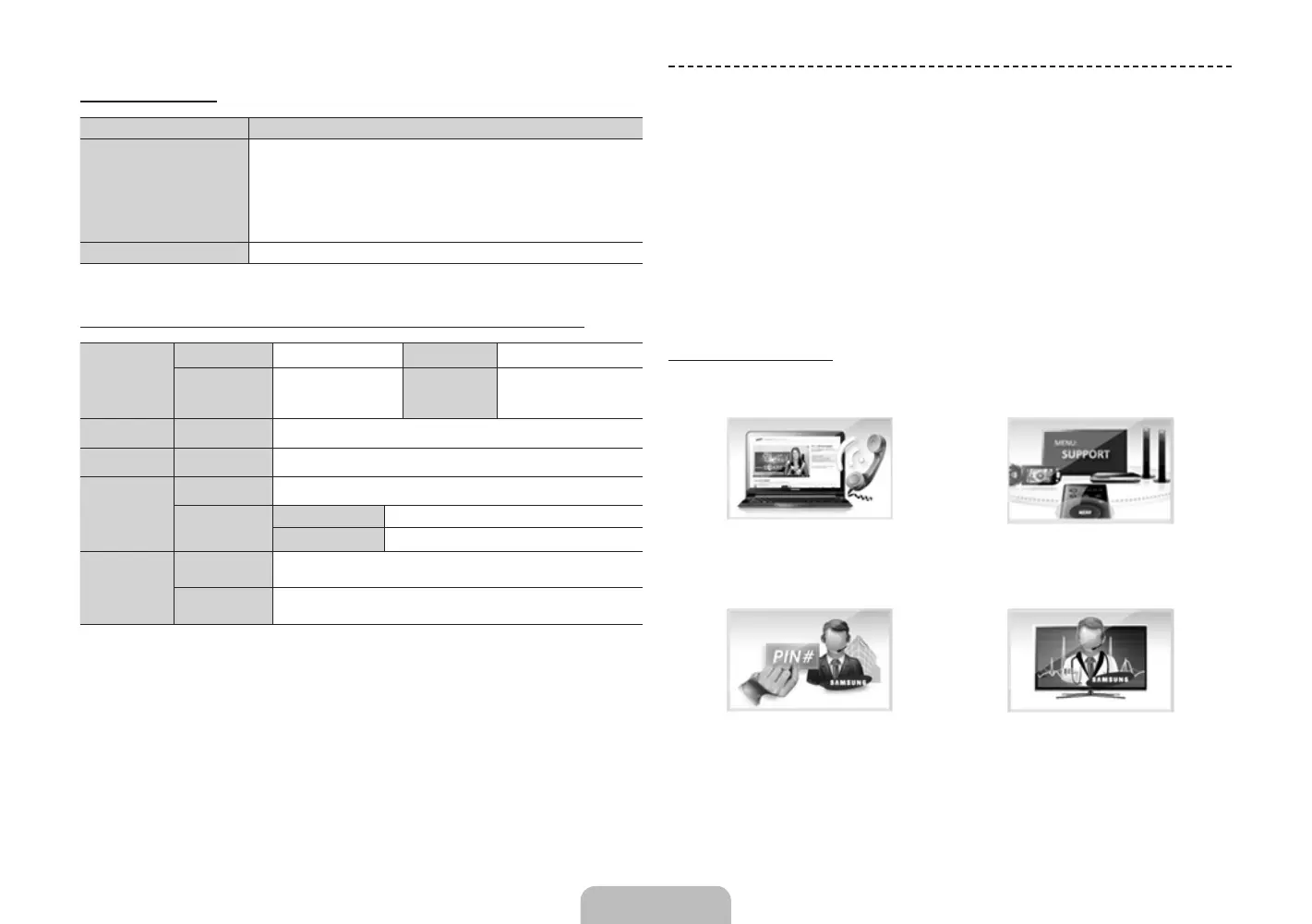
Having a Samsung Tech remotely service your TV is easy.
1. Call the Samsung Contact
Center and ask for remote
support.
2. Open the menu on your TV and
go to the Support section.
3. Select Remote Management and
Provide the Pin# to the agent.
4. The agent will then access your
TV. That's it!
Troubleshooting and Other Information
English - 22 English - 23
[UN85S9AF-ZC]BN68-05182C-04L02.indb 23 2013-10-30 �� 9:56:21


 To Next Page