Samsung Electronics5-26
Alignment and Adjustment
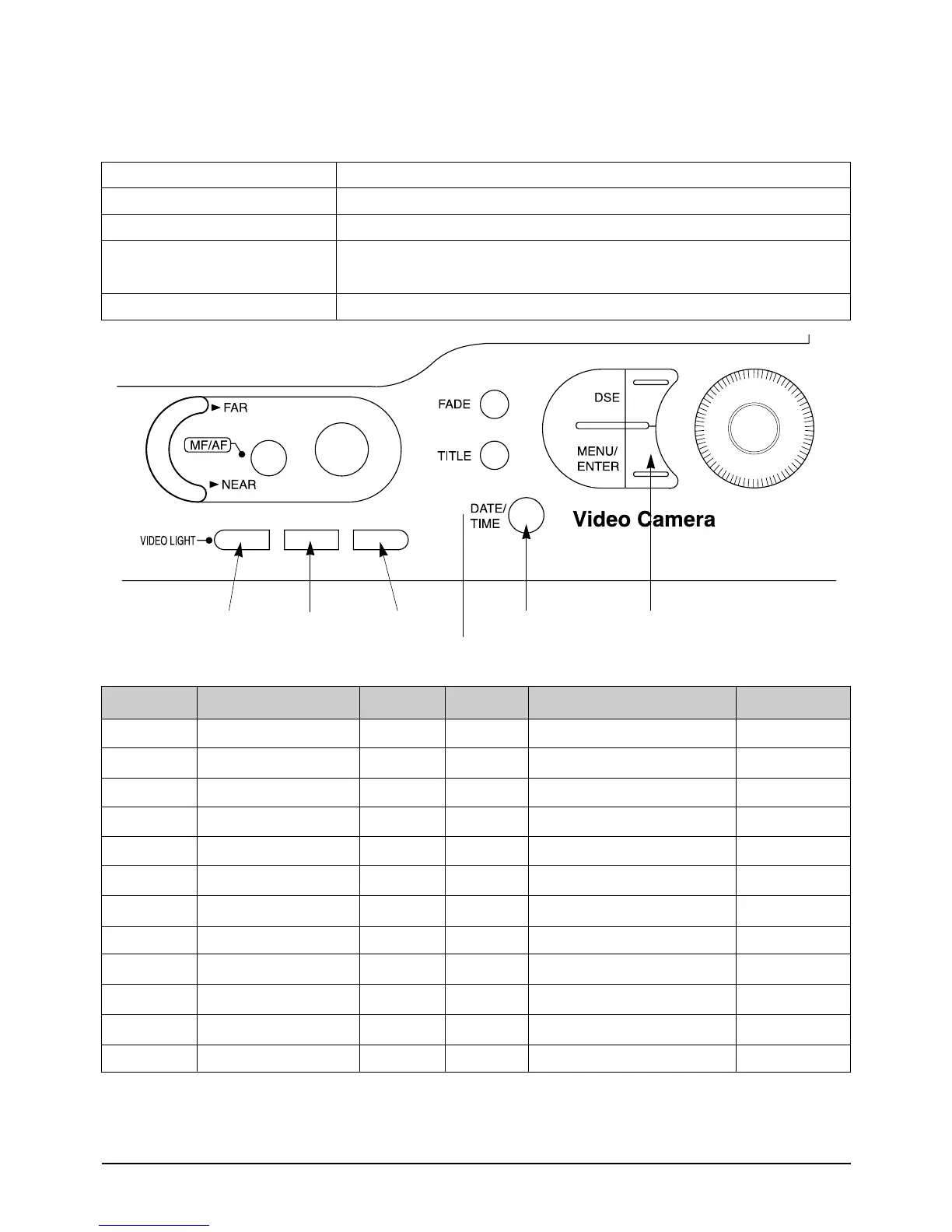
2. The following chart shows the function of each button. In service adjustment mode, button names are
different from those in customer camera function control mode. EX)MENU/ENTER button is the same as
confirm.
NOTE : “XX XX: indicates variable values.
Button
TITLE (MODE DOWN)
DATE/TIME (MODE UP)
C/RESET (DATA UP)
Z/RTN (DATA DOWN)
MENU/ENTER (CONFIRM)
Function
When change the adjustment mode.
When change the adjustment mode.
When change data value of adjust state.
Data store after finishing adjustment by “DATA UP/DATA DOWN” button
ADDRESS MODE NTSC PAL MEAN REMARK
0 TINT 88 65 TINT ADJUST
1 COLOR 65 75 COLOR GAIN ADJUST
2 BRIGHT 88 88 BRIGHT ADJUST
3 CONTRAST 60 60 CONTRAST FIXED
4 R SUB 8A 80 R-BRIGHT ADJUST
5 B SUB 8A 80 B-BRIGHT ADJUST
6 GAMMA 1 75 75 GAMMA1 GAIN FIXED
7 GAMMA 2 B1 B1 GAMMA2 GAIN FIXED
8 PLL 60 60 PLL ADJUST
9 MODE 1 02 0E SYSTEM SELECTION 1 FIXED
A MODE 2 00 00 SYSTEM SELECTION 2 FIXED
B MODE 3 F5 F5 H-POSITION FIXED
DATA DOWN DATA UP OSD ON/OFF
MODE DOWN
MODE UP CONFIRM



 To Next Page