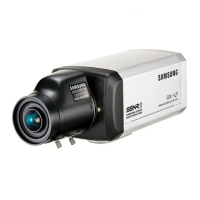
COLOR CCD CAMERA User’s Manual
25
COLOR CCD CAMERA User’s Manual
24
FREEZE : You can view still or moving pictures.
V-REV : You can flip the picture vertically on the screen.
H-REV : You can flip the picture horizontally on the screen.
D-ZOOM : You can use a digital zoom of x1~x10.
IMAGE SETUP
1. FREEZE OFF
2. V-REV OFF
3. H-REV OFF
4. D-ZOOM OFF
5. SHARPNESS ON
6. RETURN
2. Select a desired mode using the Function Setup switch.
1. When the SETUP menu screen is displayed, select ‘IMAGE ADJ.’ by using the Function
Setup switch so that the arrow indicates
IMAGE ADJ.
SHARPNESS : As you increase this value, the picture outline becomes stronger and
clearer. Adjust this value appropriately depending on the sharpness of
the picture.
RETURN : Select this to save the settings for the IMAGE ADJ. menu and to return to
the SETUP menu.
• When H-REV or V-REV is selected, any text in the picture also will be flipped horizontally
or vertically.
• If you increase the SHARPNESS level too high, the picture may become distorted or
noise may appear.
Notes
• You cannot control the DAY/NIGHT menu when AGC in the EXPOSURE menu is ‘OFF’.
At this time, the exchange between DAY mode and NIGHT mode operates as like
selecting ‘COLOR’ mode.
• The OSD key does not work for 3 seconds when switching to Color or B/W, to ensure
stable camera operation.
• The camera may focus less well under infrared illumination than under normal illumination.
• Since the camera may not focus as well under infrared illumination at night as it does
under normal illumination, install an Extra-low Dispersion Lens to obtain sharp pictures
Notes
IMAGE ADJ.
MAIN SETUP
1.LENS DC
2.EXPOSURE
3.WHITE BAL ATW
4.BACKLIGHT OFF
5.SSNR ON
6.DAY/NIGHT AUTO
7.IMAGE ADJ
8.SPECIAL
Operating Your Camera



 To Next Page