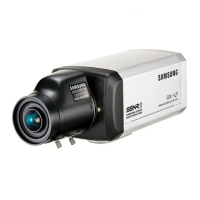
COLOR CCD CAMERA User’s Manual
11
COLOR CCD CAMERA User’s Manual
10
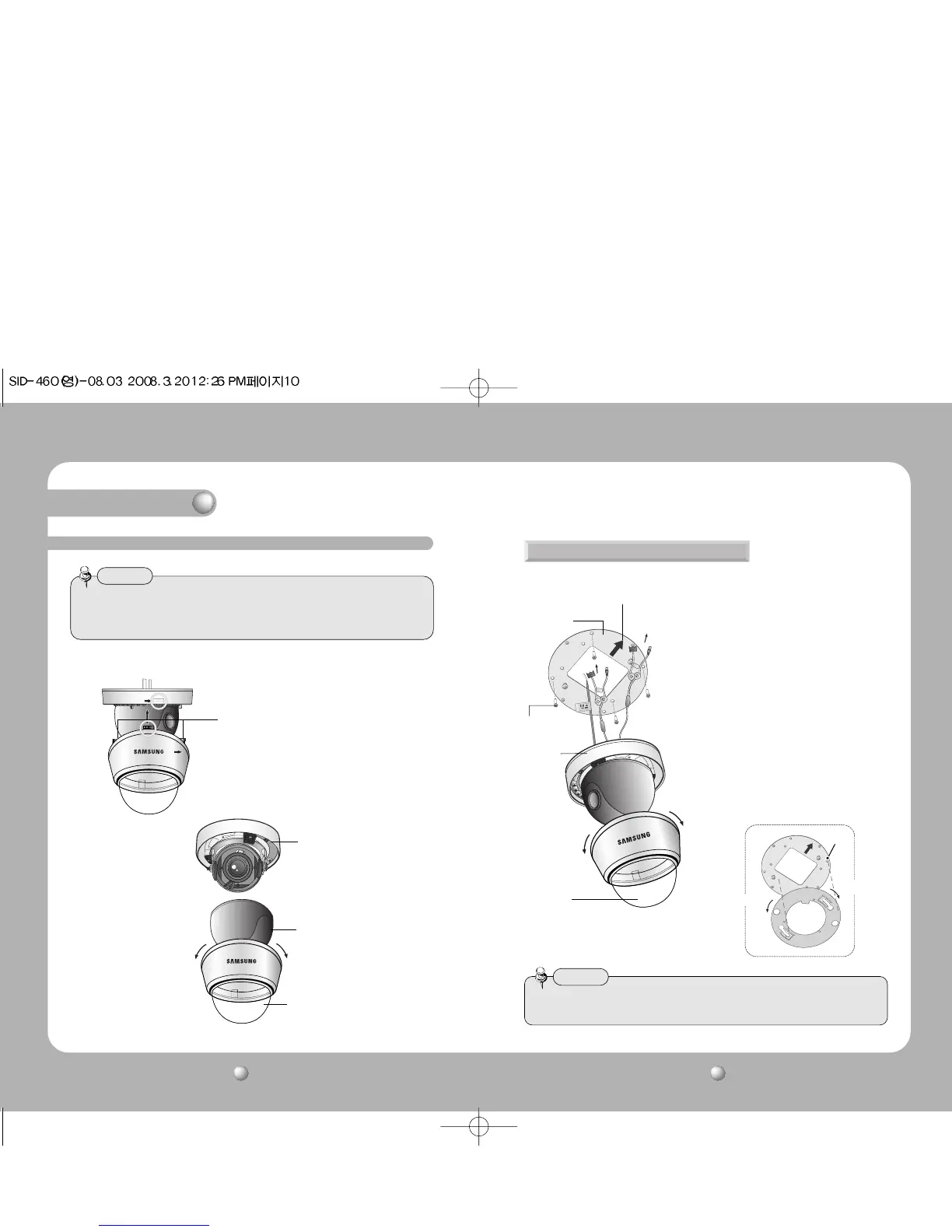
1) Separate the dome cover by clockwise rotation.
2) Separate the shield case by pulling from the camera body.
• The installation should be done by qualified service personnel or sysytem installers.
• If the ceiling material is not strong enough to hold the installation screws, the camera
may fall off. Reinforce the ceiling as needed.
Notes
* To install the dome cover on the camera
body, turn the latches in locking
direction as shown in the figure 1.
Installation
Installation
Locking direction
(Clockwise)
Latch
Locking direction
[Figure-1]
Main Body
(Camera)
Shield Case
Dome cover
Unlocking direction
(Counterclockwise)
When installing on a adapter plate
1) Place the bracket provided on the
installation surface and fix it with the M4
tapping screws (provided).
2) When placing the camera body on the plate,
insert the plate pin into the mounting hole
on the body as shown in figure-1 and fix it
by turning clockwise.
3) When placing the camera body on the plate,
make sure the power and the BNC cables
pass through their respective designated
holes.(When placing the cable through its
side, thread it through the hole at the
bottom.)
4) After installation and adjustment of the
camera are complete, secure the dome
cover by turning it clockwise.
[Figure-1]
Locking direction
Plate pin
Unlocking direction
• Please locate an arrow on bracket for installing direction that you wish to observe Area
and then fix it with the M4 tapping screws.
Notes
Unlocking
direction
M4 tapping
screw (provided)
Dome cover
adapter plate
An arrow for installing directions
CAMERA
Locking
direction



 To Next Page