SPEED DOME CAMERA User’s Manual
33
ENGLISH
SPEED DOME CAMERA User’s Manual
32
Symbol Description
1. Auto Run in the Sequence Mode
- “A” symbol is flashing on the right top of the screen.
2. Motion Stabilization Stand-by Operation
- “D” symbol is flashing on the right top of the screen.
3. Alarm operation
- “ ”symbol is flashing on the right top of the screen.
4. Alarm Input #1, 2, 3, 4 Sensor Operation
- “
”, “ ”, “ ” and “ ” symbols are flashing on the right top of the screen.
5. Alarm Output #1, 2 Sensor Operation
- “
” and “ ” symbols are flashing on the right top of the screen.
6. Motion Detect Operation
- “Man Icon” is flashing on the right top of the screen.
7. When there are sub menus under the selected OSD menu
- Numbers are displayed in white colour like on the right top of the screen.
8. When there is no sub menu under the selected OSD menu
- Numbers are displayed in black colour like “
” on the right top of the screen.
• Preset setting is only possible on the OSD menu or using the controller.
Notes
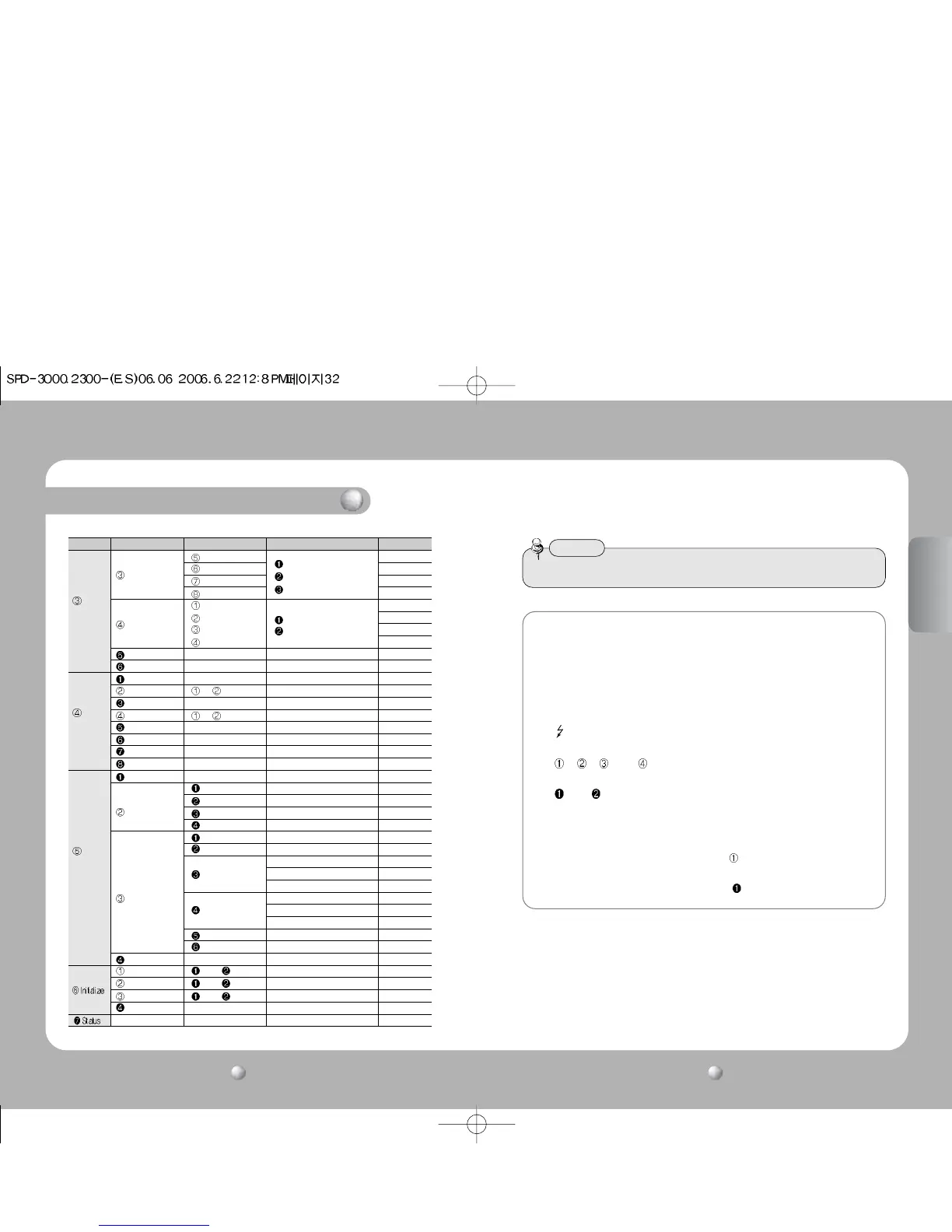
Functional Description
P1 P2 P3 P4 Defaults
Area5
Area6
Area7
Area8
Mask1
Mask2
Mask3
Mask4
Prop. P/T ON / OFF ON
Digital Flip ON / OFF ON
Camera ID ON / OFF ON
Camera Name Edit ON / OFF
Preset Number ON / OFF ON
Preset Name Edit ON / OFF
Sequence Status ON / OFF ON
Area Name ON / OFF OFF
PTZ Position ON / OFF OFF
Language English/Chinese English
Alarm Enable ON / OFF OFF
Alarm1 NC/NO/COM
Alarm2 1~4(Priority)
Alarm2 Preset/Group/Tour
Alarm2 A.Pan/Trace
Setting1 1-4, MD
Setting2 1-4, MD
1-59(Sec)
Timer1 1-59(Min)
1-59(Hour)
1-59(Sec)
Timer2 1-59(Min)
1-59(Hour)
Out Off1
Out Off2
MD Dwell Time ON / OFF 1-59(Sec) / 1-59(Min) 30sec
Power On Reset Cancel Execute
Factory Default Set Cancel Execute
Camera Default Set Cancel Execute
Auto Refresh OFF, 1~7Days OFF
P/T
Setting
OSD
Setting
Alarm
Setting
Area Name
Position
ON/OFF
Position
ON/OFF
Area Setting
Area Masking
Alarm Input
Alarm Out



 To Next Page