34_ live
live
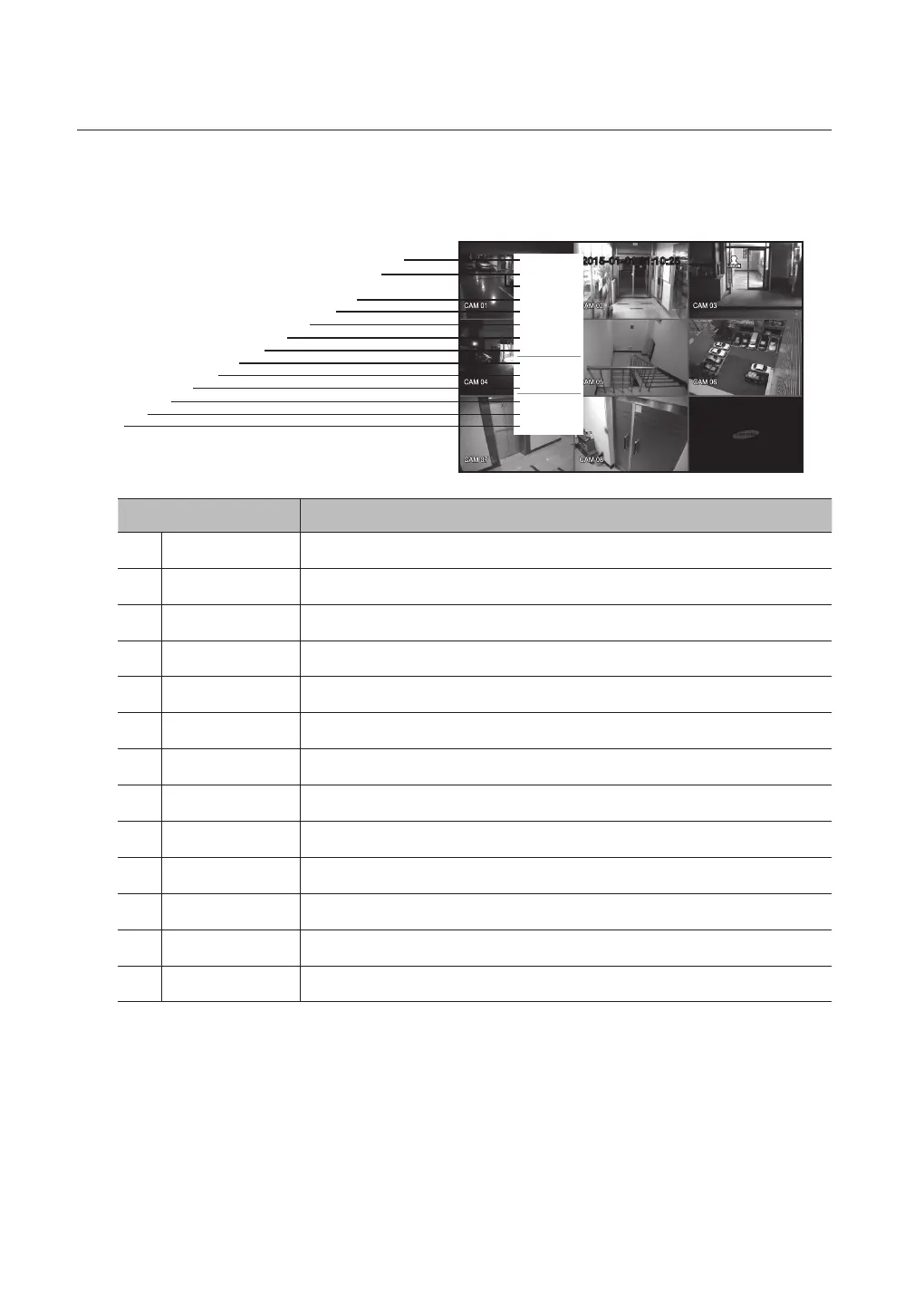
Split Mode Menu
The context sensitive menu in split mode differs, depending on the login/logout status.
Menu Functions
Scene Mode Refer to “Live Mode”. (Page 37)
b
Spot Out 1/2 Refer to “Spot Out”. (Page 39)
c
Audio On/Off Refer to “Audio ON/OFF”. (Page 40)
Freeze Refer to “Freeze”. (Page 40)
Stop Alarm Stops the alarm output and the event monitoring. Refer to “Event Monitoring”. (Page 41)
Record/Stop Starts/stops the standard recording.
Play Plays the search result (data). Refer to “Search & Play > Play”. (Page 89)
Search Refer to “Search & Play > Search”. (Page 86)
Backup Refer to “Main Menu > Setting the Backup”. (Page 68)
Main Menu Accesses the main menu. Refer to the Using the DVR section. (Page 42)
Shutdown Turns down the DVR.
Show/Hide Launcher Shows or hides the launcher. Refer to “Show / Hide the Launcher Menu”. (Page 36)
m
Login/Logout You can log in or out.
2015-01-01 01:10:25
Scene Mode
Spot Out 1
Spot Out 2
Audio Off
Freeze
Stop Alarm
Record
Play
Search
Backup
Main Menu
Shutdown
Hide Launcher
Logout
c
m
b



 To Next Page