English English ItalianoFrançais Español Deutsch Português
Chapter One: Overview of Your Monitor
3
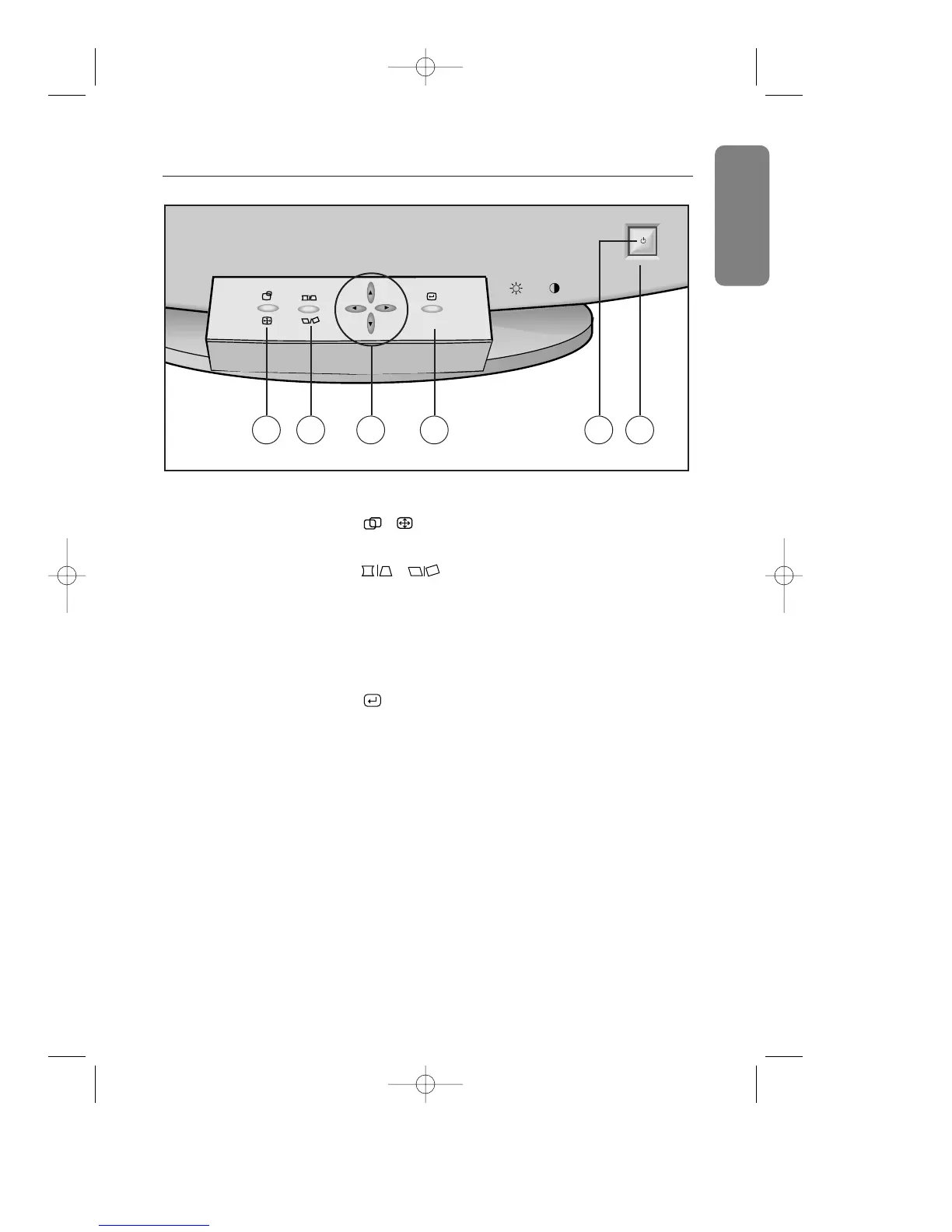
Front Panel
1
, button
Use this button to adjust the position or size.
2
, button
Use this button to adjust the pincushion/trapezoid or
parallel/rotation screen effects.
3
▲, ▼, $, % buttons
Use these buttons to choose or adjust items in the
on-screen display.
4
, MENU button
Use this button to activate the on-screen display, to
enter a selection in the on-screen display, or to exit
the on-screen displays.
5
Power indicator
This light glows green during normal operation, and
blinks amber once as your adjustments are saved.
6
Power button
Use this button to turn the monitor on and off.










 To Next Page