11
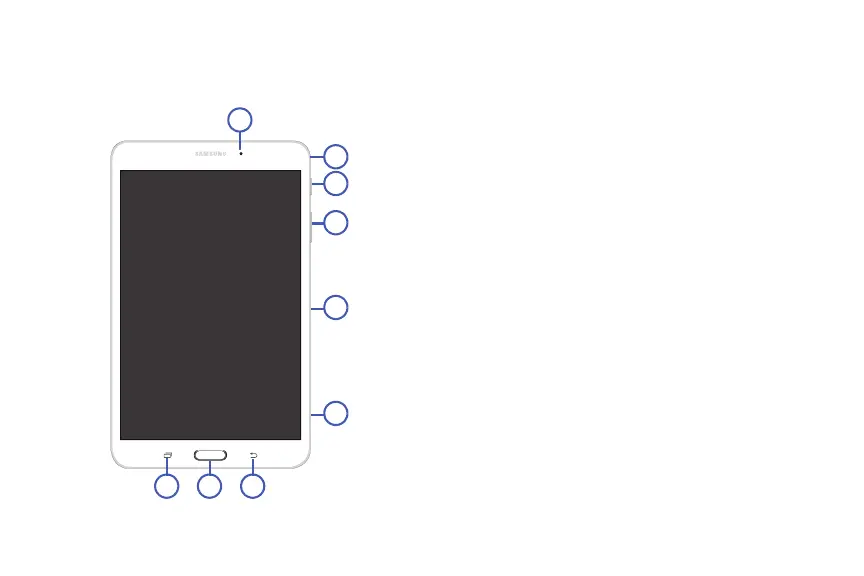
Front and Sides
The following items can be found on the front and sides of
your device.
1. Front-Facing Camera Lens: Takes photos or records
videos.
2. Microphone: Records audio.
3. Power/Lock Key: Press and hold to turn the device on
or off. Press to lock the device or to wake the screen
for unlocking.
4. Volume Key: From a Home Screen, press to adjust
master volume. During music playback, press to adjust
volume.
5. Infrared Blaster: Emits infrared signals used for
controlling external devices.
6. Memory Card Slot: Install a memory card for storage
of files (not included).
7. Back Key: Return to the previous screen or option.
8. Home Key: Display the central Home Screen.
9. Recent Key: Touch and hold to display recently
used apps.








 To Next Page