19
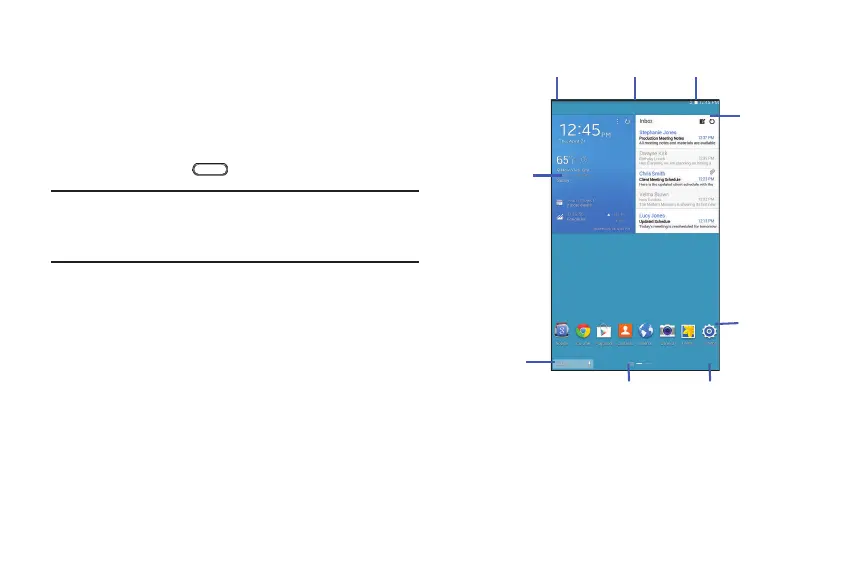
Home Screen
The main Home screen is the starting point for many
applications and functions and it contains items like
application icons, shortcuts, folders, or Google widgets,
which gives you instant access to information and
applications. This is the default page and accessible from
any menu by pressing
Home.
Note: Unless stated otherwise, instructions in this user
manual start with the device unlocked, at the Home
screen.
Apps Screen
Refresh
Content
Status
Indicators
App
Shortcuts
Notifications
Status
Bar
Widgets
Current
Screen
Google
Search








 To Next Page