Camera and Video 54
Playing Videos
Select a video to play.
Notes:
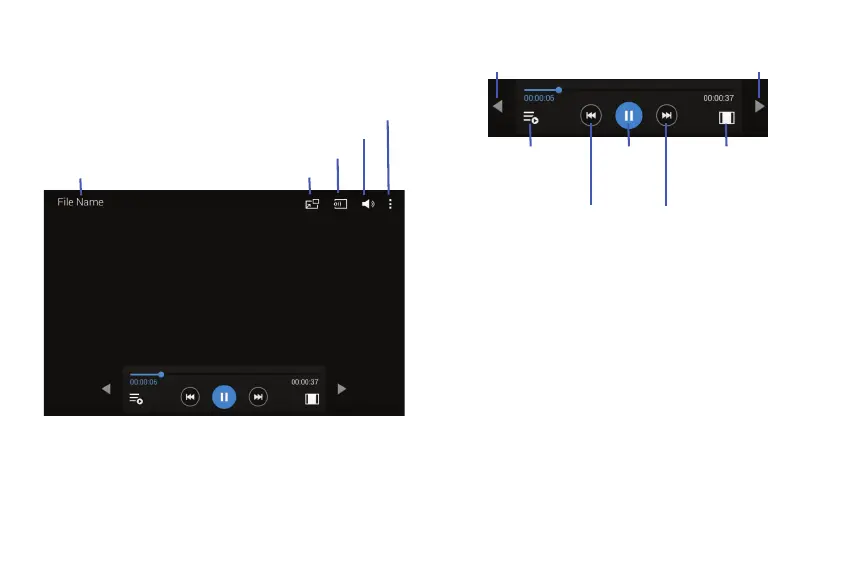
Move forwards or backwards by touching and dragging
the Progress Bar. Under the Progress Bar, the elapsed
time displays to the left and the total time to the right.
Use the Rewind button to restart the current video or
skip to the previous video. Touch and hold to move
backwards quickly.
Use the Fast Forward button to skip to the next video.
Touch and hold to move forwards quickly.
File Name
Pop-up Player
Search for Other Devices
Volume Control
Additional Options
Move Controls Move Controls
Pause /
Resume
Playback
Rewind Fast
Forward
Open the
Playlist Change
Screen Ratio








 To Next Page