43
Music Player
Use the Music application to listen to music.
To access Music Player:
From a Home screen, touch ➔ Music.
Note: Some file formats are not supported depending on the
software installed on the device. Some files may not
play properly depending on the encoding method used.
Playing Music
Select a music category, and then select a song to play.
Touch the album image at the bottom of the screen to open
the music player screen.
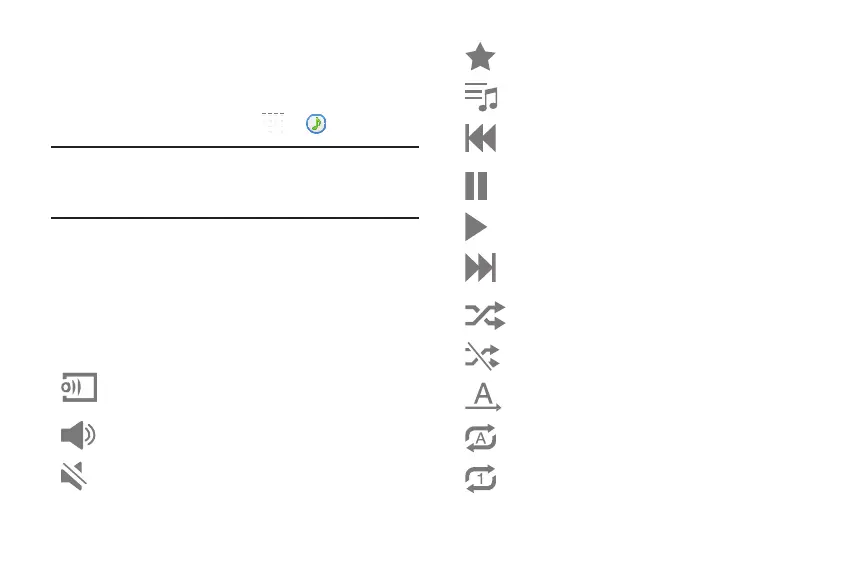
The following Music controls are available:
Streams the current music file to another device via
Samsung Link.
Volume control and SoundAlive.
Volume control showing volume muted.
Assign the current song as a Favorite.
Lists the current playlist songs.
Touch and hold to rewind the song. Touch to go to
previous song.
Pause the song.
Start the song after pausing.
Touch and hold to fast-forward the song. Touch to go
to next song.
Shuffles the current list of songs randomly.
Songs play in order and are not shuffled.
Plays the entire song list once.
Replays the current list when the list ends.
Repeats the currently playing song.








 To Next Page