EasyManua.ls Logo

Samsung VR05R5050WK - User Manual

Samsung VR05R5050WK
15 pages
Print Icon
To Next Page IconTo Next Page
Loading...
INSTRUCTION MANUAL
English
VR05R50**** Series
Please keep this instruction manual carefully,
and read it before operating
Question and Answer IconNeed help?

Do you have a question about the Samsung VR05R5050WK and is the answer not in the manual?

Summary

Safety Instructions

Product Introduction

Illustration of Appliance

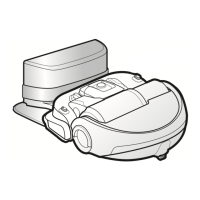
Displays a visual diagram of the robot cleaner and its accessories for identification.

Introduction of Components

Details and labels each individual part of the robot cleaner and its system.

Product Operation

Installation

Guides on how to set up the robot cleaner correctly.

Appliance Charging

Instructions on how to charge the robot cleaner.

Introduction of Remote Control

Explains the functions and usage of the remote control.

Power ON;OFF

Details how to turn the robot cleaner on and off.

Clean;Pause

Instructions on how to start, pause, or resume cleaning operations.

Mopping operation

Guides on how to attach and use the mopping feature with the robot.

APP Guide Line (POWERbot-E)

App quick guide

Step-by-step instructions for downloading and setting up the mobile application.

Network access guide

Provides guidance on connecting the robot to a wireless network.

Setting up the wireless router

Details requirements and steps for connecting the robot to a Wi-Fi router.

Setting up a Samsung account

Guides on creating and linking a Samsung account for app integration.

Product Maintenance

Cleaning

General instructions for cleaning the robot cleaner.

Cleaning of Dust Bin and Filter

Step-by-step guide to cleaning the dust bin and filter.

Cleaning of Water Tank

Instructions for cleaning the water tank and mop.

Cleaning of Sensor and Wheel

How to clean the robot's sensors and wheels.

Cleaning of Charge Terminal

Guide to cleaning the charging base and terminal contacts.

Cleaning of Brushroll Assembly

Steps to disassemble, clean, and reassemble the brushroll.

Trouble shooting

Open Source Announcement

Warnings about battery

How to remove the battery

Step-by-step guide on how to safely remove the battery.

Correct disposal of batteries in this product

Information on the proper disposal methods for the product's battery.

Specifications

Overview

This document describes the Samsung VR05R50**** Series robotic vacuum cleaner, also known as POWERbot-E. It is designed for household use, offering automated cleaning and mopping functionalities.

Function Description

The Samsung POWERbot-E is a robotic vacuum cleaner designed to autonomously clean various floor surfaces. Its primary functions include vacuuming and mopping, providing a comprehensive cleaning solution. The device operates with a built-in battery and can return to its docking station for automatic charging when power is low.

The vacuum cleaner features multiple cleaning modes to suit different needs:

  • Zigzag Cleaning: A standard mode for general area cleaning.
  • Spot Cleaning: Focuses on a specific dirty area using a spiral pattern.
  • Edge Cleaning: Cleans along the edges of obstacles and walls.
  • Auto Cleaning: The robot cleans randomly.
  • Mopping Operation: Involves attaching a water tank and mop to the appliance for wet cleaning.

The POWERbot-E can be controlled via a remote control or through a dedicated mobile application, "POWERbot-E" or "SmartThings," offering enhanced control and scheduling capabilities.

Usage Features

Installation and Setup: Before initial use, users need to install the side brushes by pushing them directly into the converter shaft. It's crucial to remove any "White bumper gasket" if present. The docking station should be placed against a wall with clear space around it (1.5M in front and to the sides) to ensure proper navigation and charging. The device is powered on by opening the cover, flipping the power switch to "ON," and then pressing the start button.

Charging: For the first use, the appliance should be charged for 12 hours. Subsequently, it should be charged as soon as the battery is low. When charging, the button's white light flashes every two seconds and remains solid white when fully charged. If the battery is low in standby mode, a red light flashes. In working mode, the appliance automatically seeks the docking station for charging when power is low. It's important to empty the water tank and remove the mop attachment during charging. The robot should be charged in temperatures between 4°C and 40°C.

Remote Control Operation: The remote control allows users to:

  • Docking: Send the appliance back to the docking station for charging.
  • Direction: Control the robot's movement (forward, left, right). Note that there is no backward direction function for safety reasons.
  • Start/Pause (Zigzag Cleaning): Initiate or pause zigzag cleaning.
  • Spot Cleaning: Start spiral cleaning in a specific zone.
  • Edge Cleaning: Initiate cleaning along obstacles.
  • Auto Cleaning: Start random cleaning.
  • Suction Increase/Decrease: Adjust the suction power. The remote control should be operated within 5 meters of the appliance. Batteries for the remote control should be inserted before use and removed if not used for a while.

Mobile App Control (POWERbot-E / SmartThings): The POWERbot-E can be controlled via the "POWERbot-E" app or the "SmartThings" app.

  • POWERbot-E App: Downloadable from Apple App Store or Google Play Store. Users register and log in to the app, then configure network access. The app allows operation of the cleaner once connected.
  • SmartThings App: Requires a Samsung account. After registering and logging into SmartThings, users can link the POWERbot-E app to SmartThings to control the robot. This app provides more advanced features and integration with other smart home devices. The robot supports Wi-Fi 2.4 GHz (IEEE 802.11b/g/n and Soft-AP, with 802.11n recommended) and DHCP. Users must ensure their wireless router is properly configured and the smartphone is connected to the home Wi-Fi.

Cleaning Preparation: Before operating, users should prepare the cleaning area by:

  • Removing power cords and small objects that could obstruct the robot.
  • Tidying up furniture like chairs.
  • Folding tasseled rug edges to prevent entanglement.
  • Placing physical barriers at drop-offs to prevent falls.
  • Ensuring the robot is not used on wet surfaces or surfaces with standing water.
  • Avoiding use in rooms where infants or children are sleeping, or where lit candles or fragile objects are on the floor.
  • Not using the POWERbot-E on black-colored floors, as it may not operate normally.

Mopping Operation:

  1. Attach the mop to the mop attachment.
  2. Remove the water tank by pressing its button.
  3. Fill the water tank with pure water only; do not use chemical detergents or cleaners.
  4. Mount the water tank onto the mop attachment.
  5. Insert the water tank assembly into the appliance.
  6. Press the start button to begin mopping. It is recommended to fill 80% water for the first time to ensure better seepage. If mopping is not needed, remove the water tank and mop cloth or empty the water tank. Wet-mopping on wooden floors when unattended is not recommended due to potential damage from excessive water. The mop may take 5-10 minutes to become fully wet; pre-wetting the mop before use is advised. The amount of water can be controlled via the POWERbot-E App.

Maintenance Features

Regular maintenance is crucial for optimal performance and longevity of the POWERbot-E.

Side Brush Cleaning:

  • Check for damage or entanglement.
  • Clean with a cleaning tool or rag.
  • If curled or deformed, remove the brush and soak it in warm water for about 5 seconds.
  • Replace damaged side brushes as soon as possible.

Dust Bin and Filter Cleaning:

  • Open the cover by lifting the "▽" mark.
  • Remove the dust bin.
  • Press a button to empty trash from the dust bin.
  • Take out the filter.
  • Clean the dust bin and filter with water. It is recommended to wash the filter when blocked.
  • Ensure the filter is completely dry before reinstallation.
  • Insert the filter back into the dust bin.
  • Empty the dust bin after each use.

Water Tank Cleaning:

  • After mopping, pull out the water tank assembly from the main unit.
  • Remove the mop attachment and mop.
  • Wash the mop and let it dry.
  • Pour any remaining water out of the tank.
  • Wipe the water tank and let it dry, avoiding direct sunlight exposure.

Sensor and Wheel Cleaning:

  • Gently wipe the sensor and wheels with a cleaning tool or a soft cloth.

Charge Terminal Cleaning:

  • Clean the charging base and the charging terminal on the appliance with a cleaning tool or a soft cloth.

Brushroll Assembly Cleaning:

  • Take down the brushroll cover.
  • Open the brushroll block upwards and remove the brushroll.
  • Clean the brushroll bar and brushroll cover with a cleaning tool or a soft cloth. The brushroll itself can be washed with water.
  • Ensure the brushroll is completely dry before reinstallation, following the original disassembly sequence.

Battery Maintenance:

  • To extend battery life, fully charge the battery for 12 hours for the first use and charge it promptly when low.
  • If the appliance is not used for an extended period, fully charge the battery and store it in a ventilated, dry place.
  • If not used for more than 3 months, charge the appliance for 12 hours.
  • The battery is not user-replaceable. Contact a service provider for replacement. Do not attempt to remove, disassemble, crush, puncture, or dispose of the battery in fire.

Troubleshooting: The manual provides a comprehensive troubleshooting guide for common issues such as the appliance not charging, getting stuck, incomplete cleaning, mopping impermeability, not working, retreating, restarting, or hitting obstacles. It also addresses app-related issues like disconnection and slow operation. Solutions typically involve checking power connections, clearing obstructions, restarting the device, charging, or reconfiguring network settings.

This robotic vacuum cleaner is designed to simplify household cleaning with its automated features and user-friendly controls, supported by clear maintenance guidelines to ensure long-term performance.

Samsung VR05R5050WK Specifications

General IconGeneral
ShapeRound
Product colorBlack
Housing materialPlastic
Number of wheels3 wheel(s)
Remotely operatedYes
Dust container typeBagless
Noise level77 dB
Cleaning speed320 mm/sec
Integrated sensorsGyroscope
Water tank capacity0.4 L
Dust capacity (total)0.2 L
Base station functionsCharging
HEPA filtration system-
Vacuum cleaner programsEdge, Manual, Max, Zigzag
Mobile operating systems supportedAndroid, iOS
Charging time4 h
Battery capacity3400 mAh
Power consumption (typical)55 W
Package typeBox
Package depth468 mm
Package width395 mm
Package height155 mm
Package weight4500 g
Weight and Dimensions IconWeight and Dimensions
Width340 mm
Height85 mm
Weight3000 g
Working width160 mm

Related product manuals