EasyManua.ls Logo

Samsung VS15T70 Series - User Manual

Samsung VS15T70 Series
120 pages
Print Icon
To Next Page IconTo Next Page
Loading...
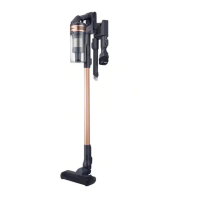
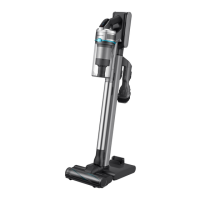
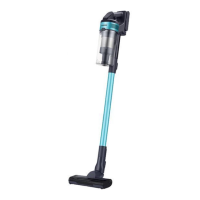
Vacuum cleaner
User manual
VS15T70**** Series / VS20T75**** Series
Before operating this unit, please read the instructions carefully.
For indoor use only
2021-02-03 오후 4:30:59

Table of Contents

Questions and Answers

Summary

Safety information

Caution;Warning symbols used

Explains the meaning of warning and caution symbols used in the manual.

Other symbols used

Details the usage of other symbols like NOTE for additional information.

State of California Proposition 65 Warning (US only)

Provides the required Proposition 65 warning regarding chemicals in the product.

Name of the parts

Accessories

Installing the wall mount

Assembling the wall mount

Details the process of assembling the wall mount before installation.

Using the vacuum cleaner

Using the wall mount

Instructions on how to use the wall mount for charging and storing the vacuum.

Storing the accessories

Guidance on how to properly store the vacuum cleaner's accessories.

Charging the battery

Ejecting the battery

Instructions on how to safely remove the battery from the vacuum cleaner.

Re-inserting the battery

Steps for correctly inserting the battery back into the vacuum cleaner.

Charging with a desk charger

Details on how to charge the battery using a separate desk charger.

Operating the vacuum cleaner

Power ( ) on; off

How to turn the vacuum cleaner on and off using the power button.

Controlling suction power

Instructions on adjusting the suction power level of the vacuum cleaner.

Checking the display

Explanation of the indicators and symbols shown on the vacuum cleaner's display.

Using the accessories

Disassembling the accessories

Steps for detaching the accessories from the vacuum cleaner and its parts.

Soft Action Brush

Details on using the Soft Action Brush for specific floor types.

Turbo Action Brush

Instructions for using the Turbo Action Brush on different floor conditions and carpets.

Mini Motorized Tool

Guidance on using the Mini Motorized Tool, typically for cleaning bedding.

Combination Tool

Extension Crevice Tool

Flexible Tool

Maintaining the vacuum cleaner

When to empty the dustbin

Guidance on when it is necessary to empty the dustbin.

Emptying the dustbin easily

Methods for emptying the dustbin easily, including using a clean station.

Emptying and cleaning the dustbin

Step-by-step instructions for emptying and cleaning the dustbin.

Cleaning the filter

Washable micro filter

Details on how to clean the washable micro filter.

Fine Dust Filter

Instructions for cleaning and maintaining the fine dust filter.

Cleaning the accessories

Mini Motorized Tool

Guide to cleaning the Mini Motorized Tool.

Extension Crevice Tool; Pipe

Instructions for cleaning the Extension Crevice Tool and pipe.

Soft Action Brush

Turbo Action Brush

Notes and cautions

Battery usage

Guidelines and precautions for using and maintaining the vacuum cleaner's battery.

Troubleshooting

Samsung VS15T70 Series Specifications

General IconGeneral
ModelVS15T70 Series
Battery TypeLithium-Ion
Voltage21.6V
Running TimeUp to 40 minutes
Dust Capacity0.8 L
Accessoriescrevice tool, mini motorized tool
ColorTitanium

Related product manuals