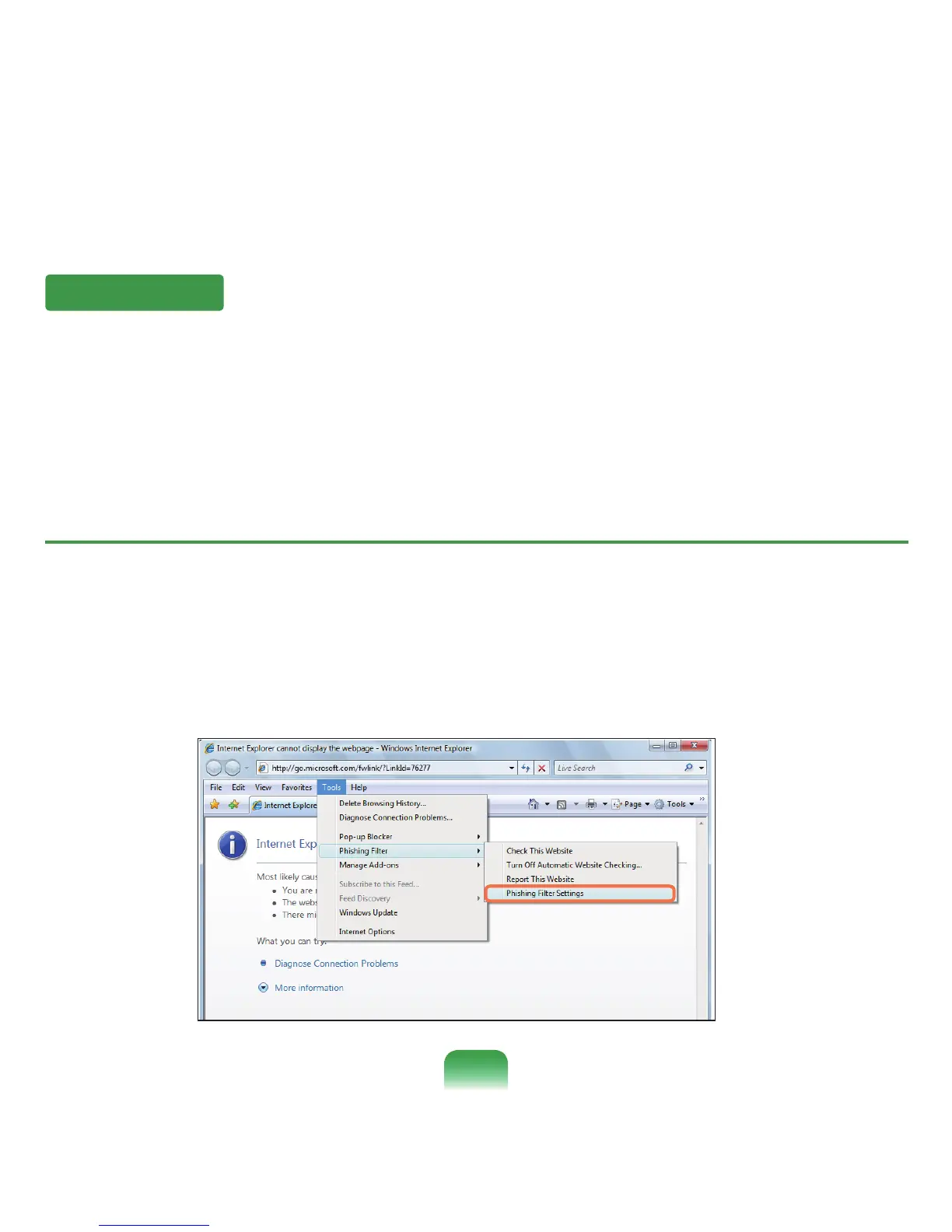
Phishing Filter Settings
1
LaunchInternetExplorer.
2
SelectToolsfromthemenuandclickPhishing Filter > Phishing Filter Settings.
Phishing Filter
Phishingisamethodusedbyhackerstoillegallycollectpersonalinformationsuchascreditcardnumbers,passwords,
otheraccountnumbers,etc.throughemailsorwebsites.
ThePhishingFilterprotectsusersfromthesephishingattempts.
Ifthecurrentpageisjudgedtobeasuspiciouswebsite,thePhishingFilterdisplaysawarningmessagewithanalarm
whenthePhishingFilterisenabled.Inaddition,ifapagethattheuseriscurrentlytryingtoopenisregisteredasaknown
Phishingwebsitelist,itdisplaysawarningpageinstead.
83









 To Next Page