User control function
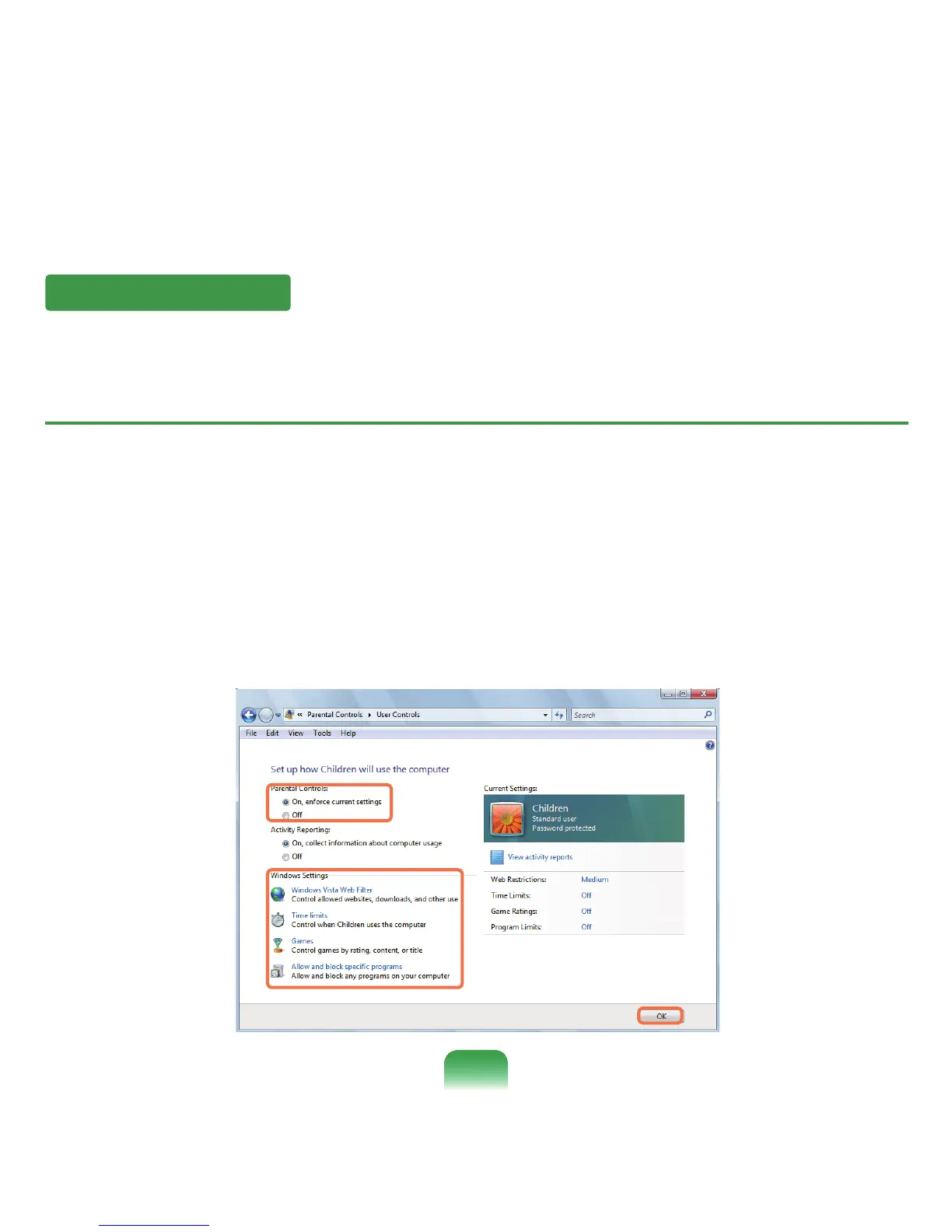
Usingthisfunction,youcancontrolthecontentyourchildrencanaccess.Youcandetermineforhowlongtheycanuse
thecomputerandthecontenttheycanaccess.Whenyouhavenishedthesettings,clickOKtonish.
Conguring Parental Controls
1
ClickStart > Control Panel > User Accounts and Family Safety > Parental Controls.
2
SelectausertoconguretheParentalControlsfor.
The User Controlswindowforthatuseropens.
3
ClickParental Controls > UseandcongurethenecessarysettingsintheWindows Settingsatthebottom.Ifyou
clickOK,theParentalControlssettingiscompleted.
85










 To Next Page