SAMWONTECH
4st Edition of TEMI2000_Series IM : Aug. 18. 2009 Page 9 / 55
3.2 FIX Operation
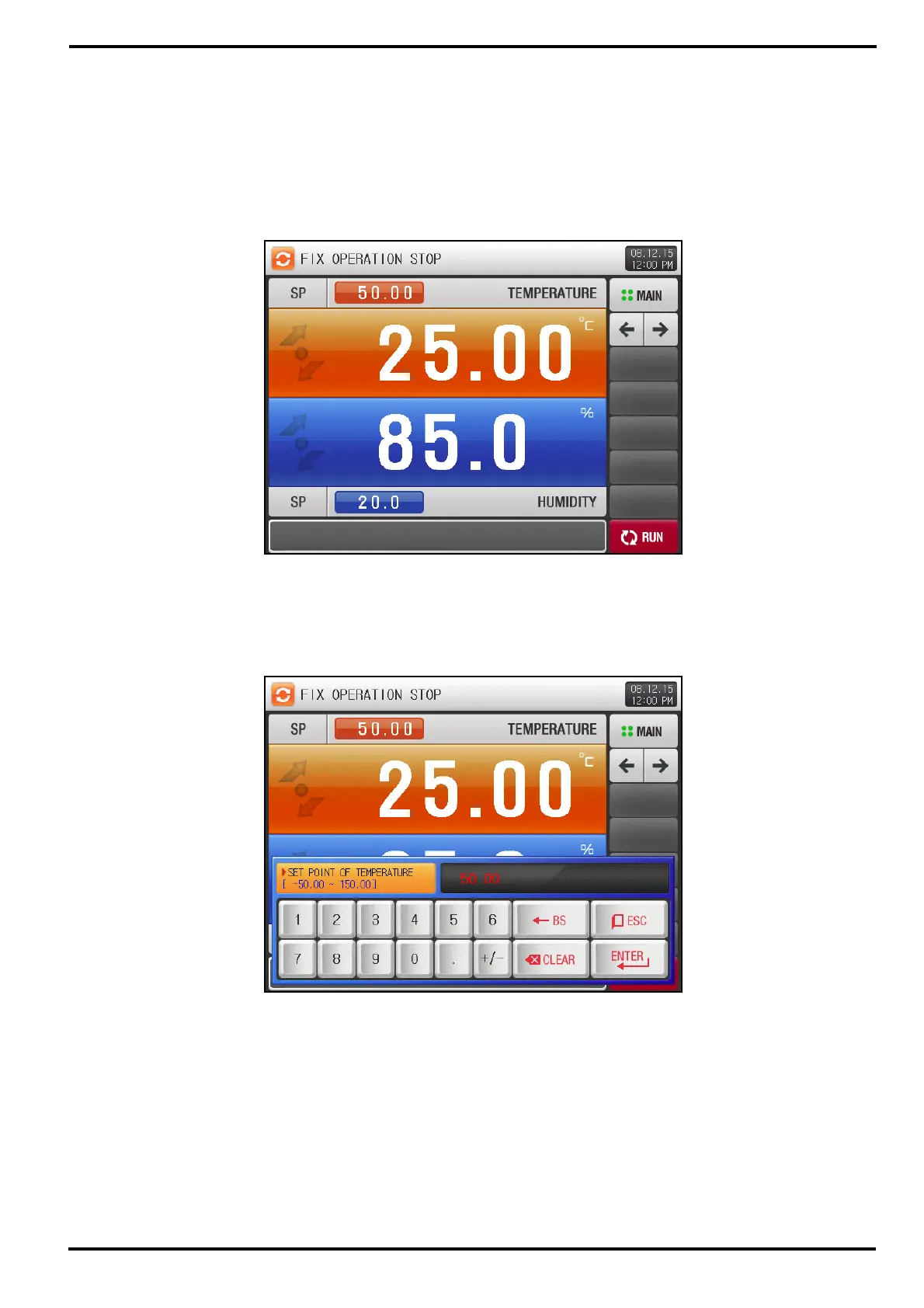
3.2.1 FIX STOP screen
▶ Under setting ‘FIX’ operation for ‘OPERATION MODE’ on [4. FUNCTION & FIX OPERATION setting],
when you press [OPER. SCREEN] button on the MAIN MENU screen, this FIX STOP screen will appear.
▶ Target Set Point of temperature for FIX operation can be set through below.
▶ Press the red button on the left upper hand corner to pop up numeric Input Keypad [Figure 3-3]
[Figure 3-2] FIX STOP screen
[Figure 3-3] Input Keypad for temperature Set Point



 To Next Page