SAMWONTECH
4st Edition of TEMI2000_Series IM : Aug. 18. 2009 Page 32 / 55
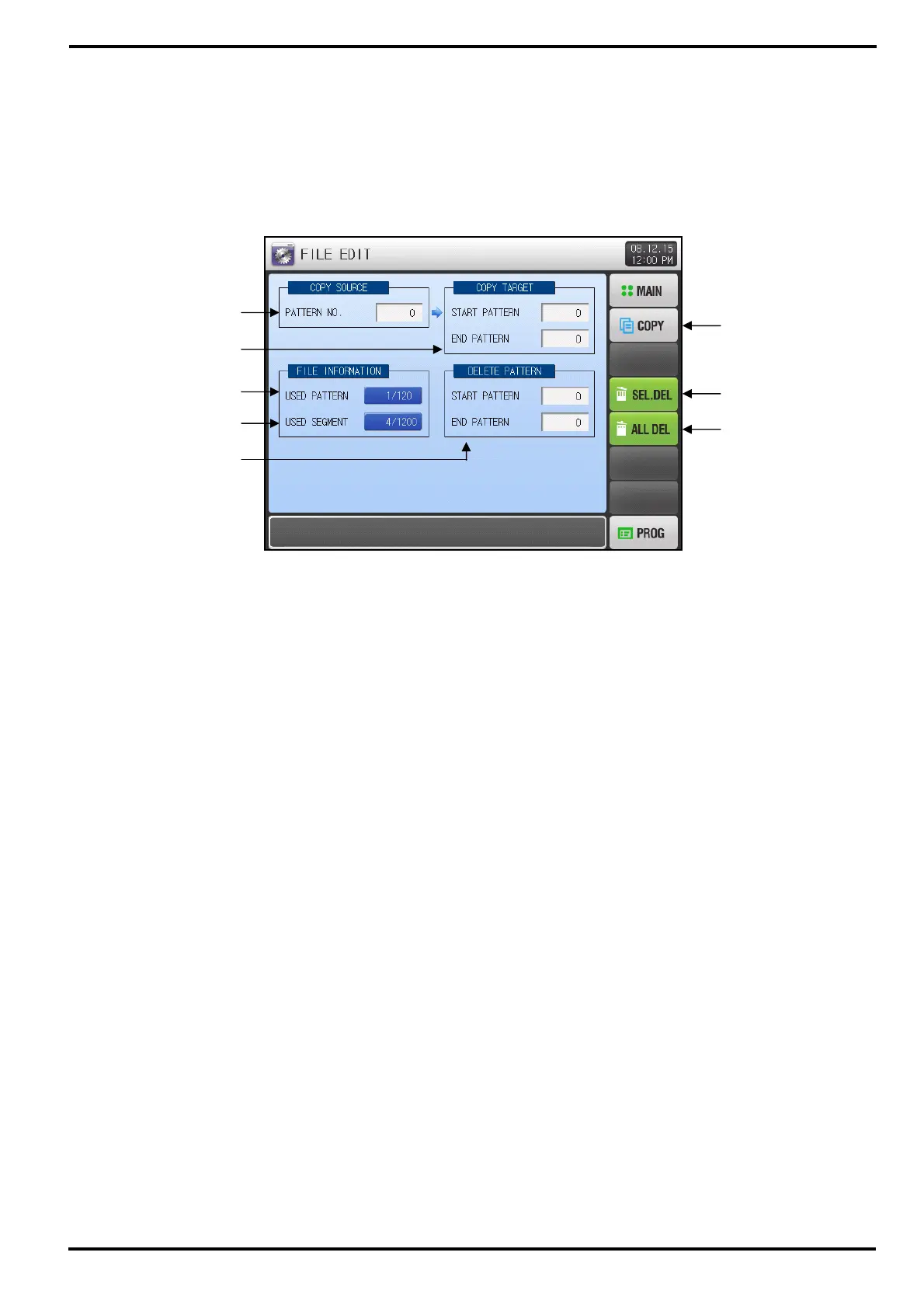
5.3 Pattern FILE EDIT
▶ Press [FILE EDIT] button on PROGRAM SET menu screen to enter into this screen.
▶ This screen is to edit program by copy or delete pattern set on [5.1 Program PATTERN].
▶ Currently processing pattern can not be deleted.
▶ Deleted pattern can not be restored.
① Setup box to input number of original pattern.
② Setup box to input number of the first / last target pattern to paste.
☞ If setting ‘0’ at END PATTERN, only START PATTERN will be copied.
③ Displays total number of pattern set on [5.1 Program PATTERN].
☞ This Displays is just READ ONLY and cannot be changed by itself.
④ Displays total number of segment set on [5.1 Program PATTERN].
☞ This Displays is just READ ONLY and cannot be changed by itself.
⑤ Setup box to input number of the first / last target pattern to delete
☞ If setting ‘0’ at END PATTERN, only START PATTERN will be delete
⑥ Button to paste the original pattern at ① to the target pattern at ②.
⑦ Button to delete patterns at ⑤.
⑧ Button to delete all patterns.
[Figure 5-4] FILE EDIT screen
①
③
④
②
⑤
⑥
⑦
⑧



 To Next Page