SAMWONTECH
4st Edition of TEMI2000_Series IM : Aug. 18. 2009 Page 33 / 55
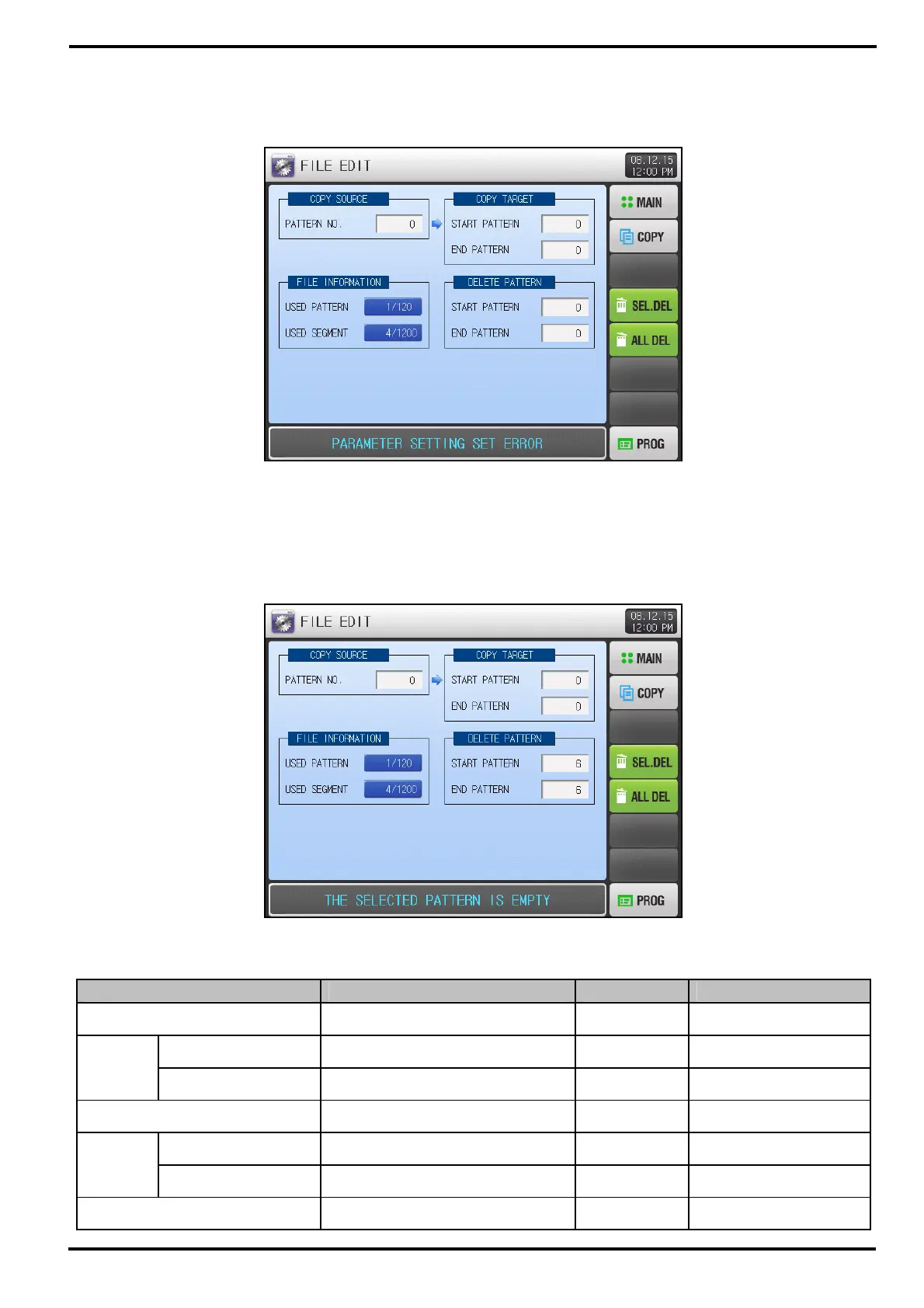
▶ ‘PARAMETER SETTING SET ERROR’ message will appear when editing with input error at original
pattern number.
▶ ‘THE SELECTED PATTERN IS EMPTY’ message will appear with no segment information at original
pattern.
Table 5-3. FILE EDIT setting Parameters
Parameter Range Units Default
PATTERN NUMBER 1~120 ABS 0
START PATTERN 0~120 ABS 0
COPY
TARGET
END PATTERN 0~120 ABS 0
COPY USE, UNUSE ABS UNUSE
START PATTERN 0~120 ABS 0
SEL.
DEL
END PATTERN 0~120 ABS 0
ALL DEL USE, UNUSE ABS UNUSE
[Figure 5-5] FILE EDIT screen - Error
[Figure 5-6] FILE EDIT screen – Empty



 To Next Page