SAMWONTECH
4st Edition of TEMI2000_Series IM : Aug. 18. 2009 Page 34 / 55
5.4 TIME SIGNAL
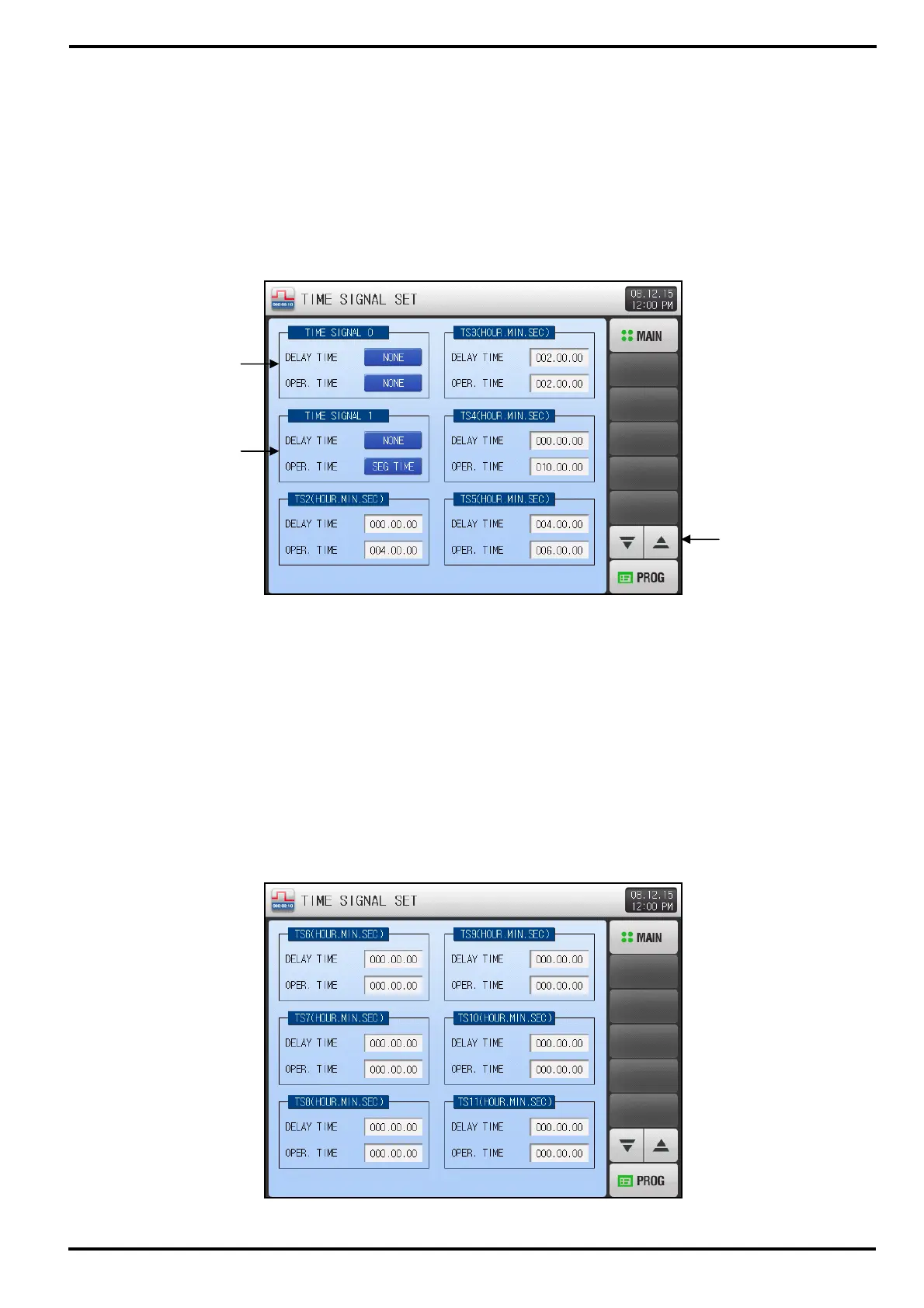
▶ Press [TIME SIGNAL] button on PROTRAM SET menu screen to enter into this screen.
▶ This screen is to establish each 18 types of TIME SIGNAL setting. Refer to the [5.4.3 Description of
TIME SIGNAL operation]
▶ TIME SIGNAL will be operating among 3 subset, ON / OFF / TIMER.
▶ Established TIME SIGNAL can be designated into segment setting on [5.1 Program PATTERN].
5.4.1 ON / OFF Mode TIME SIGNAL operation
① ‘TIME SIGNAL 0’ is used for ‘OFF’, not generating TS output duration of the program segment.
☞ This is fixed READ ONLY and cannot be changed.
② ‘TIME SIGNAL 1’ is used for ‘ON’, generating TS output duration of the program segment.
☞ This is fixed READ ONLY and cannot be changed.
③ Button to display next / previous 6 TIME SIGNALs page.
5.4.2 Timer mode TIME SIGNAL operation
▶ TIME SIGNAL 2~17(TS2~17) operation is based on each time setting of DEALY and OPER. TIME.
①
②
③
[Figure 5-8] TIME SIGNAL SET screen – TS6 to TS11
[Figure 5-7] TIME SIGNAL SET screen – TS0 to TS5



 To Next Page