Installation and Operation Manual
3-8-4 Deleting a waypoint
To delete a waypoint from the chart
window
1 Move the cursor to the waypoint you want
to delete. (If you move the cursor on the
waypoint correctly, waypoint information
will be displayed at the bottom left)
2 Press
and select Delete.
3 Select Yes.
Deleting a waypoint from the waypoints
window
1 Move cursor key to highlight a waypoint
you want to delete.
2 Press and select Delete.
3 Select Yes.
A waypoint can not be
deleted if the final
destination of navigation is
the waypoint.
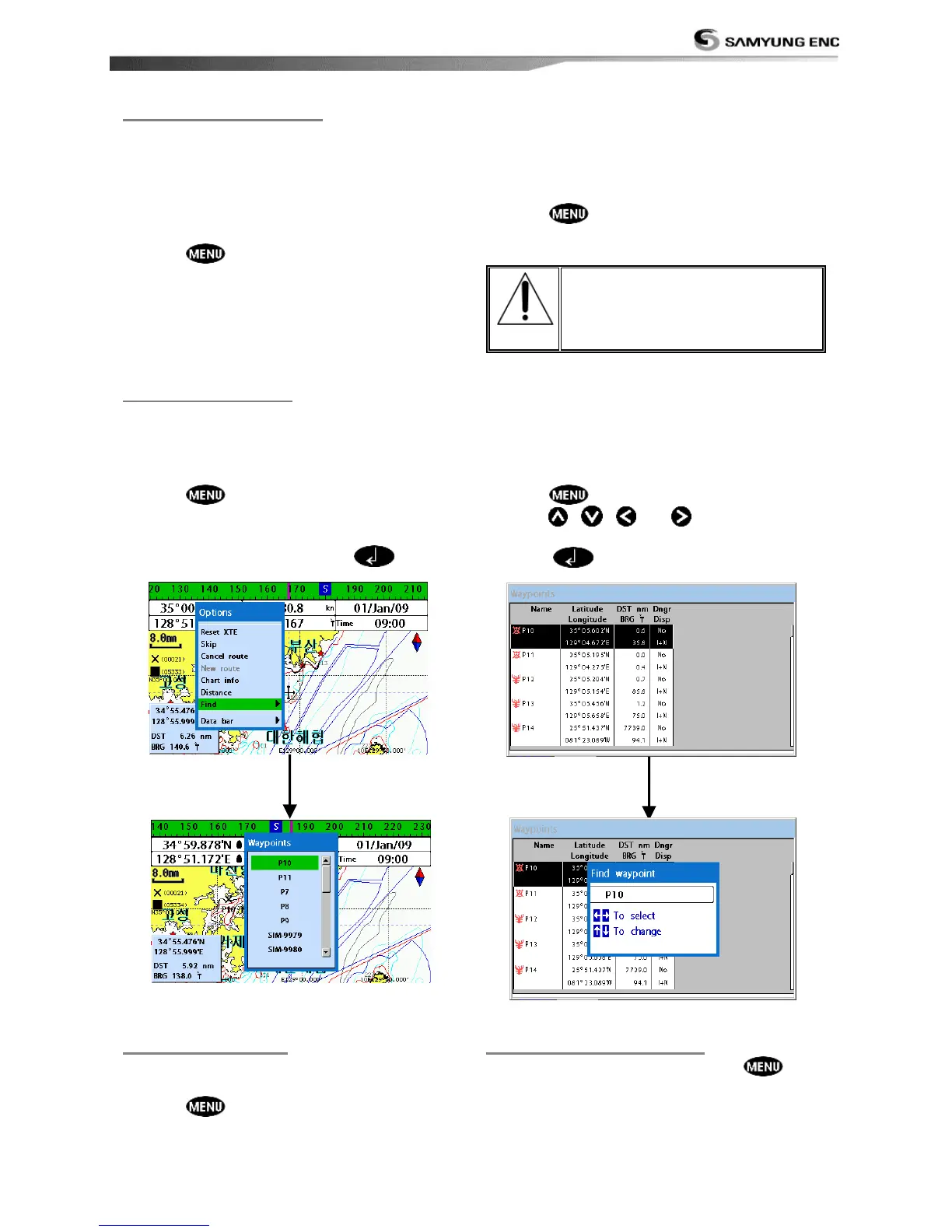
To find a waypoint from the chart
window
Finding waypoints from the chart window is a
simplified function.
1 Press and select Find.
2 Select Waypoints.
3 Move cursor key to highlight a waypoint
you want to find and press
.
To find a waypoint from the waypoint
window
Finding waypoints from the waypoint window
is provided by a full function.
1 Press and select Find.
2 Press , ,
or
to find a
waypoint name.
3 Select
.
3-8-7 Deleting all waypoints
To change the order of displayed waypoint
list:
1 Press
and select Sort by.
2 Select a sort type.
1 In the waypoints window, press
and
select Delete all.
2 Select Yes.



 To Next Page