5
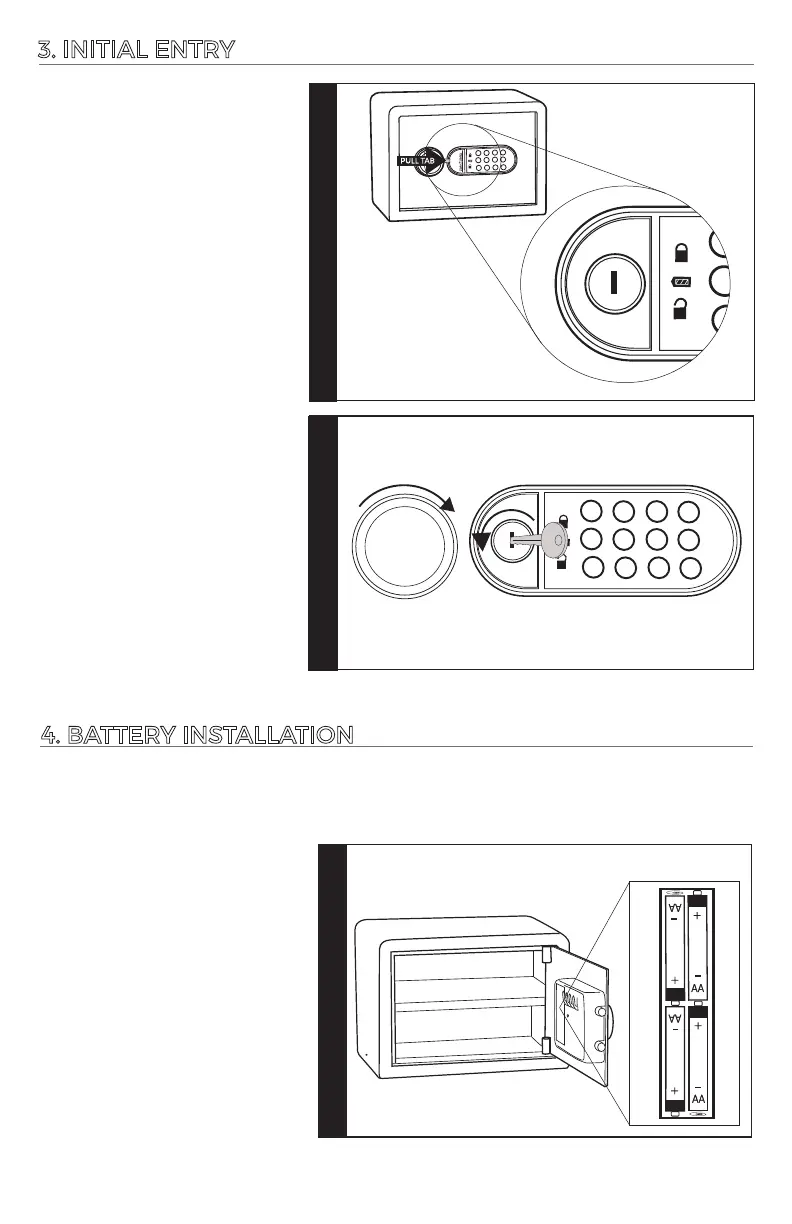
4. BATTERY INSTALLATION
Step 1
Step 2
LOCK UNDER
KEY COVER
3. INITIAL ENTRY
1.
2.
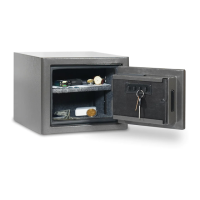
Locate the key cover on the
lockface and remove carefully
by pulling the key cover tab.
In the future you may place
a flat head screw driver in the
slot and pry upwards.
Insert the backup key. Turn
and hold the key counter-
clockwise, then turn the
knob on the door clockwise
to grant access to your
vault.
Step 1
1.
BATTERY BOX
Locate the (4) AA baeries
and insert in the baery
compartment on the inside of
the door panel as shown.
Touch pad will beep (1) me
when baeries are
successfully installed.
Replace the baery cover.
WARNING: The baeries must be inserted with the correct polarity. Exhausted baeries
must be removed from the product and discarded safely. Do not mix old and new baeries.
Do not mix alkaline or standard (carbon – zinc) baeries. Do not use rechargeable (nickel –
cadmium) baeries.
1
2
3
4
5
6
7
8
*
9
0
#
1
2
3
4
5
6
7
8
*
9
0
#





 To Next Page