EasyManua.ls Logo

Sandel SN3308 - Page 40

Sandel SN3308
101 pages
Print Icon
To Next Page IconTo Next Page
To Previous Page IconTo Previous Page
Loading...
4-4
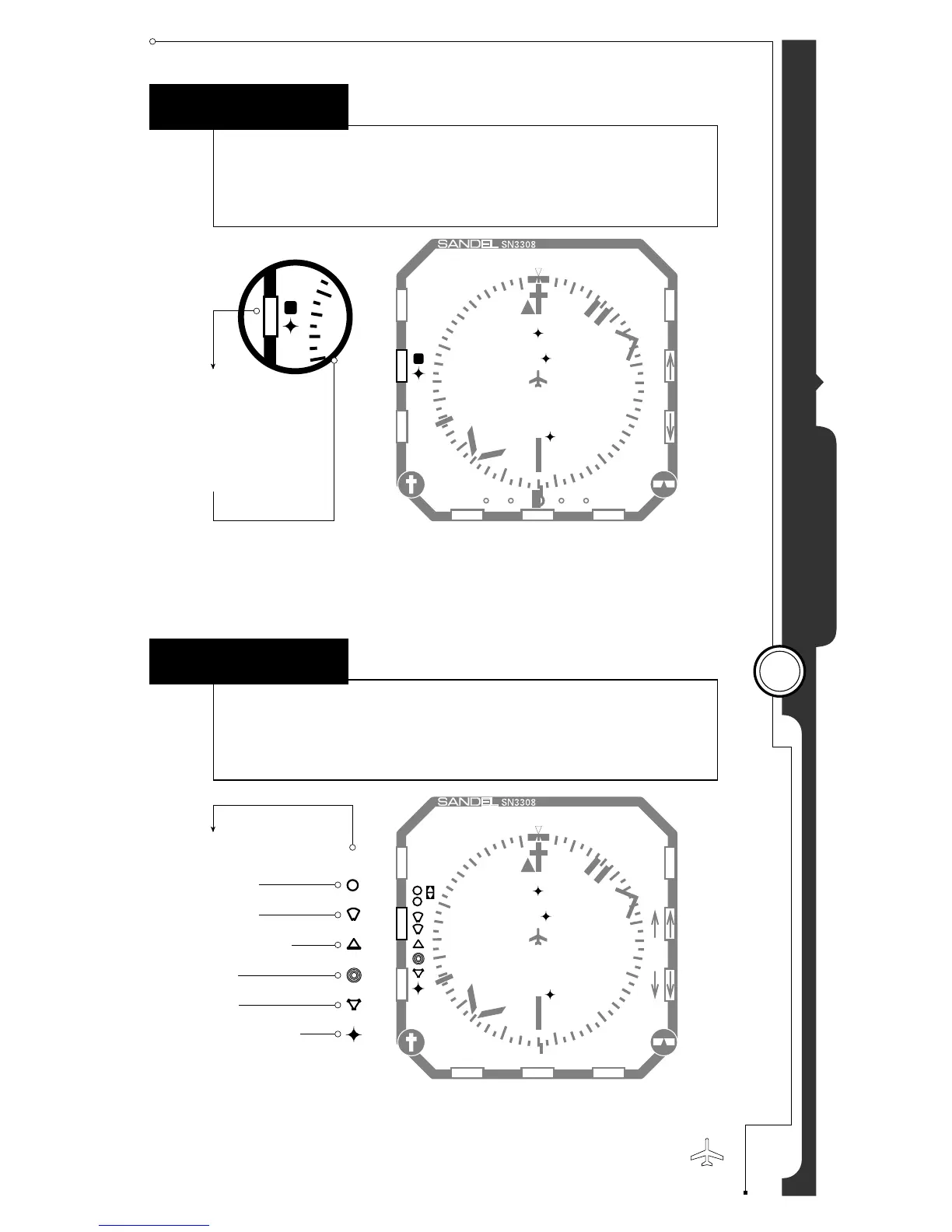
Button Operations Map
4
M
A
P
MAP
Displays a map memory or turns the map off.
Note: When map or weather display is on, CDI will only display on the
lower portion of the screen.
307˚
3
6
307˚
NAV1
018˚
ADF1
170˚
SYNC A-B
MSG
0
G
P
S
1
27.5 nm
BUR 307˚
RNG 75nm
RNG 75nm
250 KT
307˚
WX
N
A
V
V
U
E
M
A
P
B
R
G
N
24
21
W
33
3
6
E
15
12
30
CRQ
BUR
LAX18
B
+
+
+
+
+
+
+
SHFT
M
A
P
24
21
+
+
+
S Scratchpad
1 Map Memory 1
2 Map Memory 2
3 Map Memory 3
4 Map Memory 4
C
O
P
Y
E
S
C
018˚
SYNC A-B
MSG
N
A
V
V
U
E
M
A
P
B
R
G
N
24
21
W
33
3
6
E
15
12
30
CRQ
BUR
LAX18
MAP SETUP 1
+
+
+
+
+
+
+
SHFT
MIL PRIVCIVIL
Map Setup Items
Airports
Airspace
Intersections
NDBs
VORs
Flight Plan &
Waypoints
1
1
*
SHFTMAP
Accesses the map setup function.

Other manuals for Sandel SN3308

Related product manuals