18
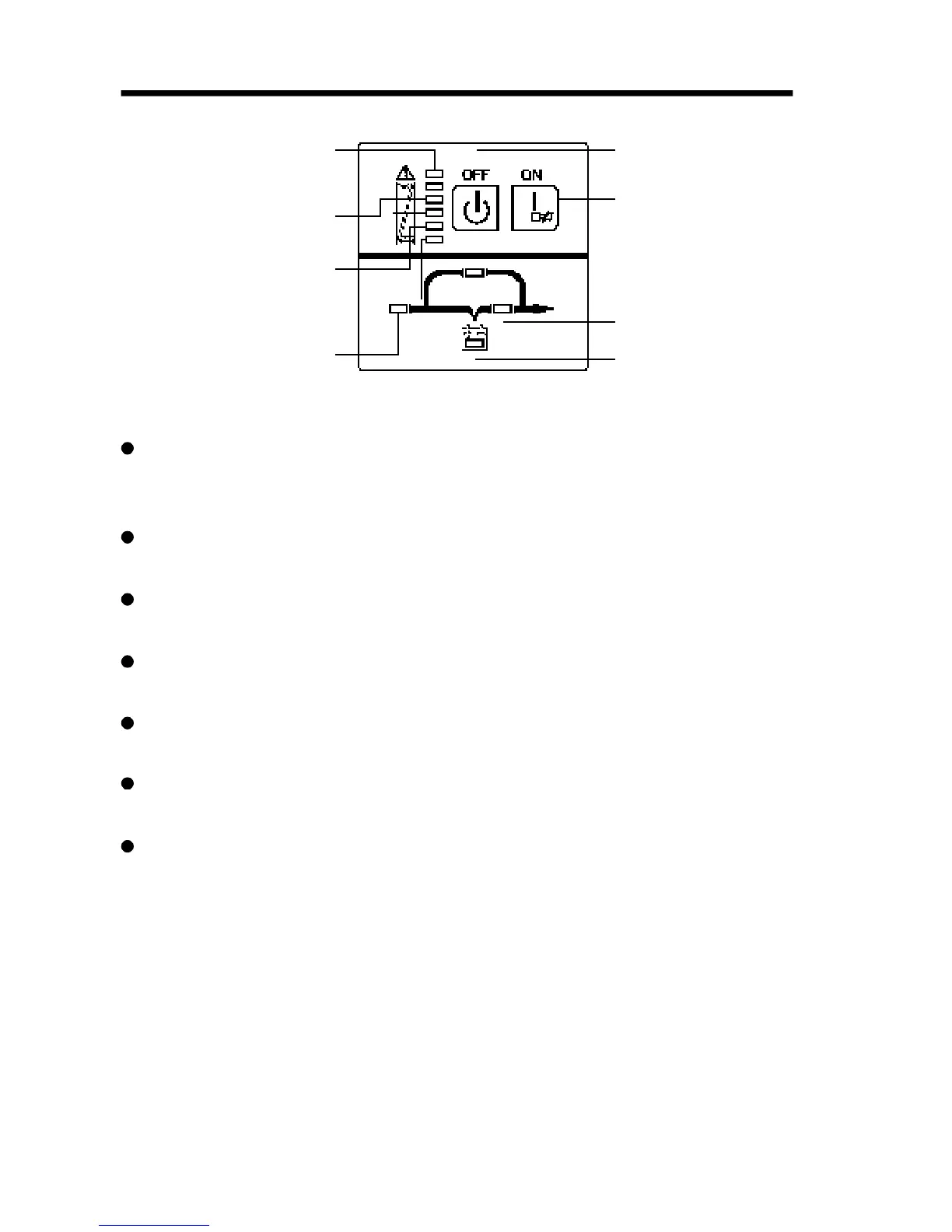
Indicator 1: Fault LED
Indicator 2: Load/Battery LED
Indicator 3: Load/Battery LED
Indicator 4: Load/Battery LED
Indicator 5: Load/Battery LED
Indicator 6: Load/Battery LED
Indicator 8: Utility Power LED
Power off
Power on / Alarm Silence
Indicator 7: Bypass LED
Indicator 9: INV LED
Indicator 10: Battery LED
Power ON/OFF: To turn on the UPS simply by pressing the “ON” button
on the front panel continuously for 1 second. Press the “OFF” button on
the front panel continuously for 1 second to turn off the UPS.
Bypass LED (orange LED): Whenever the bypass LED is turned on, it
shows that the loading current is supplied directly from the utility power.
Utility power LED (green LED): Whenever the utility power LED is turned
on, it shows that the utility power is normal.
INV LED (green LED): Whenever the INV LED is turned on, it shows that
the loading current is supplied from utility power or battery via the inverter.
Battery LED (orange LED): Whenever the battery LED is turned on, it
shows that the loading current is supplied from battery via the inverter.
Fault LED (red LED): Whenever the fault LED is turned on, it shows that
the UPS is in abnormal condition.
#2-#6 LEDs (the #2 LED is orange and the #3-#6 LEDs are green):
These LEDs indicate the percentage of the load capacity in utility power
mode or battery capacity level in battery mode.
Appendix 1. Display panel



 To Next Page