6901-002034 09
8
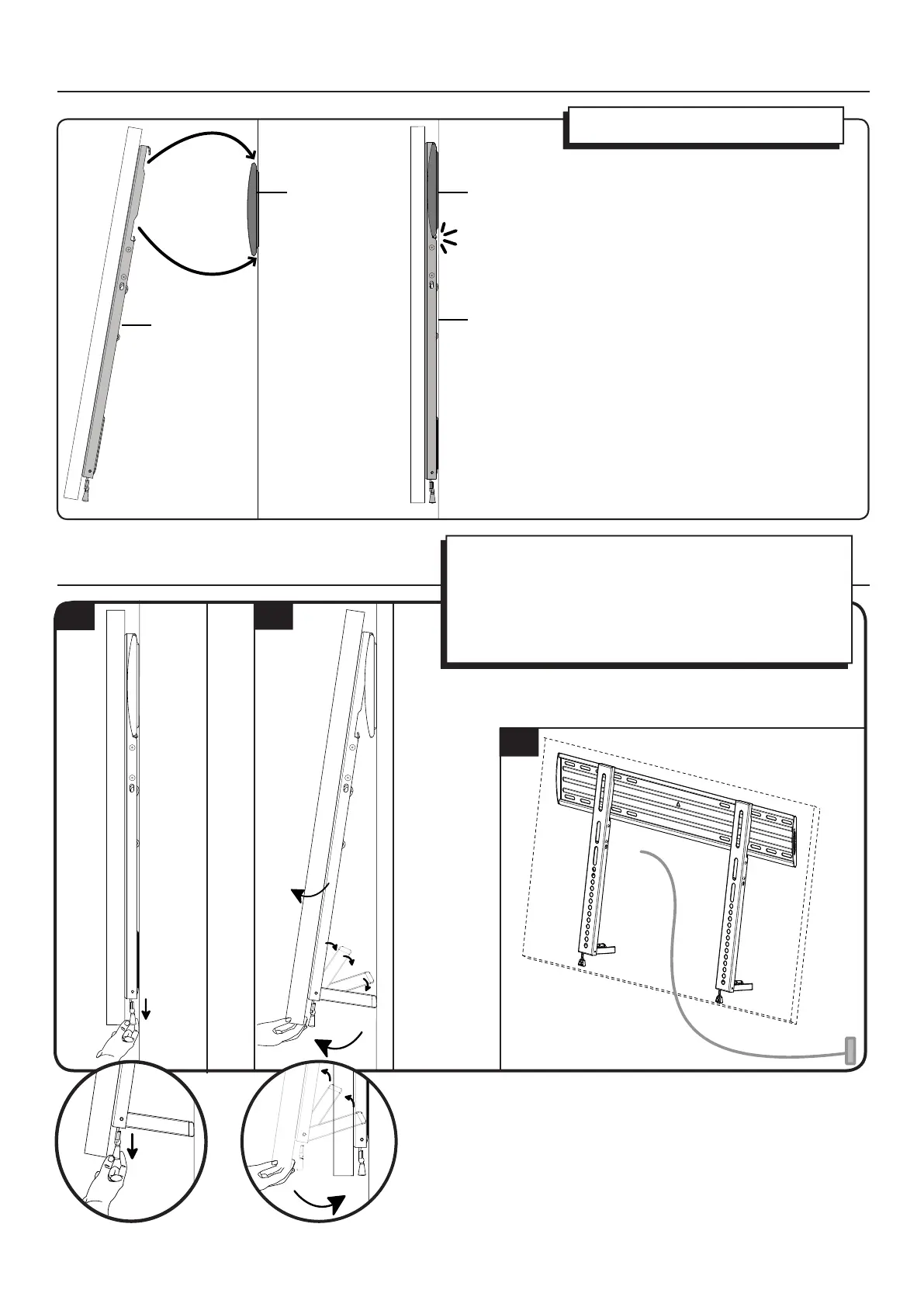
Hang your TV onto the wall plate [01].
4 Hang Your TV onto the Wall Plate
5 Manage Cables
A. Pull down on cord to release ClickStands.
B. Gently pull the TV away from the wall. ClickStands will fall into
place.
C. Complete cabling.
Pull down on cord to lift ClickStands.
Ease the TV back to the wall. ClickStands will slide upward.
A
B
C
[02]
[01]
[02]
[01]


 To Next Page