― 14 ―― 13 ―
[5] Measuring procedures
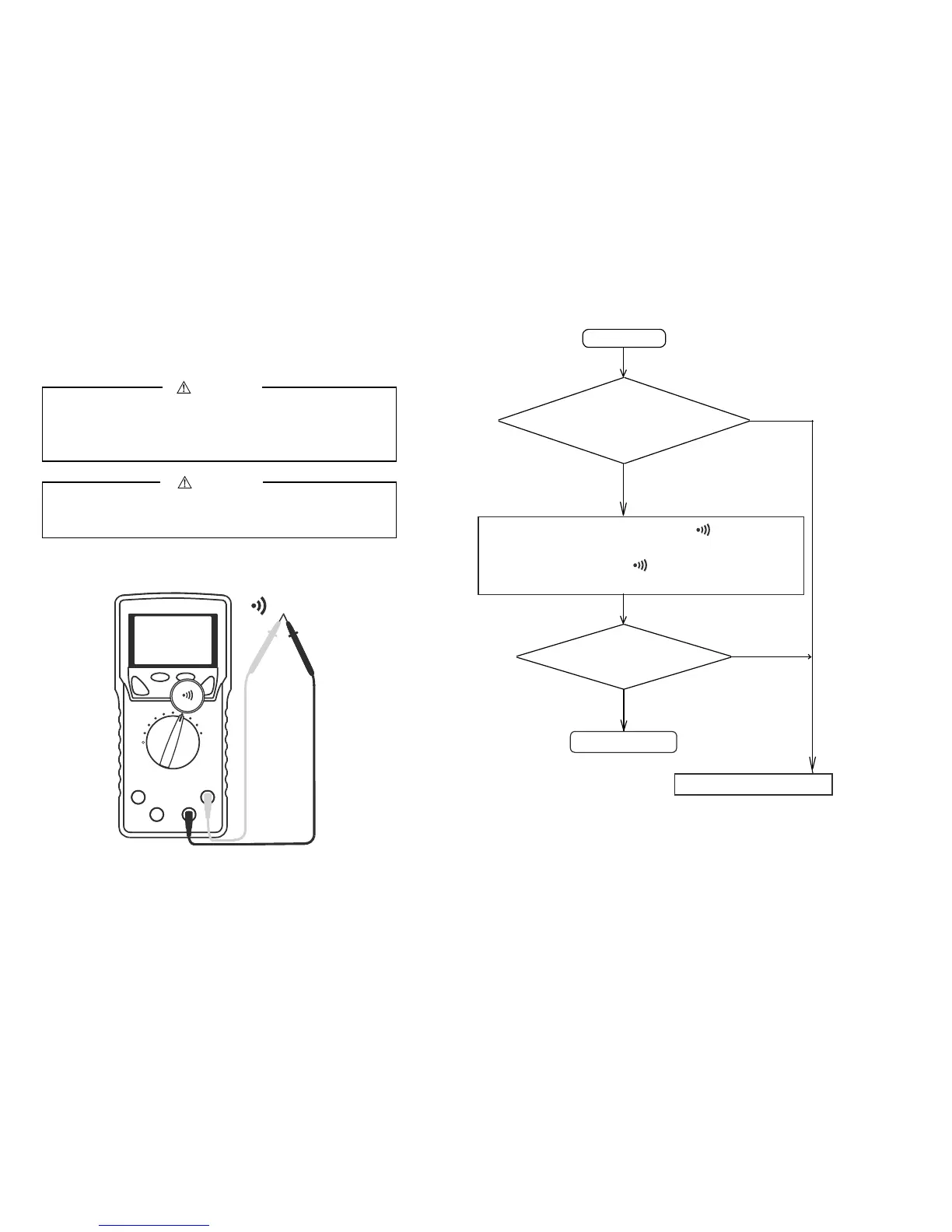
5-1 Pre-operational Check
1. Do not use the instrument if the meter or test leads look
damaged.
2. Make sure the test leads and the fuse are not broken.
WARNING
Make sure the low battery indicator is off after power-on. Replace
the battery with new one if the indicator is on.
CAUTION
Perform pre-oparational check for safety.
(Inspection using continuity check)
Contact us for repair.
START
Meter/Test leads damaged?
①
Connect the red plug of the test lead to measuring
terminal and the black one to the COM terminal.
②
Set the function selector to .
③
Short-circuit between the red and black test pins.
Ω turns on?
Beeper sounds?
Finished
Does not turn on.
Does not sound.
Turns on. Sounds
Looks OK
Damaged
*In the case nothing is displayed, check for the battery.


 To Next Page