EasyManua.ls Logo

Sanyo PLC-XF45 - User Manual

Sanyo PLC-XF45
56 pages
Print Icon
To Next Page IconTo Next Page
Loading...
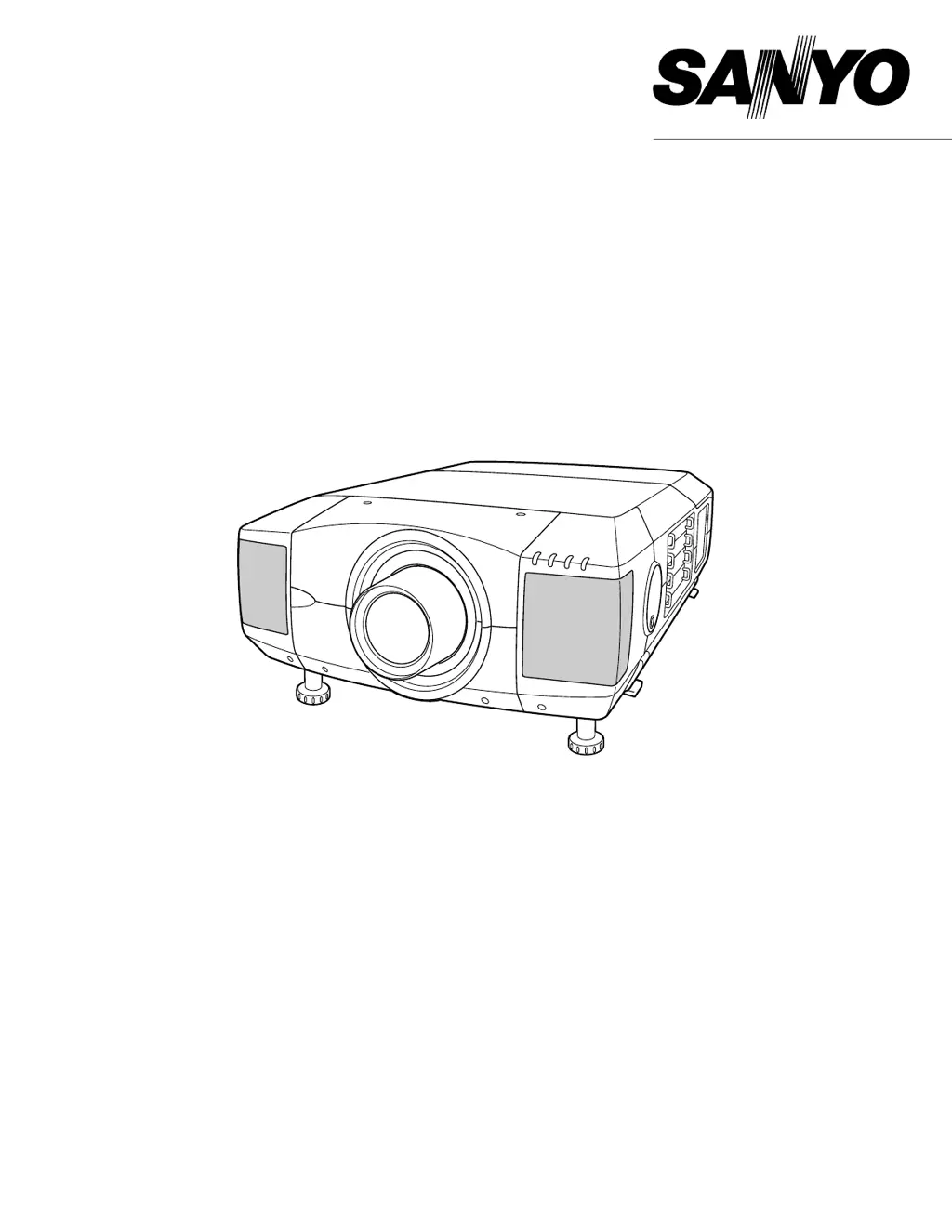
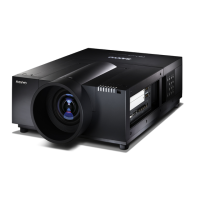
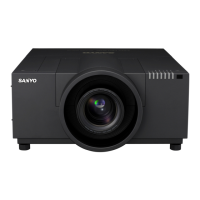
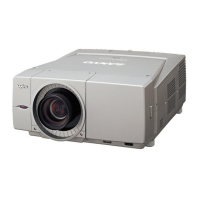
Owner's Manual
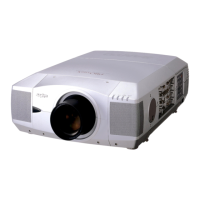
PLC-XF45
Multimedia Projector
MODEL
Projection lens is optional.

Table of Contents

Other manuals for Sanyo PLC-XF45

Questions and Answers

  • H
    haleyjonesAug 19, 2025
    What to do if my Sanyo PLC-XF45 has no image?
    • P
      Pam AndersonAug 19, 2025
      If your Sanyo Projector displays no image, first check the connection between your computer or video equipment and the projector. Note that it can take about 30 seconds to display an image when turning the projector on. Verify that the selected system corresponds with your computer or video equipment. Also, make sure the ambient temperature is within the operating range of 5°C to 35°C.
  • S
    Susan EvansAug 21, 2025
    Why is the picture on my Sanyo PLC-XF45 Projector Left/Right reversed?
    • M
      Michelle RamirezAug 21, 2025
      If the picture on your Sanyo Projector is reversed left to right, check the Ceiling / Rear feature settings.
  • D
    davidkleinAug 23, 2025
    Why is the picture on my Sanyo PLC-XF45 Top/Bottom reversed?
    • P
      pbakerAug 23, 2025
      If the picture on your Sanyo Projector is reversed top to bottom, check the Ceiling feature settings.
  • M
    Michelle LunaAug 26, 2025
    What to do if some displays are not seen during operation on Sanyo Projector?
    • L
      Leslie BooneAug 26, 2025
      To address displays not being seen during operation on your Sanyo Projector, check the Display feature settings.
  • J
    Jeffrey GutierrezAug 28, 2025
    Why does my Sanyo PLC-XF45 have no image?
    • F
      fmccartyAug 28, 2025
      If your Sanyo Projector displays no image, first check the connection between your computer or video equipment and the projector. Note that it takes about 30 seconds to display an image when turning the projector on. Ensure that the selected system corresponds with your computer or video equipment. Finally, verify that the temperature is within the operating range (5°C ~ 35°C).
  • N
    Nicholas ScottAug 30, 2025
    What to do if my Sanyo Projector picture is Left/Right reversed?
    • S
      Sonya OwensAug 30, 2025
      If the picture on your Sanyo Projector is Left/Right reversed, check the Ceiling / Rear feature settings.
  • T
    Theresa MatthewsSep 1, 2025
    What to do if my Sanyo Projector picture is Top/Bottom reversed?
    • J
      Jaime LesterSep 1, 2025
      If the picture on your Sanyo Projector is Top/Bottom reversed, check the Ceiling feature settings.
  • T
    Tracy AyersSep 4, 2025
    Why is there no sound coming from my Sanyo PLC-XF45 Projector?
    • A
      Andrea JohnsonSep 4, 2025
      If your Sanyo Projector isn't producing any sound, verify the audio cable connection from the audio input source. You may also need to adjust the audio source or press the VOLUME (+) button. Ensure the MUTE button is not activated.
  • R
    Ricardo EvansSep 6, 2025
    How to fix a Sanyo PLC-XF45 that has no power?
    • J
      Jimmy BishopSep 6, 2025
      If your Sanyo Projector isn't turning on, ensure it's plugged into an AC outlet and the MAIN ON/OFF switch is set to ON. Also, press the POWER ON/OFF switch to ON. Confirm that the READY Indicator light is illuminated. Allow 90 seconds after turning the projector OFF before attempting to turn it back on. Check the WARNING TEMP. and READY indicators; if both are flashing, the projector cannot be turned on. Finally, inspect the Projection Lamp.
  • M
    mmitchellSep 8, 2025
    How to adjust focus on Sanyo Projector?
    • S
      Scott WallaceSep 8, 2025
      If the image from your Sanyo Projector appears out of focus, start by adjusting the focus. If the issue persists, inspect the Projection Lens and clean it if necessary. If you've moved the projector from a cool to a warm location, condensation may be the cause. In this case, leave the projector OFF until the condensation disappears.

Summary

SAFETY PRECAUTIONS

Eye Safety

Warning against staring directly into the projector lens; risk of eye damage.

Ventilation and Fire Hazard

Proper placement for cooling; avoid blocking vents to prevent fire hazard.

Laser Pointer Safety

Caution against looking into the laser pointer or shining it on others.

Electrical Safety Warnings

Warnings about risk of electric shock and user-serviceable parts.

SAFETY INSTRUCTIONS

General Safety Precautions

Instructions on cleaning, power, placement, and handling to prevent hazards.

Servicing and Maintenance Safety

Warnings against self-servicing; refer to qualified personnel for repairs.

COMPLIANCES

FCC Compliance Notice

Statement on FCC rules for Class A digital devices and potential interference.

AC Power Cord Requirements

Guidelines for AC power cord usage, grounding, and wiring for different regions.

FEATURES AND DESIGN

Product Compatibility

Supported computer and video input signals, color systems, and resolutions.

Motor-Driven Lens Shift

Functionality for adjusting lens position for image placement and focus.

Power Management

Feature to reduce power consumption by turning off the lamp when idle.

Laser Pointer & Wireless Mouse

Remote control functions for presentation pointer and computer mouse operation.

PREPARATION

Projector Component Identification

Labels and descriptions of the projector's parts on the front, back, and bottom.

Initial Setup Procedures

Steps for connecting power, installing lens, positioning, and adjusting lens shift.

PREPARATION

Connecting the AC Power Cord

Instructions and diagrams for connecting the power cord to the projector and outlet.

PREPARATION

Lens Installation and Positioning

Steps for installing the projection lens and considerations for projector placement and ventilation.

Lens Shift Adjustment

How to use the motorized lens shift function to adjust image position.

PREPARATION

Picture Level and Tilt Adjustment

Method to adjust picture tilt and projection angle using adjustment handles.

Safe Projector Moving

Safety precautions and steps for safely moving the projector with carrying handles.

CONNECTING PROJECTOR

Projector Terminal Overview

Description of input/output terminals and expansion slots on the projector.

Terminal Board Replacement

Instructions for replacing terminal boards and notes on optional interface boards.

CONNECTING PROJECTOR

Input;Output Terminal Details

Detailed explanation of each input jack (5 BNC, DVI, AV, HDB 15-PIN, S-VIDEO) and control ports.

CONNECTING PROJECTOR

Additional Ports and Functions

Explanation of serial ports, USB port, R/C jack, audio output, and reset button functions.

CONNECTING PROJECTOR

Connecting to a Computer

Comprehensive guide on connecting computers via various cables, adapters, and setting switches.

CONNECTING PROJECTOR

Connecting to Video Equipment

Guide for connecting video sources like VCRs and DVD players using various cables.

BEFORE OPERATION

Side Controls and Indicators

Overview and detailed explanation of buttons and indicators on the projector's side.

BEFORE OPERATION

Front and Rear Indicator Lights

Explanation of the function and meaning of various indicator lights on the projector.

BEFORE OPERATION

Remote Control Operation

Detailed description of remote control buttons, including laser pointer and wireless mouse functions.

BEFORE OPERATION

Remote Control Functions and Battery Installation

Explains additional remote functions and provides instructions for installing batteries.

BEFORE OPERATION

Operating the On-Screen Menu

Guide on navigating and using the projector's on-screen menu system for adjustments.

BEFORE OPERATION

Menu Bar Options by Source

Overview of menu bar options available for PC and Video input sources.

BASIC OPERATION

Turning the Projector On and Off

Step-by-step instructions for powering the projector on and off, including safety notes.

BASIC OPERATION

Screen Adjustments

Procedures for adjusting zoom, focus, lens shift, and keystone distortion for optimal image display.

BASIC OPERATION

Special Operation Functions

Explanation of picture freeze, no show, and P-Timer functions for enhanced operation.

BASIC OPERATION

Sound Adjustment

Instructions for adjusting volume, mute, treble, bass, and built-in speaker settings.

COMPUTER INPUT

Selecting Input Source and System

Steps to select computer input sources and configure system settings for DVI and 5 BNC inputs.

COMPUTER INPUT

Automatic and Manual System Selection

How the projector automatically tunes to computer signals and how to select systems manually.

COMPUTER INPUT

Compatible Computer Specifications

List of supported resolutions, horizontal and vertical frequencies for computer inputs.

COMPUTER INPUT

Auto PC Adjustment

Procedure to automatically adjust fine sync, dots, and picture position for computer input.

COMPUTER INPUT

Manual PC Adjustment Parameters

Detailed guide to manual adjustments for fine sync, total dots, horizontal/vertical position, and clamp.

COMPUTER INPUT

Display Area and Storing Settings

Adjusting display area, full screen mode, and storing manual PC adjustment parameters.

COMPUTER INPUT

Image Level Selection

How to select image levels like Standard, Real, or user-defined Image 1-4.

COMPUTER INPUT

Image Level Adjustment Details

Detailed adjustment options for contrast, brightness, color, white balance, sharpness, and gamma.

COMPUTER INPUT

Picture Screen Adjustment

Options for resizing the image to Normal, True, Wide, or Digital Zoom modes.

VIDEO INPUT

Selecting Video Input Sources

Steps to select input sources for 5 BNC and AV terminals, including video signal types.

VIDEO INPUT

Selecting Video System

How to automatically detect or manually select video system formats like PAL, NTSC, or HDTV.

VIDEO INPUT

Video Image Level Selection

Selecting image levels like Standard, Cinema, or user-defined Image 1-4 for video sources.

VIDEO INPUT

Video Image Level Adjustments

Detailed adjustments for contrast, brightness, color, tint, color temp., and white balance for video.

VIDEO INPUT

Video Picture Screen Adjustment

Options for adjusting video picture size to Normal or Wide aspect ratios.

SETTING

Setting Menu Options

Overview of the settings menu including language, keystone, display options, and image orientation.

SETTING

Power, Lamp, and Remote Control Settings

Configuration for power management, lamp modes, and remote control codes.

SETTING

USB Modes and Lamp Counter Reset

Settings for USB modes and procedure to reset the lamp replacement counter.

APPENDIX

Wireless Mouse Operation

Instructions for installing and operating the projector's remote as a wireless mouse.

Warning Temp. Indicator

Explanation of the warning indicator for high internal temperature and related checks.

APPENDIX

Air Filter and Lens Cleaning

Procedures for cleaning the air filter and projection lens to maintain performance.

APPENDIX

Lamp Management

Information on lamp indicators, status display, and automatic lamp mode changes.

APPENDIX

Lamp Replacement Procedure

Step-by-step guide for safely replacing projection lamps and notes on replacement quality.

APPENDIX

Ordering Lamps and Handling Precautions

Information on ordering replacement lamps and critical safety precautions for handling high-pressure lamps.

APPENDIX

Troubleshooting Common Issues

A guide to diagnosing and resolving common projector problems like no power, image issues, and no sound.

APPENDIX

Advanced Troubleshooting & Service

Solutions for remote control and wireless mouse issues, and guidance on seeking professional service.

APPENDIX

Technical Specifications

Detailed technical data including dimensions, weight, resolution, input signals, power, and accessories.

APPENDIX

Terminal Configuration Details

Pin configurations for DVI-I, HDB 15-PIN, and Control Port terminals.

APPENDIX

Serial and USB Port Configurations

Pin configurations for Serial Port In/Out and USB Port terminals.

Sanyo PLC-XF45 Specifications

General IconGeneral
Resolution1024 x 768 (XGA)
Contrast Ratio2000:1
Lamp Life2000 hours (Normal Mode), 3000 hours (Eco Mode)
Input PortsS-Video, Composite Video
Display Technology3LCD
Aspect Ratio4:3
Lamp TypeUHP
Output PortsVGA (D-sub 15pin)
Noise Level37 dB (normal mode)

Related product manuals