EasyManua.ls Logo

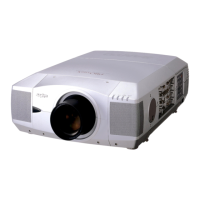
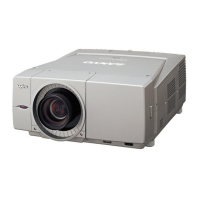
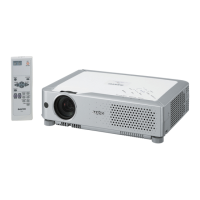
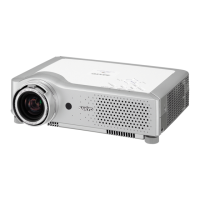
Sanyo PLC-XF1000 - User Manual

Sanyo PLC-XF1000
84 pages
Print Icon
To Next Page IconTo Next Page
Loading...
Multimedia Projector
MODEL PLC-XF1000
Owners Manual
Projection lens is optional.

Table of Contents

Other manuals for Sanyo PLC-XF1000

Questions and Answers

  • S
    stephaniewhiteJul 29, 2025
    What to do if the Sanyo Projector remote control does not work?
    • K
      Kristen NguyenJul 29, 2025
      If the Sanyo Projector remote control isn't working, here are a few things to check: * Ensure the batteries are working. * Verify the RC sensor is properly set. * Make sure there are no obstructions between the projector and the remote. * Confirm you are within the maximum operating range of 16.4’ (5m). * Check that the remote control code matches the projector’s code. * Ensure the reset switch in the compartment lid on the back of the remote control is set to the use position. * Unlock the Key lock function for the remote control. * Note that the wireless remote control will not work when the remote control cable is connected to the projector.
  • C
    colleen14Aug 14, 2025
    Why can't I operate the Sanyo Projector with the side control?
    • N
      Nicholas LewisAug 14, 2025
      The side control on the Sanyo Projector might be locked. If the side control is locked at “Key lock” under “Security” of SETTING section, it will not be available.

Summary

Safety Instructions

Air Circulation and Ventilation Precautions

Proper airflow is vital for projector cooling and preventing overheating.

Installation and Positioning Guidelines

Instructions for correct installation and positioning to ensure safety and performance.

Installation Guide

Connecting External Devices

How to connect computers and video equipment using various cables.

Power Cord Connection

Proper procedure for connecting the AC power cord for safe operation.

Basic Operation

Turning the Projector On and Off

Step-by-step instructions for powering the projector on and off.

Input Selection

Selecting Computer Input Sources

Procedures for choosing computer input signals via different terminals.

Computer Input Settings

Manual PC Adjustment

Detailed adjustments for image parameters to match special signal formats.

Video Input Settings

Picture Image Adjustments

Basic Image Adjustments

Covers contrast, brightness, color, tint, and color management settings.

Setting Configuration

Maintenance and Care

Filter Maintenance and Replacement

Detailed instructions for filter replacement and counter reset.

Lamp Replacement and Counter Reset

Step-by-step guide for replacing projection lamps and resetting the lamp counter.

Appendix

Troubleshooting Common Issues

Solutions for various projector problems and error conditions.

Sanyo PLC-XF1000 Specifications

General IconGeneral
Vertical scan range48 - 120 Hz
Horizontal scan range15 - 120 kHz
Projection technologyLCD
Contrast ratio (typical)4000:1
Projector native resolutionXGA (1024x768)
Resolution2359296 pixels
Aspect ratio4:3
RS-232 ports1
Dimensions (WxDxH)530 x 269 x 756 mm
Lamp power330 W
Light source typeLamp
Service life of light source (economic mode)3000 h
Serial interface typeRS-232
Power consumption (economy mode)770 W
Weight and Dimensions IconWeight and Dimensions
Weight27578 g

Related product manuals