
 Need help?
Do you have a question about the Sanyo PLV 1080HD and is the answer not in the manual?
Describes lens for image projection distance and flexibility.
Details color management, auto iris, image modes, and progressive conversion.
Covers compatibility, screen size, multi-language display, and HDMI.
Includes automatic slide shutter and power management.
Important safety warnings for operating the projector to prevent hazards.
Warnings on electric shock, water exposure, and fire hazards.
Guidelines for projector placement, ventilation, and mounting.
Instructions for professional servicing and using replacement parts.
Explains importance of ventilation and precautions against heat buildup.
Guidance on handling and transporting the projector safely.
Details projector placement, tilt limits, and orientation for safety.
FCC compliance statement for Class B digital devices and interference guidelines.
Details AC power cord specifications, grounding, and plug type.
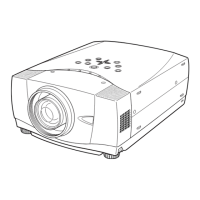
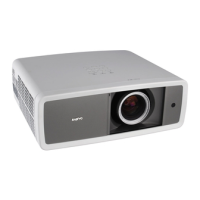
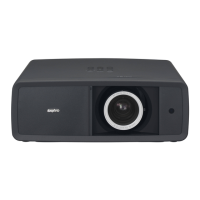
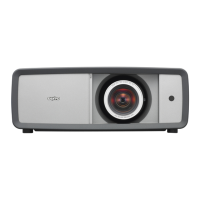
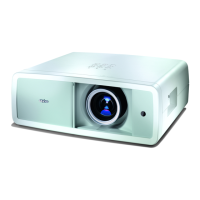
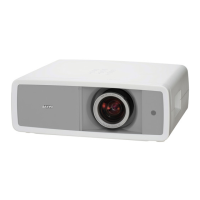
Identifies parts on the front of the projector like lens, rings, shutter.
Identifies terminals, switches, vents, and feet on the back and bottom.
Specifies effective range and angle for remote control use.
Provides instructions for installing batteries in the remote control.
Details projection distances and screen sizes for optimal image placement.
Explains how to adjust the projector's tilt angle using the feet.
Guides on connecting video sources using RCA composite or S-Video cables.
Instructions for connecting component video sources using RCA cables.
Details connections for HDMI and RGB Scart video sources.
Instructions for connecting a computer using VGA or DVI-VGA cables.
Step-by-step guide to power on the projector and initial startup sequence.
How to use the zoom lever and focus ring for image clarity.
Explains basic remote control functions like LIGHT, RESET, BACK, SCREEN buttons.
How to select input sources and system formats via top control or remote.
How to select video system formats for Video/S-Video inputs.
How to select Component 1 or 2 inputs for Y-Pb/Cb-Pr/Cr signals.
How to select HDMI inputs and troubleshoot signal issues.
How to select Computer input, including RGB Analog/Scart and Auto adjust.
How to select predefined or user-defined image modes for optimal viewing.
Direct operation and menu steps for adjusting image parameters like brightness, contrast, color.
How to reset image adjustments to default or previous figures.
How to store custom user image modes for later recall.
Adjusting overscan, horizontal/vertical position, auto adjust, fine sync, total dots.
How to select screen sizes like Full, Zoom, Normal, Natural wide, and Anamorphic.
Setting display language, menu position, and image flip options.
Configuring HDMI setup, altitude mode, and background display options.
Configuring on-screen display behavior, startup logos, and power off confirmation.
Using test patterns and setting filter cleaning frequency.
Procedures for cleaning the projector interior and adjusting fan speed.
Resetting lamp counter, service port, and restoring factory defaults.
How to view details about the current input signal and projector status.
Explains projector status based on WARNING and POWER indicator lights.
How to reset the filter counter after cleaning or replacing the air filter.
Instructions for gently cleaning the projector lens.
How to clean the projector's exterior body safely.
How to reset the lamp counter after lamp replacement.
Safety warnings regarding projector lamp handling and potential hazards.
Lists common problems and their solutions for projector operation.
Hierarchical diagram of all projector menu options and their settings.
Continues the hierarchical display of projector menu options.
Lists compatible computer and video signal modes with H-freq and V-freq.
Pin configurations for HDMI and VGA computer terminals.
Lists optional accessories like HDMI, Component, and Scart-VGA cables.




 To Next Page
 General