EasyManua.ls Logo

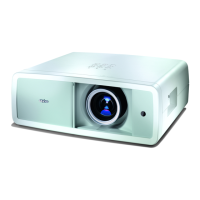
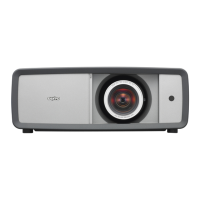
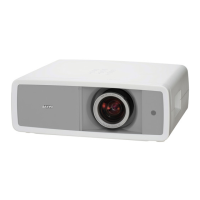
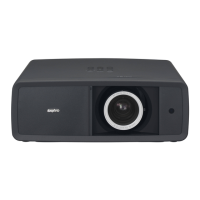
Sanyo PLV-Z4000 - Service Manual

Sanyo PLV-Z4000
138 pages
Print Icon
To Next Page IconTo Next Page
Loading...
FILE NO.
SERVICE MANUAL
REFERENCE NO. SM5111253-00
PRODUCT CODE :
1 122 447 20 U.S.A., Canada
1 122 447 24 Brazil
1 122 448 20 Asia, Africa
1 122 448 22 H.K.
1 122 448 23 Europe
Multimedia Projector
Chassis No. ME4-Z400000
NOTE: Match the Chassis No. on the rating
sheet on the cabinet with the Chassis
No. in the Service Manual.
If the Original Version Service
Manual Chassis No. does no t
match the unites, additional Service
Literature is required. You must refer
to ā€œNoticesā€ to the Original Service
Manual prior to servicing the unit.
MODEL NO. PLV-Z4000
U.S.A., Canada, Europe,
U.K. Asia, Africa, Brazil
Original Version

Table of Contents

Other manuals for Sanyo PLV-Z4000

Questions and Answers

  • J
    jacksonjasonAug 12, 2025
    Why my Sanyo Projector cannot be turned on?
    • A
      Albert BrownAug 12, 2025
      If your Sanyo Projector cannot be turned on and the temperature inside is abnormally high, the POWER indicator emits red light (the WARNING indicator keeps blinking). Allow the projector to cool down until the temperature returns to normal. Also, check and clean the air filter.
  • A
    amanda85Aug 15, 2025
    What to do if my Sanyo PLV-Z4000 cannot be turned on?
    • K
      Kayla DyerAug 15, 2025
      If your Sanyo Projector detects an abnormal condition and cannot be turned on, unplug the AC power cord and plug it back in to try turning it on again. If it turns off again, unplug the cord and contact the dealer or service center for assistance. Do not leave the projector on, as it may pose an electric shock or fire hazard.
  • S
    Scott JordanAug 19, 2025
    What to do if the lamp does not turn on in my Sanyo Projector?
    • S
      Stephanie HerreraAug 20, 2025
      If the projection lamp in your Sanyo Projector reaches its end of life, the LAMP REPLACE indicator will light up yellow. When this happens, replace the lamp promptly with a new one. After replacing it, remember to reset the lamp replacement counter.
  • B
    brian60Aug 23, 2025
    What to do if my Sanyo PLV-Z4000 Projector detects an abnormal condition and won't turn on?
    • U
      uhooverAug 23, 2025
      If your Sanyo Projector detects an abnormal condition and cannot be turned on, unplug the AC power cord, then plug it in again to attempt to turn on the projector. If it turns off again, unplug the AC power cord and inspect the power lines, as there may be a power failure.
  • B
    Brandi GentryAug 27, 2025
    How to fix a Sanyo PLV-Z4000 when the temperature inside is abnormally high?
    • T
      Troy WilliamsAug 27, 2025
      When the temperature inside your Sanyo Projector is abnormally high, the POWER indicator emits red light (the WARNING indicator keeps blinking). Allow the projector to cool down until the temperature returns to normal. Also, check and clean the air filters.
  • T
    Tony JacksonAug 31, 2025
    What to do if the Sanyo Projector main switch is off or the power cord is unplugged?
    • A
      Andrew JohnstonAug 31, 2025
      If your Sanyo Projector's main switch is off or the AC power cord is unplugged, check the Main On/Off switch and ensure the AC power cord is plugged in.
  • F
    Faith RobertsonSep 3, 2025
    Why is my Sanyo PLV-Z4000 not turning on and the projection lamp is being cooled down?
    • T
      Timothy CruzSep 3, 2025
      If the projection lamp in your Sanyo Projector is being cooled down, wait until the cooling is completed before attempting to turn on the projector.
  • S
    scottpatriciaSep 7, 2025
    What does it mean when my Sanyo Projector is in Power management mode?
    • C
      codywalkerSep 7, 2025
      When your Sanyo Projector is in Power management mode, no action is required. This is a normal operating condition.

Summary

Safety Instructions

SAFETY PRECAUTIONS

Precautions for safe servicing of the projector.

SERVICE PERSONNEL WARNING

Warnings for service personnel regarding lamp and high voltage hazards.

Circuit Protections

Fuse

Details on the projector's fuse type and replacement procedure.

Thermal switch

Function and reset procedure for the internal thermal switch.

Warning temperature and power failure protection

Automatic shutdown mechanisms for overheating and power failure.

Maintenance and Cleaning

Cleaning the Air Filters

Procedure for cleaning and resetting the projector's air filters.

Cleaning the Projection Lens

Instructions for cleaning the projection lens to maintain image quality.

Cleaning the Projector Cabinet

Method for cleaning the projector's exterior cabinet.

Lamp Replacement

LAMP HANDLING PRECAUTIONS

Safety precautions for handling the high-pressure lamp.

How to check lamp used time

Procedure to check the total lamp usage time.

Mechanical Disassemblies

Cabinet top assy removal.

Procedure for removing the cabinet top assembly.

AV panel removal.

Procedure for removing the AV panel.

Main PWB removal.

Procedure for removing the main PWB and associated components.

Cabinet front assy removal.

Procedure for removing the projector's front cabinet assembly.

Optical Disassemblies

LCD panel; prism assy removal.

Procedure for removing the LCD panel and prism assembly.

Optical parts location and direction

Diagram showing the location and orientation of optical parts.

Adjustments

Adjustments after Parts Replacement

Table indicating necessary adjustments after replacing specific parts.

Caution to memory IC replacement

Cautionary advice regarding memory IC replacement.

Optical Adjustment

Contrast adjustment (Polarized glass and Optical filter)

Detailed procedure for contrast adjustment of polarized glass and optical filters.

Electrical Adjustment

Service Adjustment Menu Operation

Steps to enter and operate the service adjustment menu.

Auto Calibration adjustment [PC]

Auto calibration procedure for PC input signals.

Read;Write of LCD panel gamma data when Main Board replacing

Process for reading/writing LCD gamma data during main board replacement.

Troubleshooting

Indicators and Projector Condition

Table correlating indicator states with projector conditions and troubleshooting steps.

No Power

Troubleshooting guide for when the projector has no power.

No Picture

Troubleshooting guide for when there is no picture displayed.

Control Port Functions

I;O Port Table of Main CPU (IC301, PW392)

Table listing I/O ports, names, functions, and directions for the main CPU.

Electrical Parts List

Diode;Transistor Type Reading

Explanation of how to read diode and transistor type information.

ASSEMBLED BOARDS

List of part numbers and descriptions for assembled boards.

OPTICAL PARTS DIRECTORY

Directory of optical parts with their part numbers and descriptions.

Mechanical Parts List

Cabinet Parts Location

Diagram showing the location of cabinet parts.

Optical Parts Location

Diagram showing the location of optical parts.

CABINET CHASSIS PARTS

List of part numbers and descriptions for cabinet chassis components.

OPTICAL PARTS DIRECTORY

Directory of optical parts with their part numbers and descriptions.

Diagrams & Drawings

Schematic Diagrams

Contains schematic diagrams of the projector's circuits.

Printed Wiring Board Drawings

Contains printed wiring board drawings for the projector.

Pin description of diode, transistor and IC

Illustrations and explanations of diode, transistor, and IC pin configurations.

Sanyo PLV-Z4000 Specifications

General IconGeneral
Projection distance1.2 - 18.4 m
Vertical scan range50 - 100 Hz
Horizontal scan range15 - 80 kHz
Projection technologyLCD
Contrast ratio (typical)-
Lamp power165 W
Light source typeLamp
Service life of light source2000 h
Service life of light source (economic mode)3000 h
Focal length range22.3 - 45.3 mm
Analog signal format systemNTSC, PAL, SECAM
S-Video inputs quantity1
Component video (YPbPr/YCbCr) in2
Dimensions (WxDxH)400 x 346 x 146 mm
Power consumption (typical)250 W
Noise level19 dB
Weight and Dimensions IconWeight and Dimensions
Weight7500 g

Related product manuals