EasyManua.ls Logo

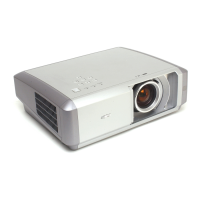
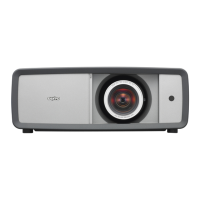
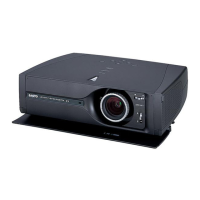
Sanyo PLV-Z3 - Service Manual

Sanyo PLV-Z3
94 pages
Print Icon
To Next Page IconTo Next Page
Loading...
PRODUCT CODE
1 122 268 00 PLV-Z3 (S)
(M4SA)
1 122 269 00 PLV-Z3 (S) (P4SA)
1 122 269 02 PLV-Z3 (S) (P4SC)
1 122 268 20 PLV-Z3 (K) (M4SAA)
1 122 269 20 PLV-Z3 (K) (P4SAA)
1 122 269 22 PLV-Z3 (K) (P4SCA)
REFERENCE NO. SM5110679-00
Multimedia Projector
SERVICE MANUAL
FILE NO.
Model No. PLV-Z3
(U.S.A., Canada, Europe
Asia, Africa, U.K. )
Chassis No. M4S-Z300
M4S-Z3S00
NOTE: Match the Chassis No. on the unit’s
back cover with the Chassis No. in
the Service Manual.
If the Original Version Service
Manual Chassis No. does not
match the unit’s, additional Service
Literature is required. You must refer
to “Notices” to the Original Service
Manual prior to servicing the unit.
Original Version

Other manuals for Sanyo PLV-Z3

Questions and Answers

  • B
    Brandon KellerAug 15, 2025
    Why are the WARNING (red) and POWER (red) indicators flashing on my Sanyo PLV-Z3?
    • G
      Gary ParksAug 15, 2025
      This indicates the projector has detected an abnormally high temperature inside. You should check the air filters and remove any obstructions near the intake and exhaust fan openings. Then, wait for the POWER indicator to stop flashing before attempting to turn the projector on again.
  • S
    Stephanie ThompsonAug 18, 2025
    What to do if the WARNING (red) indicator is lighting on my Sanyo PLV-Z3?
    • U
      ujonesAug 18, 2025
      This indicates the projector has detected an abnormality in the cooling fan operation or in the power supply secondary circuits. Check the fan operation, power supply lines, and the driving signal status.
  • K
    Kevin DicksonAug 22, 2025
    What to do if my Sanyo PLV-Z3 Projector does not turn on and the indicator flashes?
    • B
      Brooke JonesAug 22, 2025
      The primary power supply circuit is not operating properly. Check the thermal switch and varistor (VA601), and also inspect the power board.
  • A
    Amy WilliamsAug 25, 2025
    What does it mean if my Sanyo Projector detected an abnormality in the lamp driving signal?
    • P
      Pamela LewisAug 26, 2025
      Check the lamp driving signal.
  • M
    Megan HortonAug 28, 2025
    What to do if my Sanyo PLV-Z3 detected an abnormality in the lamp cover or the slide motion door?
    • M
      Michelle MillerAug 28, 2025
      Check the lamp cover and the slide motion door.
  • W
    Wesley SmithAug 31, 2025
    What to check if there is an abnormality on the secondary power supply lines of my Sanyo PLV-Z3 Projector?
    • D
      David RichardsAug 31, 2025
      Check power supply lines, S5V,-5V, S16V, etc. on the Main board.
  • L
    Luis JamesSep 4, 2025
    How to fix the Lamp Cover Switch (SW8803 on Lamp SW board) on my Sanyo PLV-Z3?
    • K
      Kristin HansonSep 4, 2025
      Make sure that the lamp cover is mounted correctly.
  • G
    gregg48Sep 7, 2025
    How to fix the Door Switch (SW8801 on Door SW board) on my Sanyo Projector?
    • B
      Brian PayneSep 7, 2025
      Make sure that the door is open.
  • K
    Karen GaySep 12, 2025
    What to check if an abnormality occurs on the fan control circuits of my Sanyo PLV-Z3?
    • S
      Sergio HallSep 12, 2025
      Check FN901, FN902, FN903, FN904, FN905 and peripheral circuit.

Summary

Safety Instructions

SAFETY PRECAUTIONS

General safety guidelines and warnings for servicing the projector.

SERVICE PERSONNEL WARNING

Specific warnings for service personnel regarding lamp handling and electrical hazards.

Specifications

Technical Specifications

Detailed technical specifications for the multimedia projector, including dimensions, weight, and performance.

Circuit Protections

Warning temperature and power failure protection

How temperature and power failure protection mechanisms operate and indicate issues.

Lamp Replacement

Lamp Replacement

Steps and indicators for replacing the projector's lamp when its life ends.

Cleaning

Cleaning the Air Filter

Instructions for cleaning the projector's air filters to maintain cooling efficiency.

Mechanical Disassemblies

3. MAIN BOARD AND THERMAL BARRIER PLATE REMOVAL

Steps to remove the main board and thermal barrier plate.

8. OPTICAL UNIT AND FAN REMOVAL

Procedure to remove the optical unit and cooling fans.

Optical Parts Disassemblies

7. LOCATIONS IN OPTICAL UNIT

Diagram showing the correct placement of optical parts within the unit.

LCD Panel;Prism Assy Replacement

IMPORTANT NOTICE on LCD Panel;Prism Assy Replacement

Crucial notes regarding LCD panel replacement and necessary adjustments.

Adjustments After Parts Replacement

Optical Adjustment

Electrical Adjustment

Service Adjustment Menu Operation

How to enter and navigate the projector's service adjustment menu.

Service Adjustment Data Table

Location of Test Points

Chassis Block Diagram

Power Supply Lines

Troubleshooting

No Power

Troubleshooting steps for when the projector does not power on.

Indicators

Description of POWER and WARNING LED indicators and their meanings.

No Picture

Troubleshooting steps for situations where there is no picture output.

No picture with all of input sources

Steps for diagnosing no picture across all input sources.

No picture with COMPONENT1;2 (YCbCr 480 i,575 i) input sources

Troubleshooting specific to Component input sources.

No picture with HDMI (RGB digital) input source

Troubleshooting for no picture with HDMI input.

No picture with Computer (RGB analog) input source

Troubleshooting for no picture with RGB analog computer input.

No picture with Computer (RGB SCART) input source

Troubleshooting for no picture with RGB SCART input.

No picture with S-VIDEO input source

Troubleshooting for no picture with S-Video input.

No picture with video input source

Troubleshooting for no picture with composite video input.

Control Port Functions

IC Block Diagrams

Electrical Parts List

Mechanical Parts List

Sanyo PLV-Z3 Specifications

General IconGeneral
BrandSanyo
ModelPLV-Z3
CategoryProjector
LanguageEnglish

Related product manuals