46
The Sapling Company, Inc.
670 Louis Drive
Warminster, PA 18974
USA
P. (+1) 215.322.6063
F. (+1) 215.322.8498
www.sapling-inc.com
46
The Sapling Company, Inc.
670 Louis Drive
Warminster, PA 18974
USA
P. (+1) 215.322.6063
F. (+1) 215.322.8498
www.sapling-inc.com
Network Monitor Software - Task Bar Options
* Matches any sequence of 0 or more characters in the name
? Matches any single character in the name
[chars] Matches any character in the set given by chars. If a sequence of the form x-y
appears in chars, then any character between x and y, inclusive, will match.
{[A-Za-z]} Will match any alphabetical character.
\x Matches the single character x. This provides a way of avoiding the special
interpretation of the characters *?[]\ in pattern.
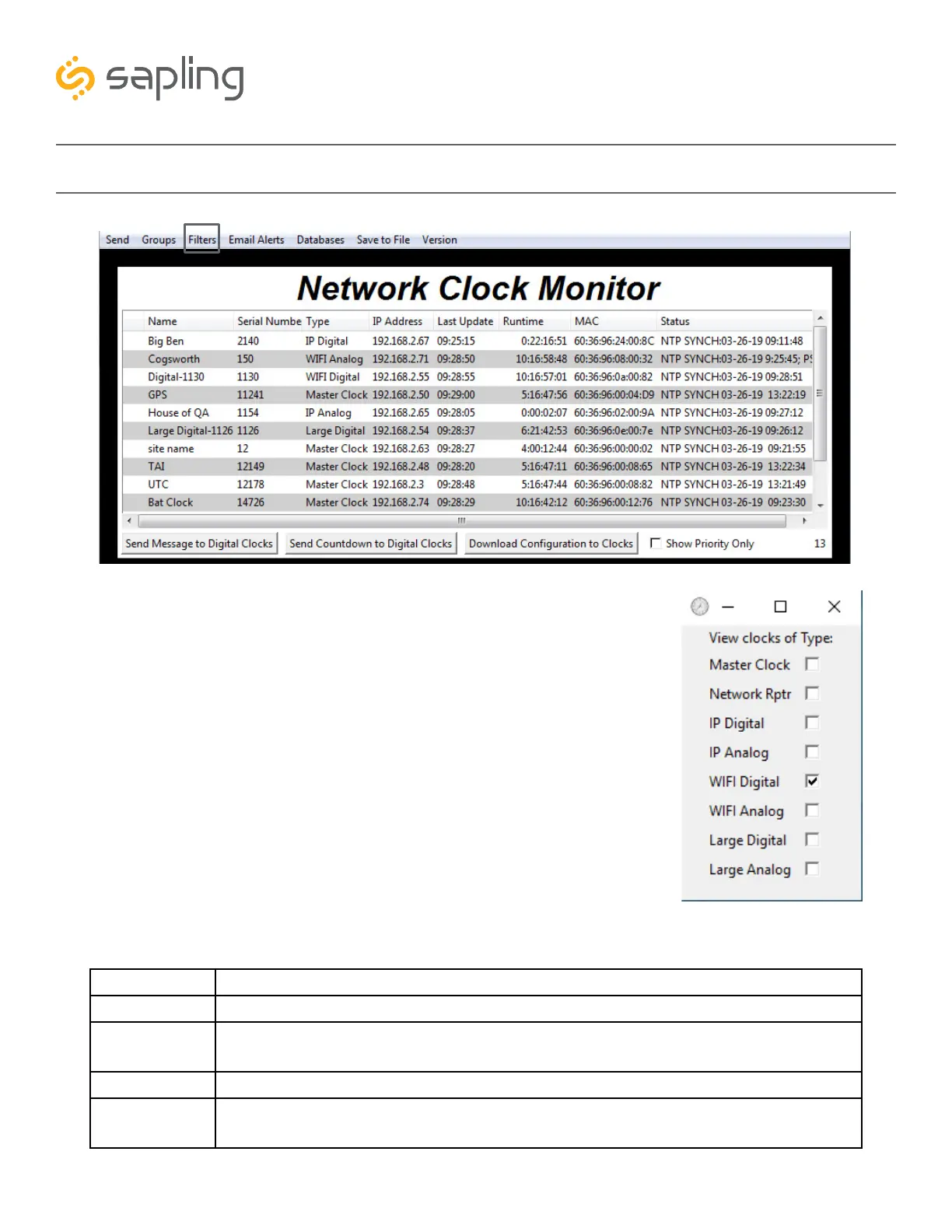
3. Filters - When clicked, this button will display the following options:
Filter By Clock Type - By selecting this option, the user is able to
view specific clock types on the Monitor Screen. The clock types
users can filter through are: Master Clocks, Network Repeaters, Wi-Fi
Analog, Wi-Fi Digital, IP Analog, and/or IP Digital clocks. When the
box next to the clock type is checked, the user will be able to view
that clock type on the Monitor Screen.
Filter By Name - By selecting this option, the user is able to search
for specific clocks by name on the Monitor Screen. The user must type
in the name of a clock and check the box next to the word Enable.
Once checked, the clocks that match the name will appear.
Please Note: When using this option, the submitted name must be
identical to the name of the clock in order to receive a match. There
are a few special sequences/characters listed below that may be used
when filtering by name:
3



 To Next Page