34
The Sapling Company, Inc.
670 Louis Drive
Warminster, PA 18974
USA
P. (+1) 215.322.6063
F. (+1) 215.322.8498
www.sapling-inc.com
Uniform Stage Installation
1
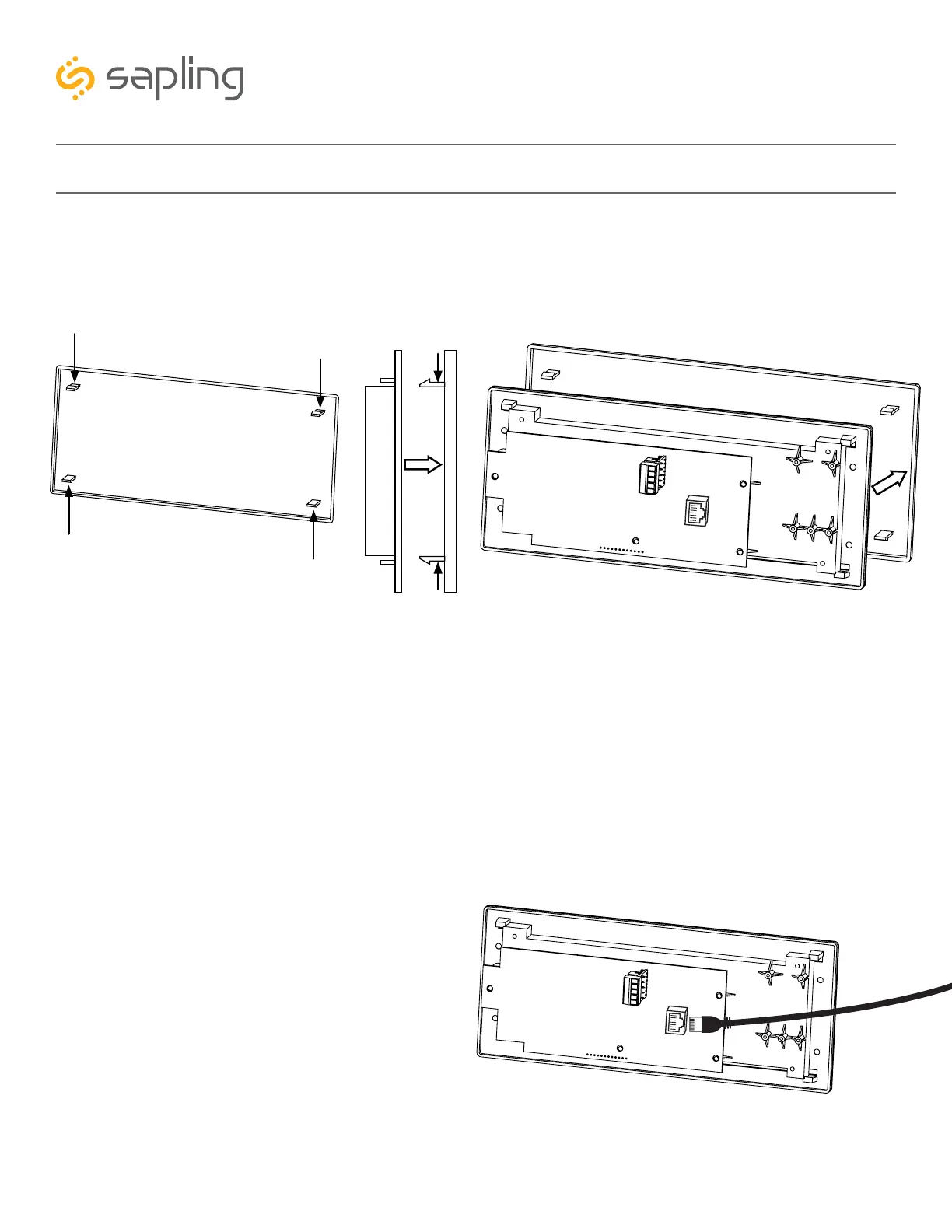
1) The Digital Clock comes with a protective filter that snaps onto the clock display utilizing four flexible
tabs. Detach the filter from the clock display board by pressing inward on the filter tabs. This will allow
access for screwing the display to the clock housing, which will be required in one of the next steps.
z
z
z
z
z = filter tabs
z
z
2 3
2) Depending on the clock model and accessories
that may have been purchased along with the
clock, additional wiring might need to be run to
the clock in order to interface with the accessory
(elapsed timer control panel, temperature sensor,
user input, etc.). For doing so, please review the
installation instructions and the wiring diagram for
your specific application (and/or accessory) which
can be found in this manual.
3) The next step would be to plug the network
cable into the clock electric board.



 To Next Page