49
The Sapling Company, Inc.
670 Louis Drive
Warminster, PA 18974
USA
P. (+1) 215.322.6063
F. (+1) 215.322.8498
www.sapling-inc.com
49
The Sapling Company, Inc.
670 Louis Drive
Warminster, PA 18974
USA
P. (+1) 215.322.6063
F. (+1) 215.322.8498
www.sapling-inc.com
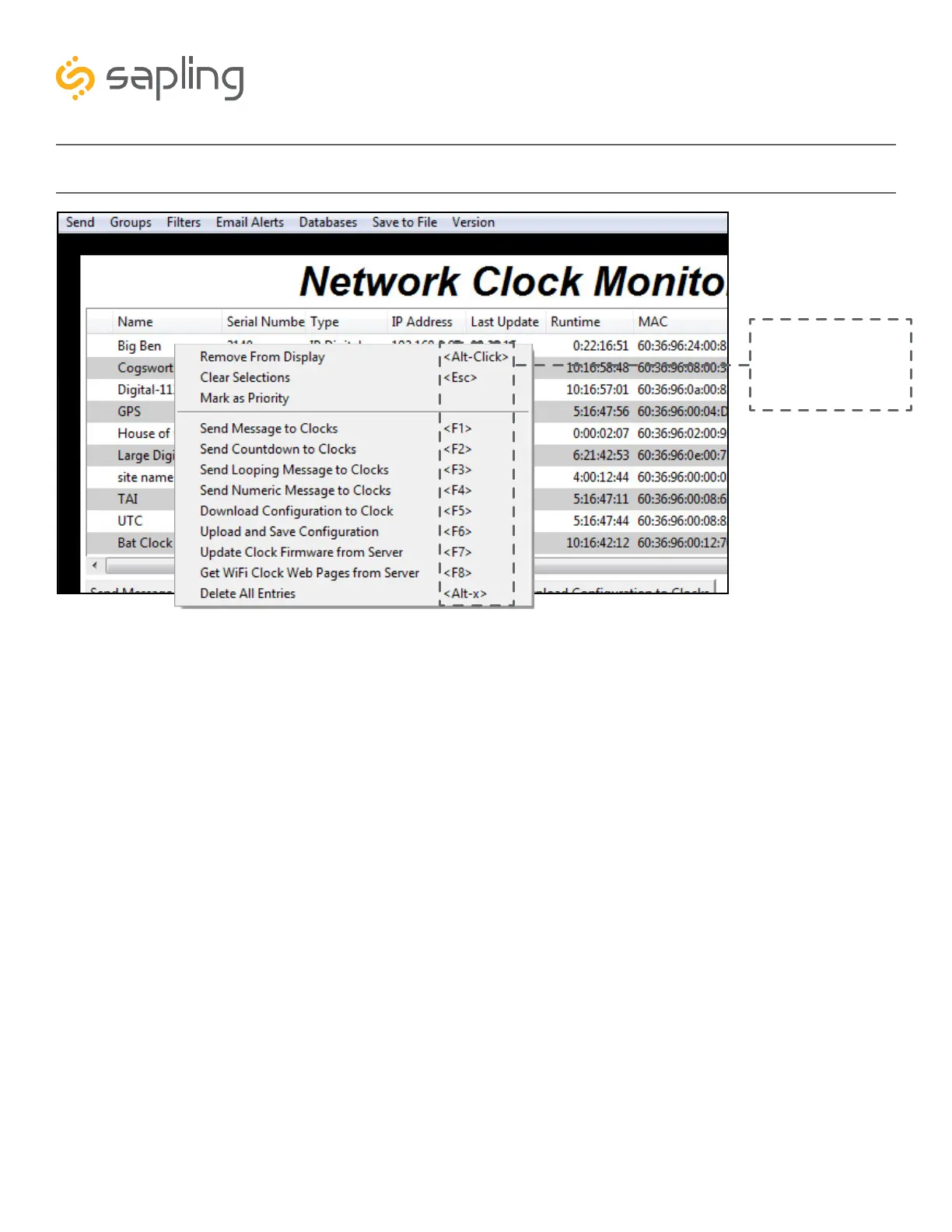
Network Monitor Software - Quick Access Menu
1
2
3
4
5
6
7
Please note: These
options can also be
accessed by using the
keyboard shortcuts noted
in the Quick Access Menu
Using a right-handed mouse to right-click on any row in the Device List will open the Quick Access Menu.
1. Remove from Display - When clicked, this option will remove the selected clock from the Device List.
2. Clear Selections - This option will deselect any highlighted items on the Device List.
3. Mark as Priority - Marking a clock(s) as priority is another filtering option for a user to segment the
clocks. Once a clock is marked as priority, there will be an asterisk (*) next to the chosen clock.
4. Send Message to Clocks - Performs the same action as the Send Message to Digital Clocks button.
5. Send Countdown to Clocks - Performs the same action as the Send Countdown to Digital Clocks button.
6. Send Looping Message to Clocks - Performs a similar action to the Send Message to Digital clocks,
but allows the user to select the number of times that the message will repeat. It also provides a longer
text box for sending longer messages.
7. Send Numeric Message to Clocks - Performs the same action as the Send Message to Digital Clocks
button, but messages are limited to four digits consisting of numbers 0-9.



 To Next Page