54
The Sapling Company, Inc.
670 Louis Drive
Warminster, PA 18974
USA
P. (+1) 215.322.6063
F. (+1) 215.322.8498
www.sapling-inc.com
54
The Sapling Company, Inc.
670 Louis Drive
Warminster, PA 18974
USA
P. (+1) 215.322.6063
F. (+1) 215.322.8498
www.sapling-inc.com
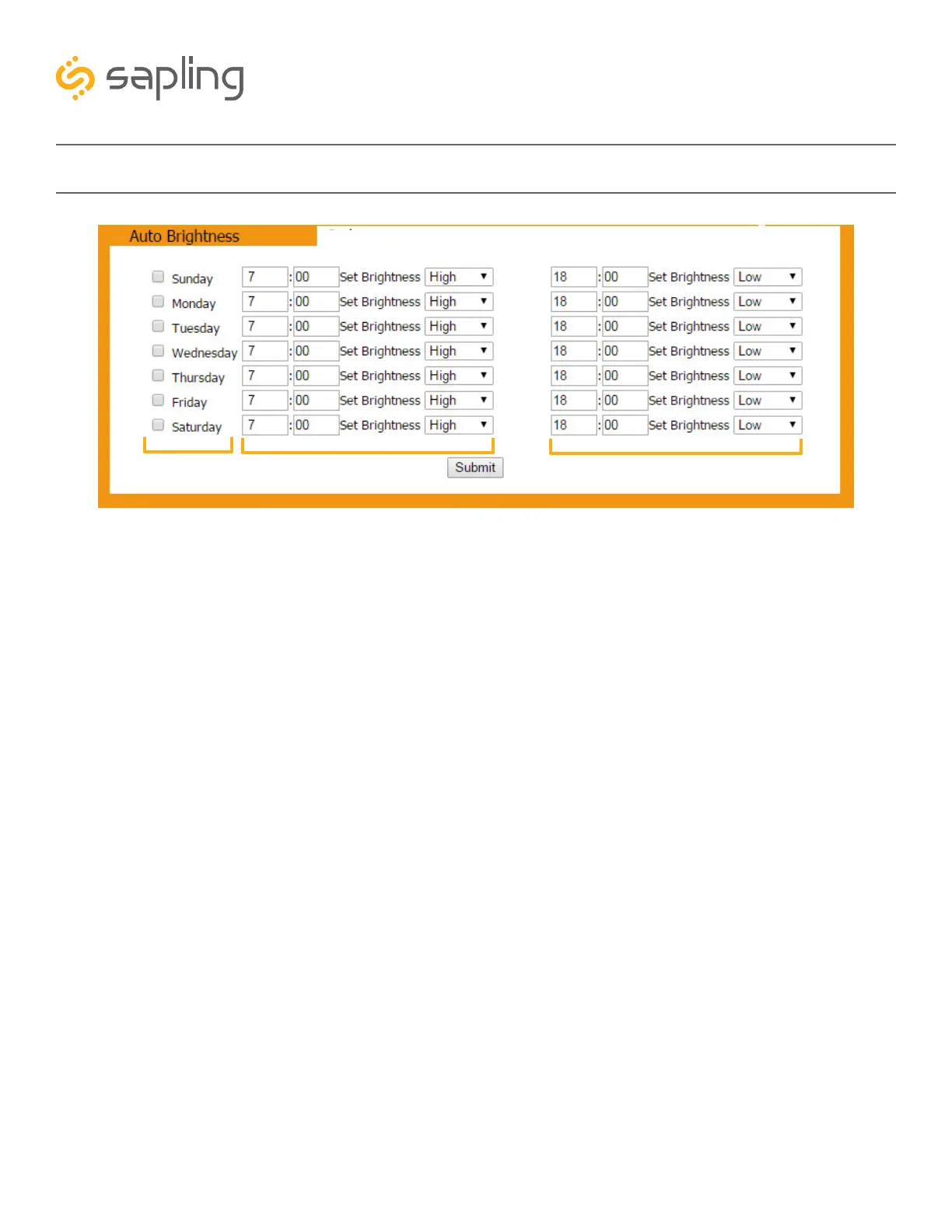
Web Interface - Brightness Schedule
1. Day Column - Allows the user to select days where changes to the brightness schedule are active. If a
day is not selected, the actions in the adjustment columns will not be applied to the clock.
2. Adjustment 1 - Allows the user to select a new brightness level for the clock, and the time when the
new brightness level will take effect. Times are entered in 24 hour mode. Brightness options are High,
Medium, Low, and Off.
3. Adjustment 2 - Allows the user to set a second time during a given day where the brightness level will
change.
The time for Adjustment 2 may be set for any time before or after Adjustment 1 during the same day. For
example, if Adjustment 1 is set to activate at 11:00 AM and Adjustment 2 is set to activate at 8:00 AM,
Adjustment 2 will activate first at 8 AM, followed by Adjustment 1 at 11 AM.
If you wish for the brightness to only change once on a given day, set Adjustment 1 and Adjustment 2 to
the same brightness level and time.
4. Submit - Applies any changes to the previous options when pressed.
1
3
2
4



 To Next Page