57
The Sapling Company, Inc.
670 Louis Drive
Warminster, PA 18974
USA
P. (+1) 215.322.6063
F. (+1) 215.322.8498
www.sapling-inc.com
57
The Sapling Company, Inc.
670 Louis Drive
Warminster, PA 18974
USA
P. (+1) 215.322.6063
F. (+1) 215.322.8498
www.sapling-inc.com
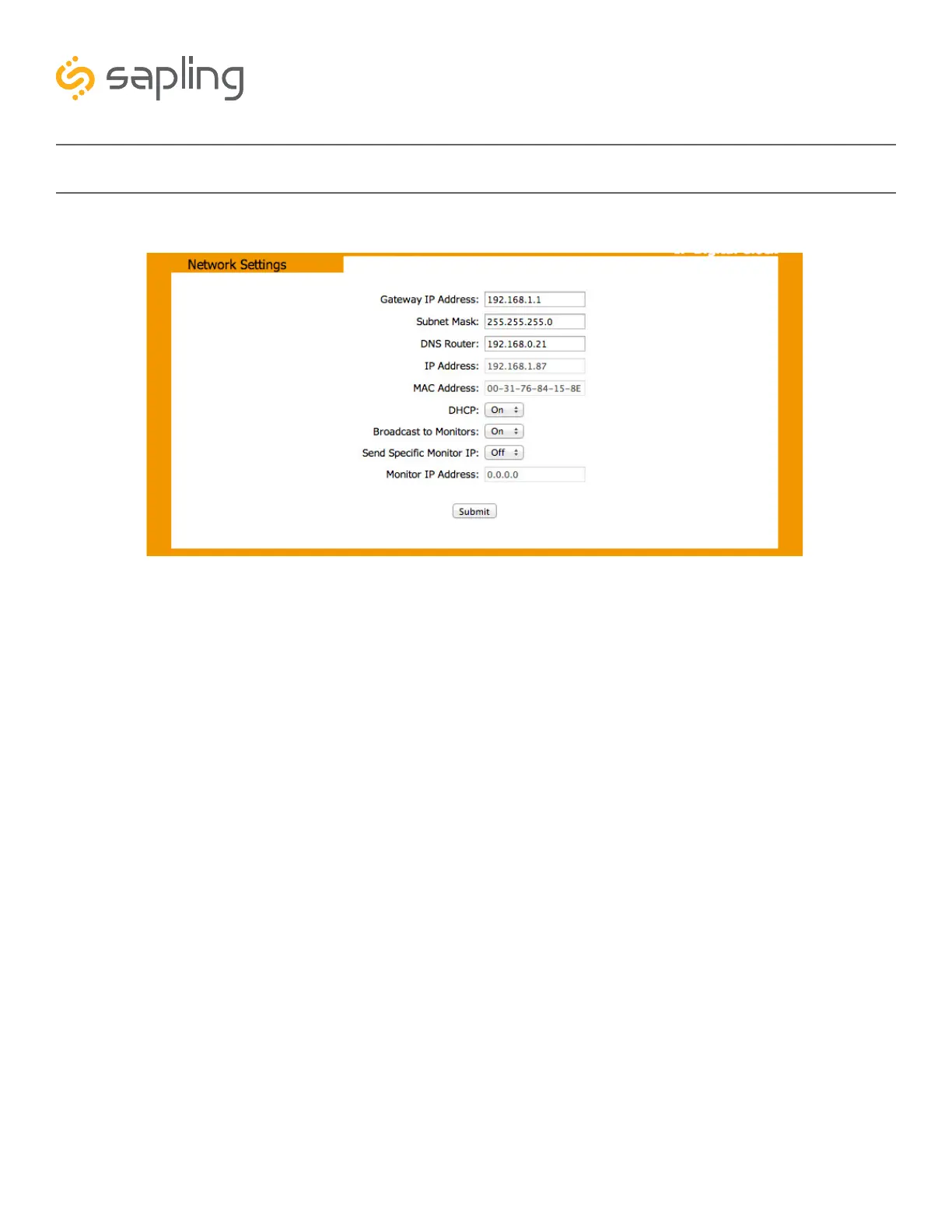
Web Interface - Network Settings
1. Gateway IP Address - This field allows the user to set the gateway IP address.
2. Subnet Mask - This field allows the user to set the subnet mask for their clock.
3. DNS Router - This field allows the user to set the DNS Router IP address.
4. IP Address - This field will display the clock’s IP address. If DHCP is enabled, this address will be
assigned by the DHCP server. If DHCP is disabled, then the user may set their own static IP address.
5. MAC Address - This field shows the clock’s permanent machine address. It cannot be changed.
6. DHCP - Allows the user to set whether or not the clock will use a DHCP server to determine the IP
address, the Gateway IP address, the Subnet Mask, and the DNS Router for the clock.
7. Broadcast to Monitors - Allows the user to set whether or not the clock may send data to the
Network Monitor
8. Send Specific Monitor IP - Allows the user to set an IP address that can be used to access the
IP monitor.
9. Monitor IP Address - This field shows the Network Monitor’s IP address. It cannot be changed.
10. Submit - Applies any changes to the previous options when pressed.
1
3
5
7
9
2
4
6
8
10



 To Next Page