59
The Sapling Company, Inc.
670 Louis Drive
Warminster, PA 18974
USA
P. (+1) 215.322.6063
F. (+1) 215.322.8498
www.sapling-inc.com
59
The Sapling Company, Inc.
670 Louis Drive
Warminster, PA 18974
USA
P. (+1) 215.322.6063
F. (+1) 215.322.8498
www.sapling-inc.com
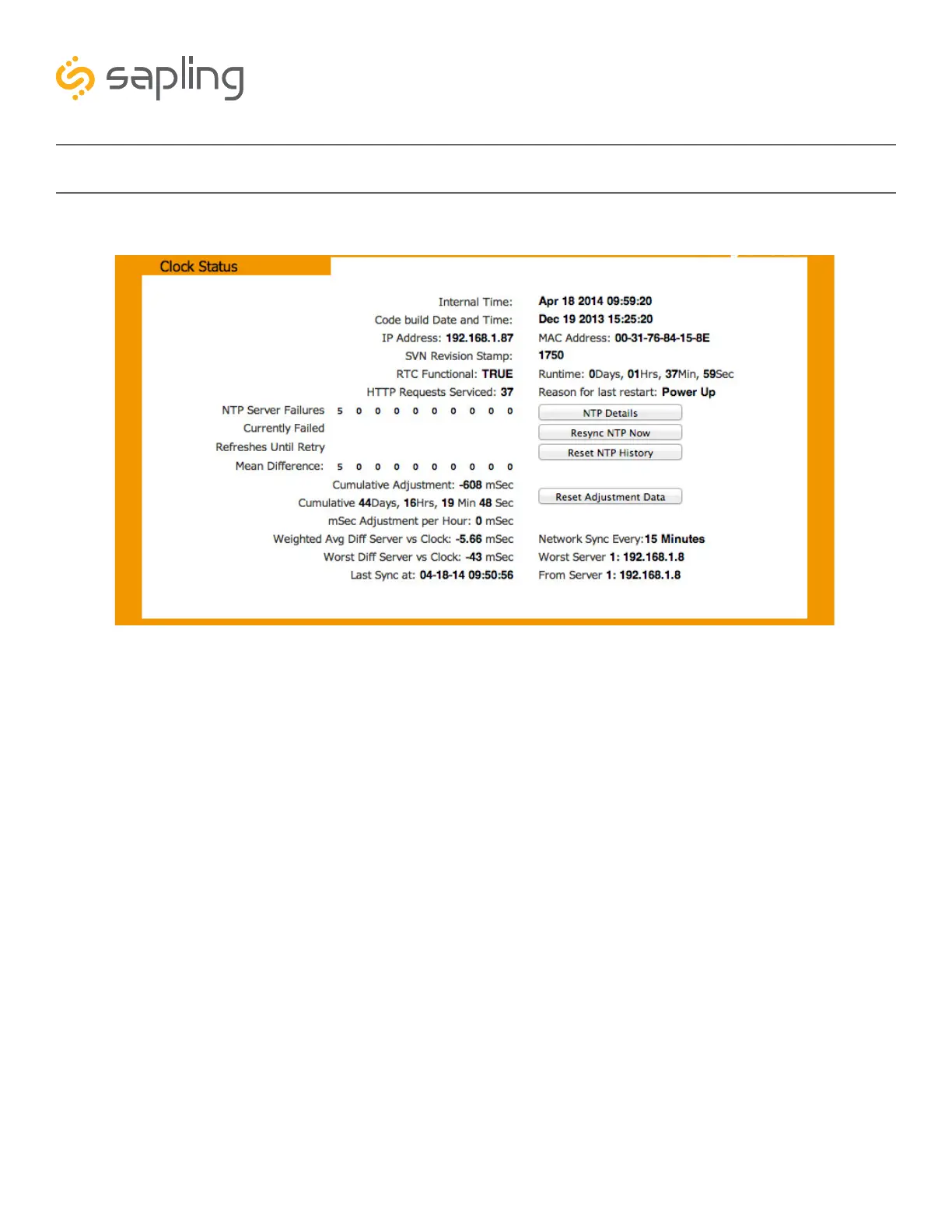
Web Interface - Clock Status
1. NTP Details - This button provides additional details about NTP synchronization when clicked.
2. Resync NTP Now - This button forces a synchronization with the NTP server when clicked.
3. Reset NTP History - This button resets all of the data in the NTP details window when clicked.
4. Reset Adjustment Data - This button resets the statistics of previous time drifts when checked.
1
3
2
4



 To Next Page